The Cookie management feature enables isolated management of Cookies for different platforms within the same profile. It also allows you to freely edit saved Cookies, including adding, replacing, and deleting entries. This feature is only available for Plus plan and Share+ plan.
I. Cookie Editing
Operation Note: Ensure the current profile is closed before managing Cookies. If the profile remains open, modified Cookies may not take effect properly.
1. Navigate to the Cookie management page
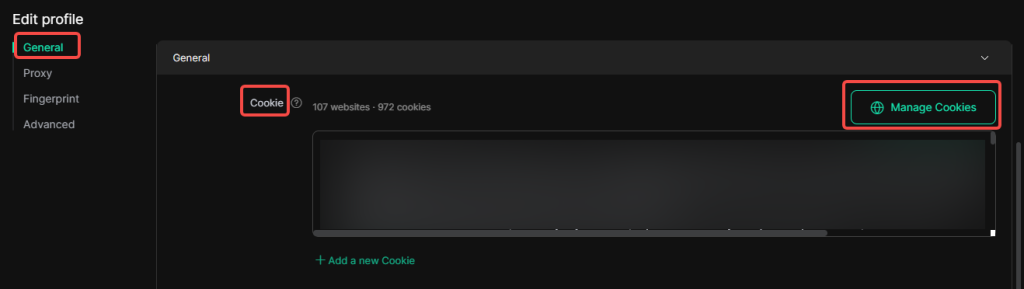
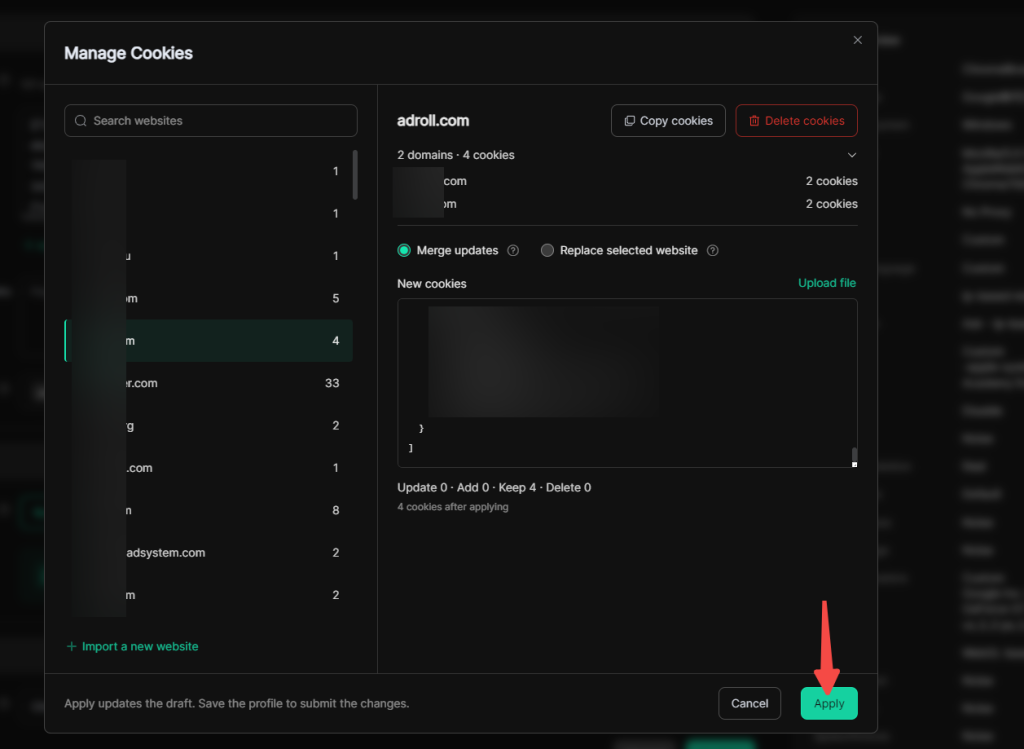
Locate Profile Management page on the left dashboard, select the target profile for Cookie management to open its editing page. Under General > Cookie, click Manage Cookies to proceed.
2. Select the website to manage
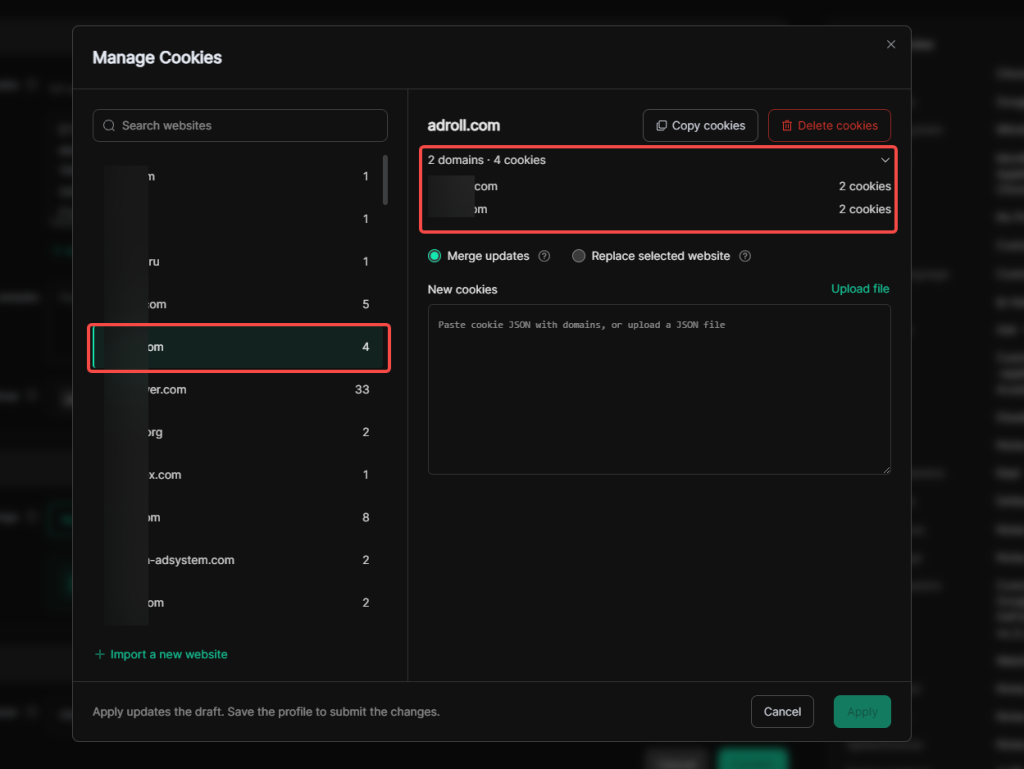
On the Cookie management page, select the website whose Cookies you want to manage. If there are many websites, use the search function on this page to quickly locate the website.
After selecting a website, you can view the number of domains and Cookies contained for this platform on the right panel.
To import Cookies from a new website, click Import a new website on this page.
3. Select the Cookie application mode
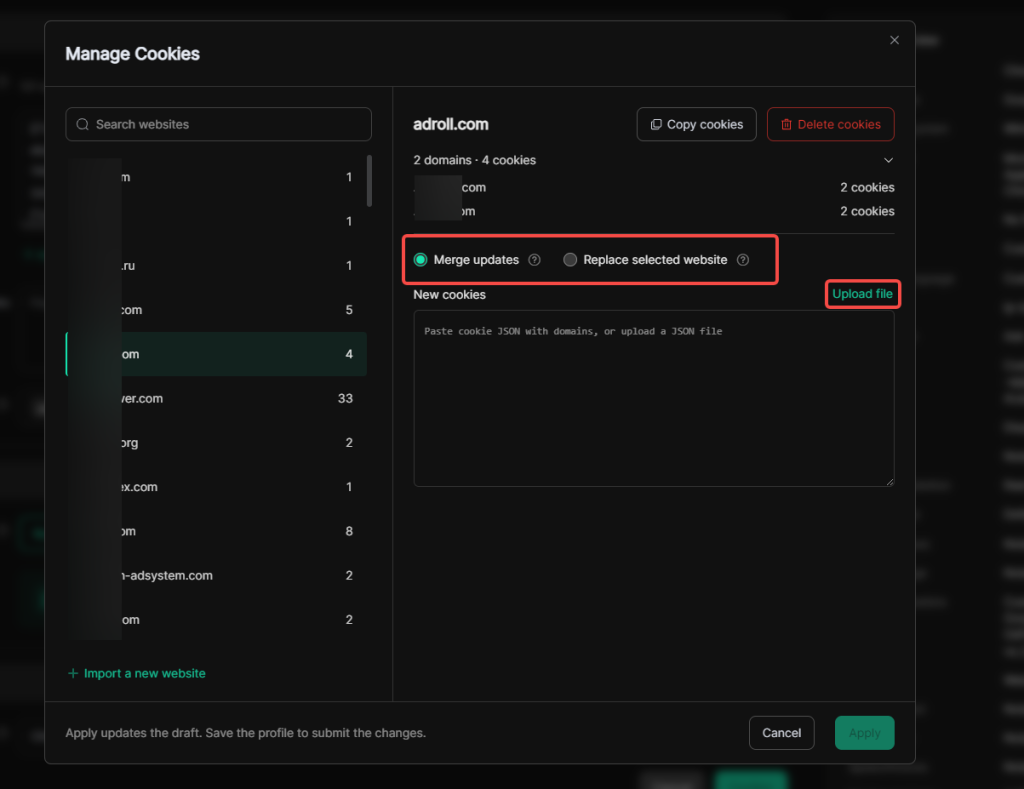
You may choose either Merge Updates or Replace Selected Website as the Cookie application mode. When editing Cookies, paste the domain-bound Cookie in JSON format, or click Upload file to upload a Cookie file in JSON format directly.
- Merge Updates: Replace specific Cookies on top of existing ones and add new Cookies. Suitable for supplementing or partial updates, yet old login records may remain.
- Replace Selected Website: On the basis of existing cookies, old Cookies within a specified scope will be removed while new Cookies are added. Suitable for replacement after full export. If the new data is incomplete, the draft may lack the Cookies required by the website.
4. Apply the Cookie draft and save
After finishing Cookie editing, click Apply. This action only updates the draft and does not activate the changes. Changes will be submitted and take effect only after you save the profile edits.
II. Cookie Copying and Deletion
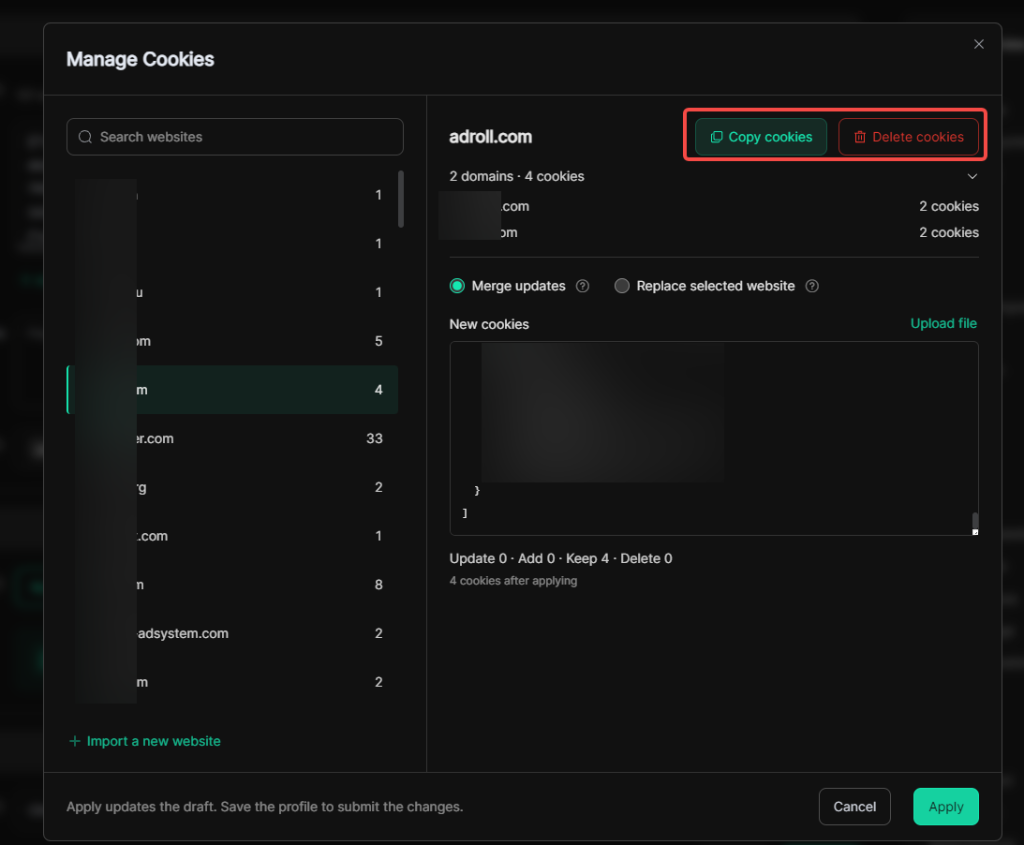
On this Cookie management page, you can click Copy cookies and Delete cookies to copy or delete all Cookies of a specific website with dedicated buttons.