When you need to prevent members from specific high-risk IP addresses from logging in or opening profiles, you can configure Member IP Restriction.
- Navigate to Global Settings from the left sidebar. Under Security Settings, enable Member IP Restriction and Proxy connection limit. This restriction does not apply to the super adminis.
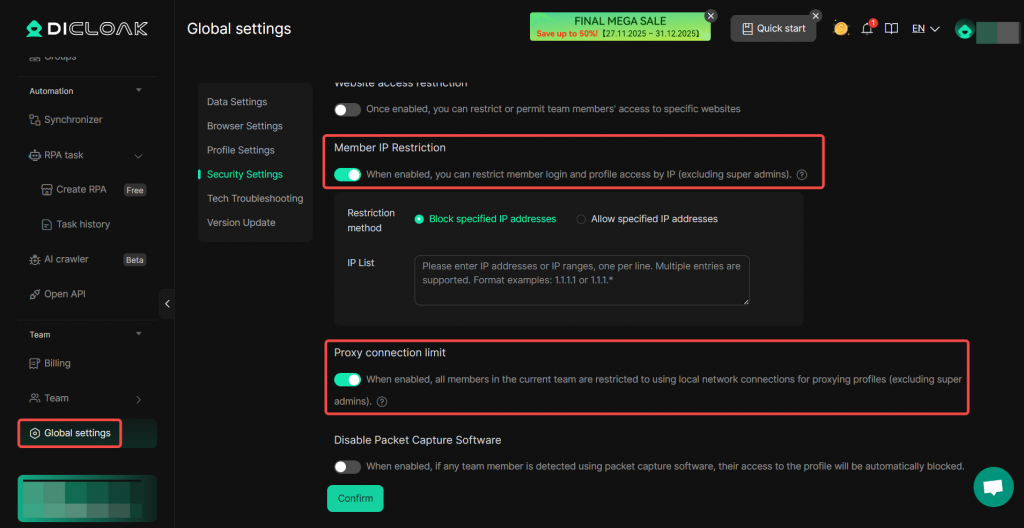
- Block specified IP addresses: Prevents the IP addresses specified in the IP List from logging in and opening profiles.
- Allow specified IP addresses: Permits only the IP addresses specified in the IP List to log in and open profiles.