When you need to prevent members from specific high-risk IP addresses from logging in or opening profiles, you can configure Member Login Restriction.
- Navigate to Global Settings from the left sidebar. Under Security Settings, enable Member Login Restriction and Proxy connection limit. This restriction does not apply to the super adminis.
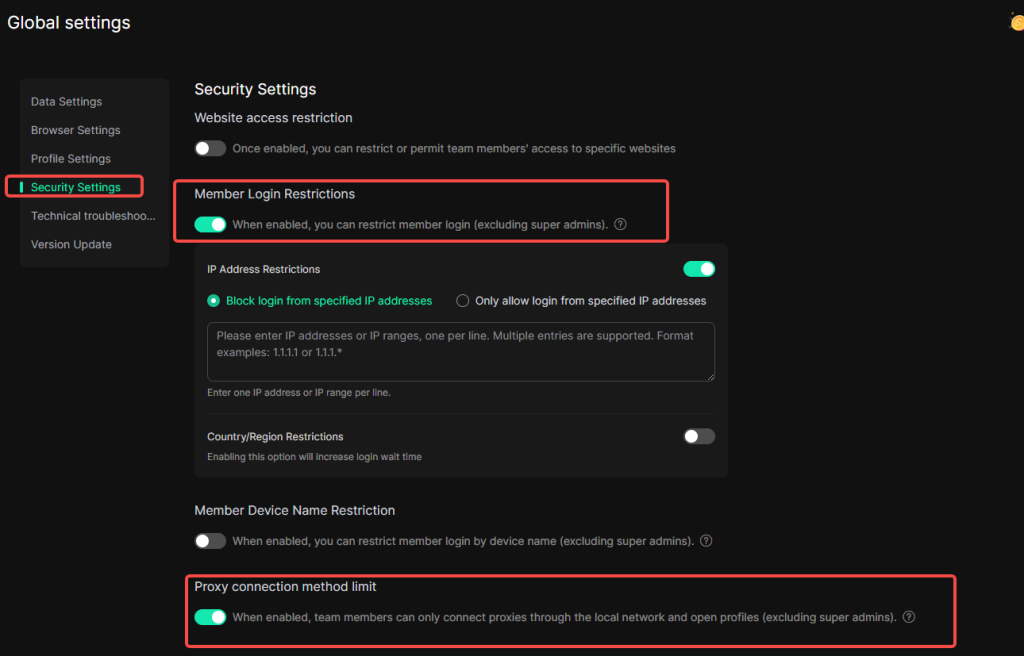
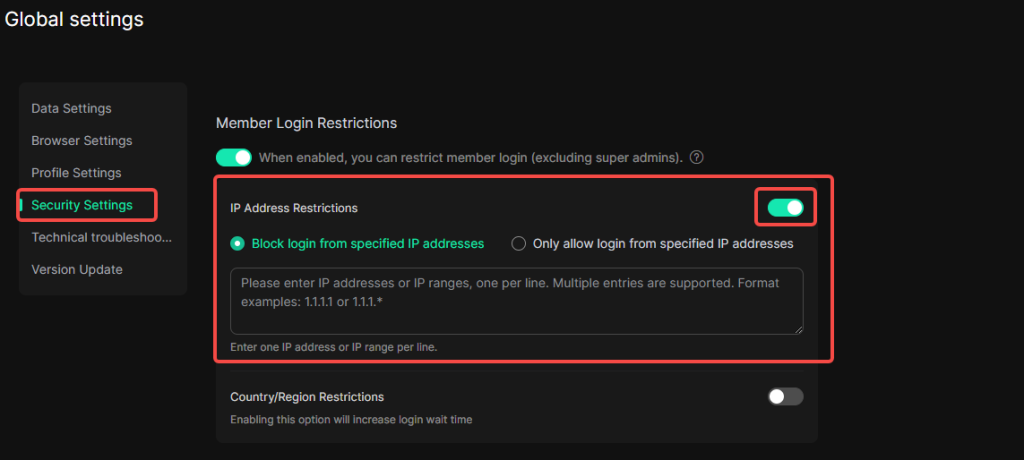
I. IP Address Restrictions
You can enter one IP address or IP range per line.
- Block specified IP addresses: Prevents the IP addresses specified in the IP List from logging in and opening profiles.
- Allow specified IP addresses: Permits only the IP addresses specified in the IP List to log in and open profiles.
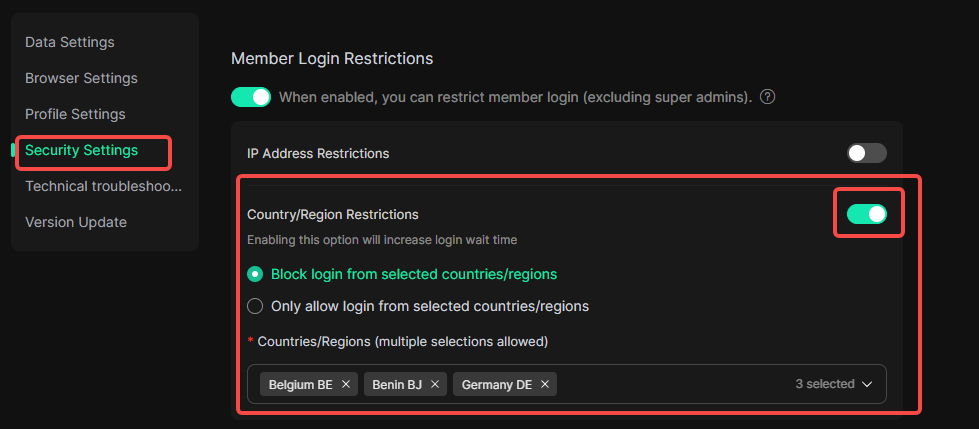
II. Country/Region Restrictions
Enabling this option will increase login wait time
- Block login from selected countries/regions: Prevent login and profile-opening operations originating from designated countries or regions.
- Only allow login from selected countries/regions: Permit login and profile-opening operations only from designated countries or regions.
Please note: When both IP Address Restrictions and Country/Region Restrictions are enabled, all conditions must be met.