I. Account – My Account
Navigate to Personal settings > Account > My Account. Here you can view and configure your login email, login password and quickly signin options.
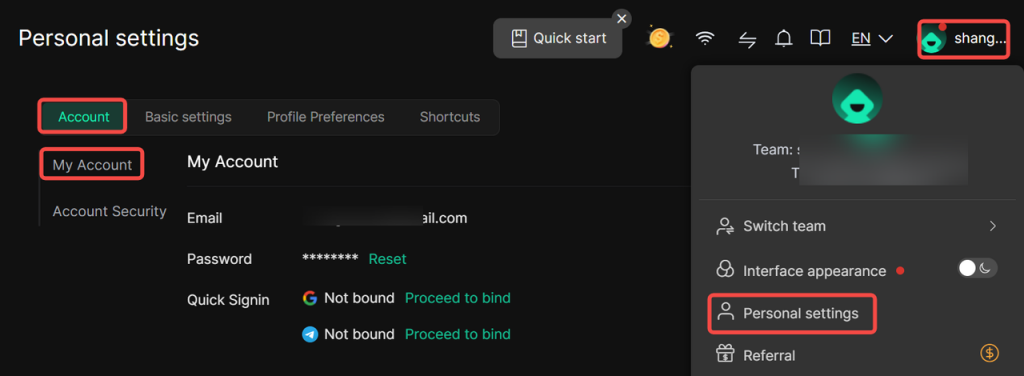
- Email: You may view the email address bound to your DICloak account. The login email cannot be modified.
2. Password: You can reset your DICloak account login password here. Click the Reset button and complete the required fields to update your current account password.
3. Quick Signin: Google quick login and Telegram quick login are supported.
- Google Quick Signin: Bind your Google email address. On your next login, select Google quick‑login on the sign‑in page to access your DICloak account directly.
- Telegram Quick Signin: Bind your Telegram account. On your next login, select Telegram quick‑login on the sign‑in page to access your DICloak account directly.
II. Account – Account Security
Navigate to Personal settings > Account > Account Security. You can view and configure real‑name verification, login verification and logged‑in devices.
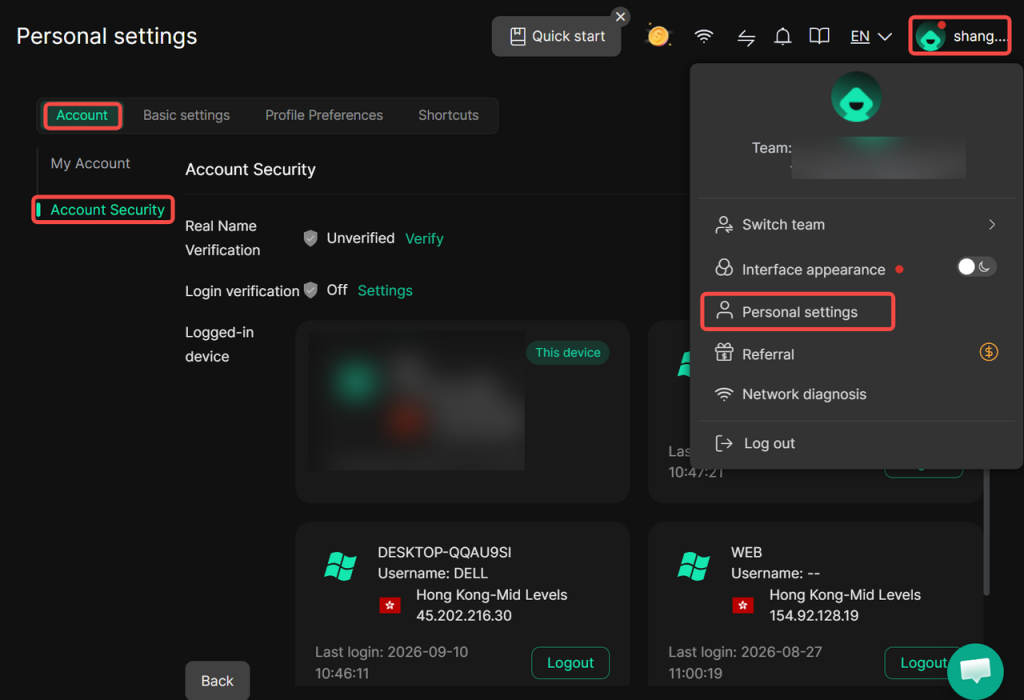
- Real Name Verification: Complete real‑name verification on this page. Within DICloak environments, real‑name verification is mandatory for normal access to mainland‑China‑based websites.
2. Login Verification: View or configure two‑factor authentication methods for your DICloak account. Email verification and 2FA authenticator are available. Two‑factor authentication will be triggered under specific conditions during subsequent log‑ins to secure your account.
3. Email Verification: When enabled, you must enter the verification code received at your designated email address upon authentication trigger.
- 2FA Verification: When enabled, you must input the time‑based 2FA dynamic code upon authentication trigger.
- Logged‑in Devices: View full records of all devices logged into your DICloak account, including device name, login region, login IP and last login time. You may also manage and sign out your DICloak account from selected remote devices.