I. Profile Management
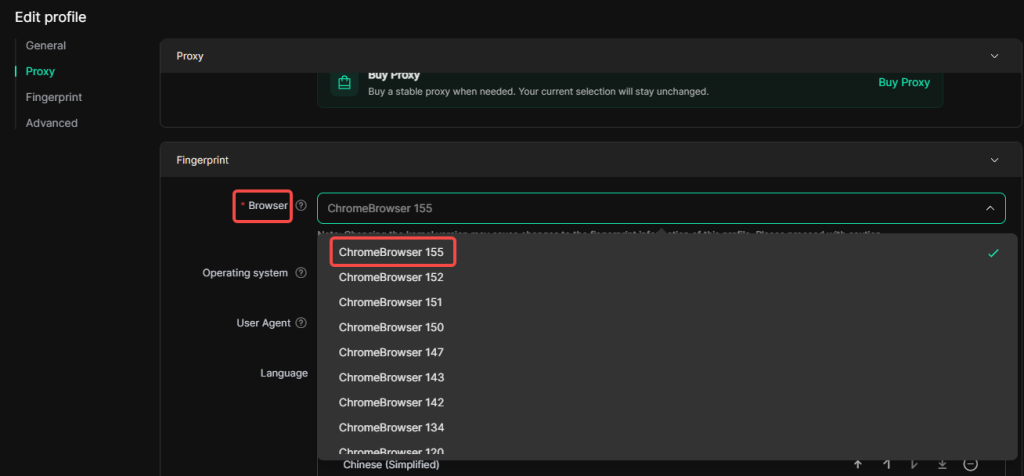
1. New Chrome 155 browser kernel added for profile fingerprints
Within Profiles management page, navigate to the edit page of a specific profile. Under Fingerprint ‑ Browser, select and download the Kernel 155 for use. Please note that Kernel 155 is only available for V3.0.6 and later versions. To use it, ensure your DICloak is updated to V3.0.6 or higher.
2. New “Manage Cookies” feature
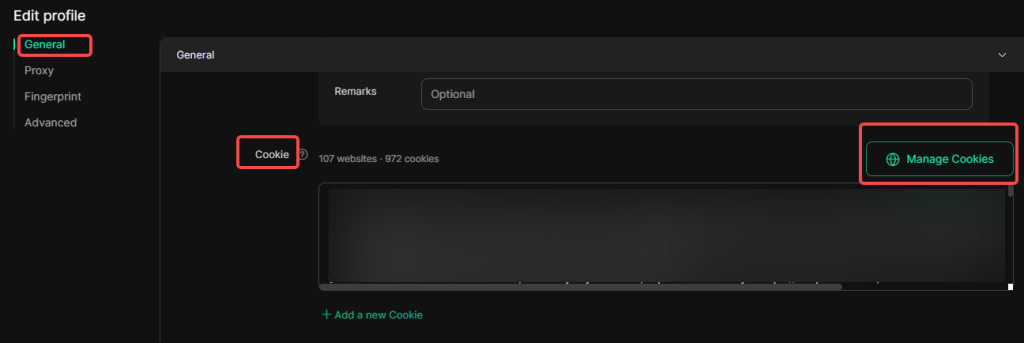
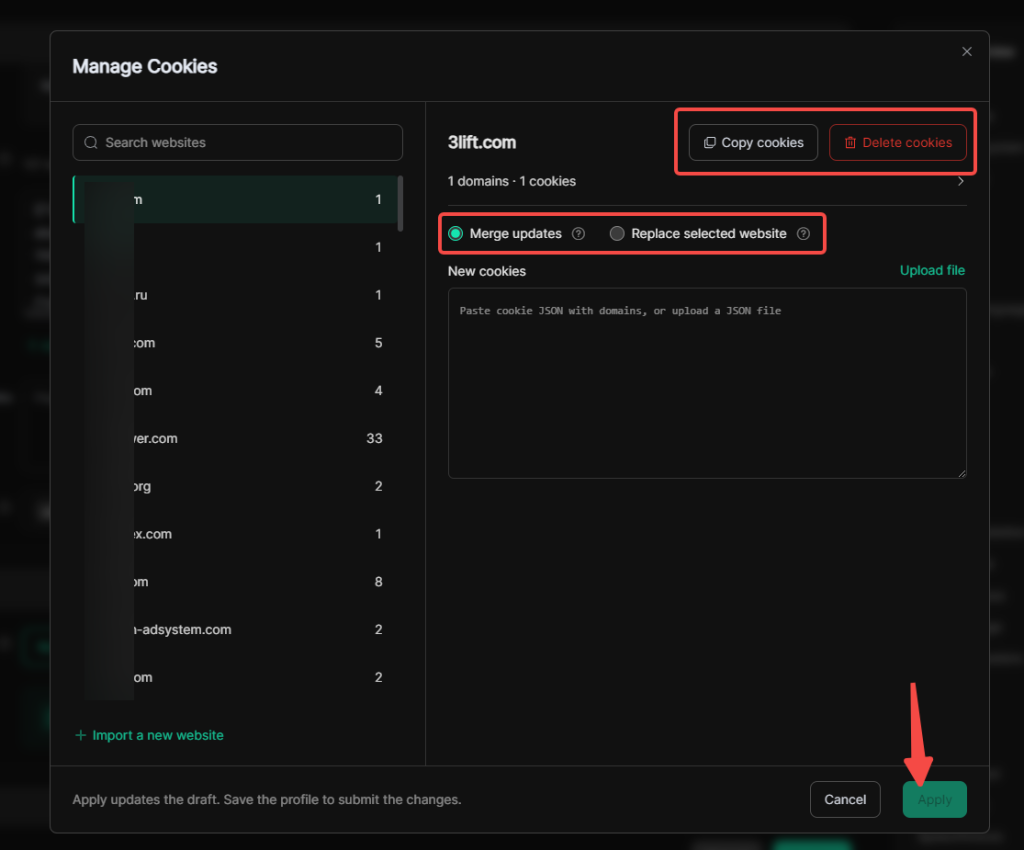
On the profile edit page, you can separately manage cookies for different platforms within the same profile. This feature also lets you edit saved cookies, with two application modes available: Merge Updates or Replace selected websit, to add or overwrite cookies. On the Manage Cookies page, you may also click buttons to directly copy or delete all cookies of a specific website.
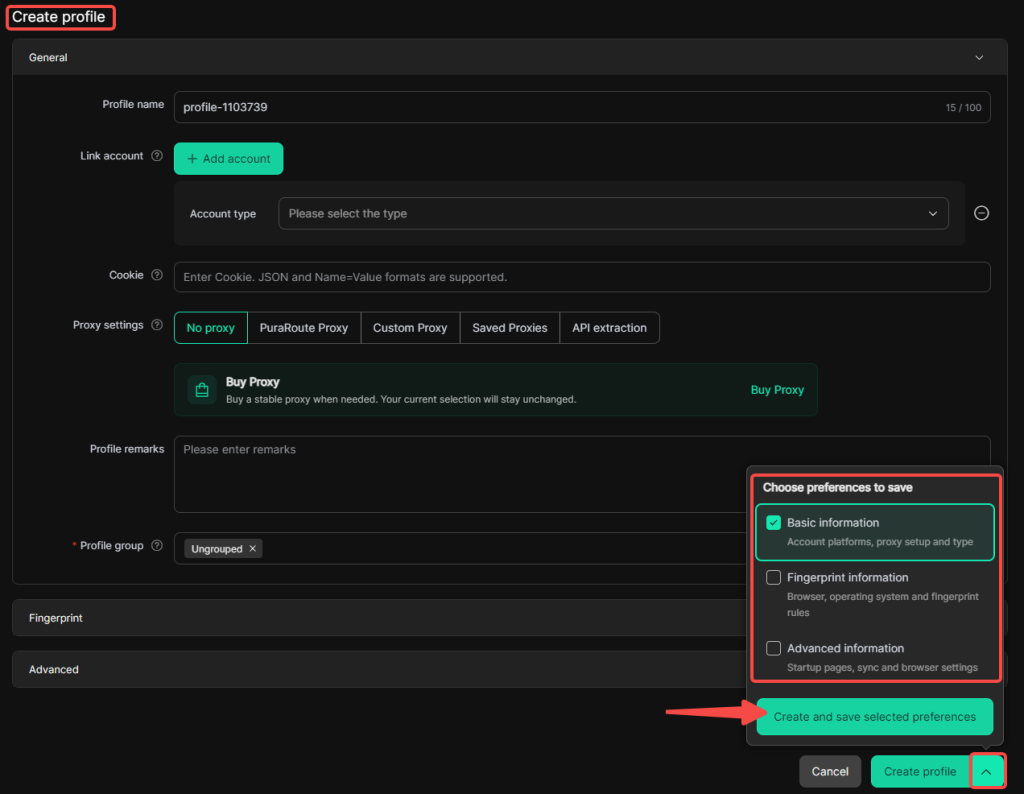
3. Custom saving of profile preferences during profile creation
When creating a profile, you can customize whether to directly apply settings from the profile preference template for Basic information, Fingerprint information and Advanced information.
II. Team Management
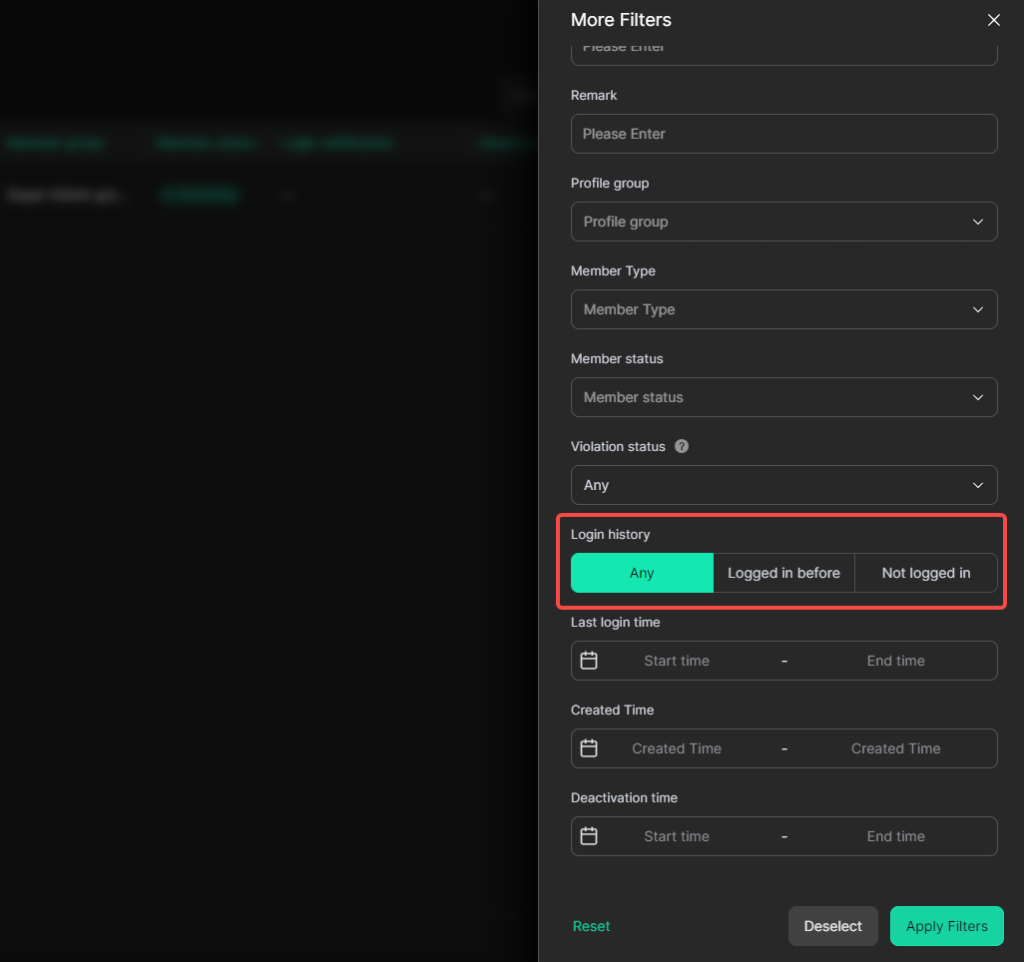
1. Filter members by login history in the member list
In Team > Members, the member filter supports filtering members by login history: Any, Logged in before, and No logged in.
III. Cache Clearance Management
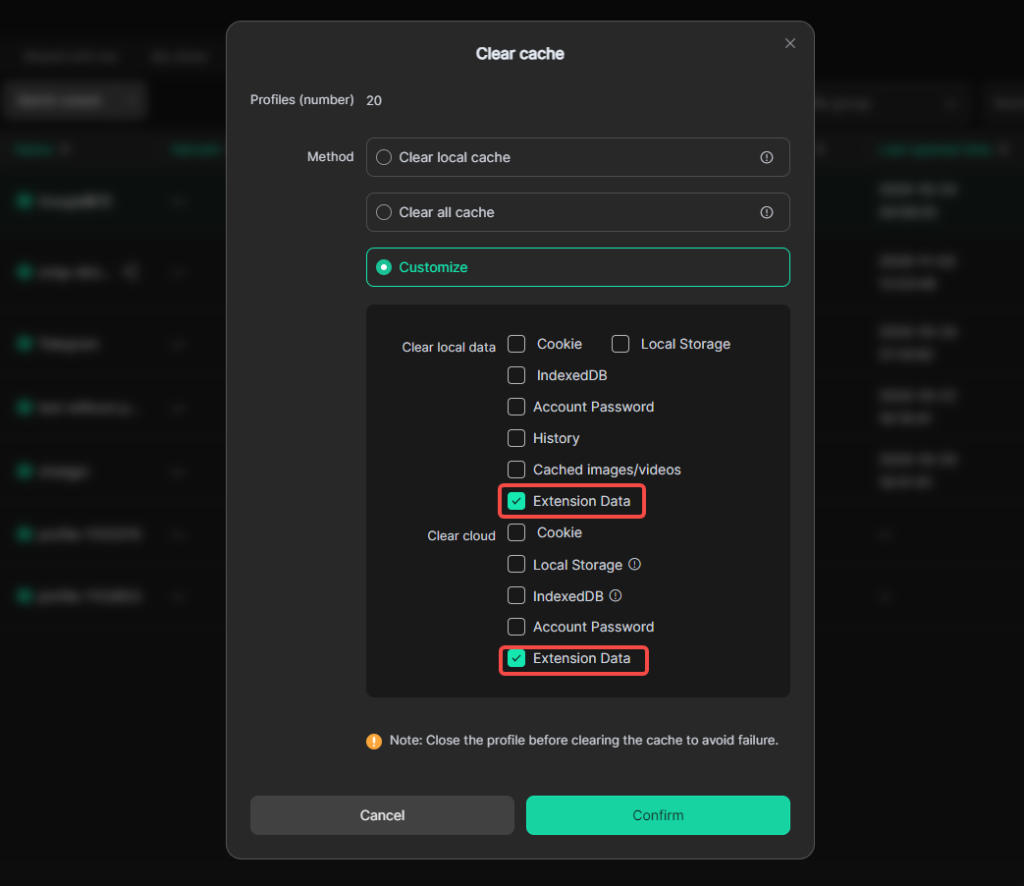
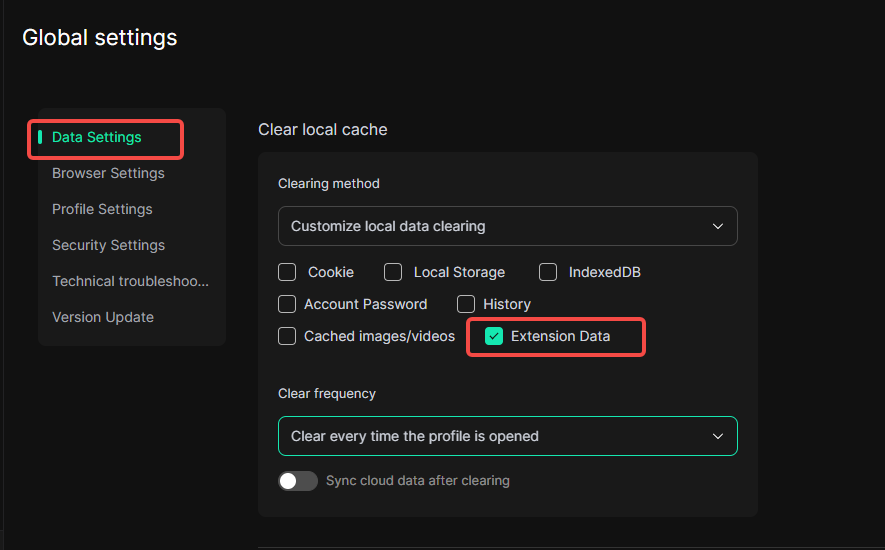
1. Support clearing local and cloud extension data
When clearing profile data, you can choose to clear local and cloud extension cache data.
IV. Global Settings
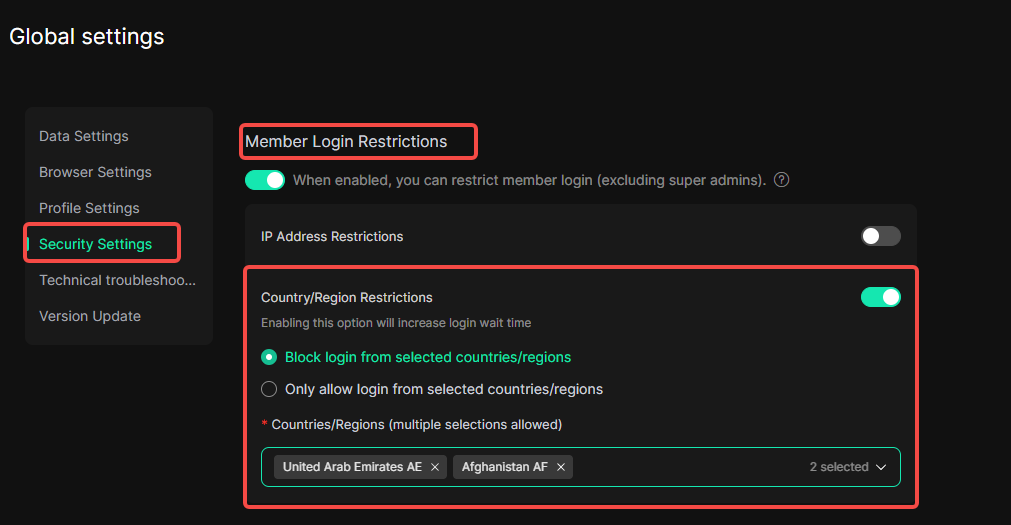
1. Country-based member login restrictions
In Global Settings > Security Settings > Member Login Restrictions , you can restrict DICloak account logins by country/region. Two restriction modes are supported: Block login from selected countries/regions or Only allow login from selected countries/regions . Enabling this option will increase login latency.