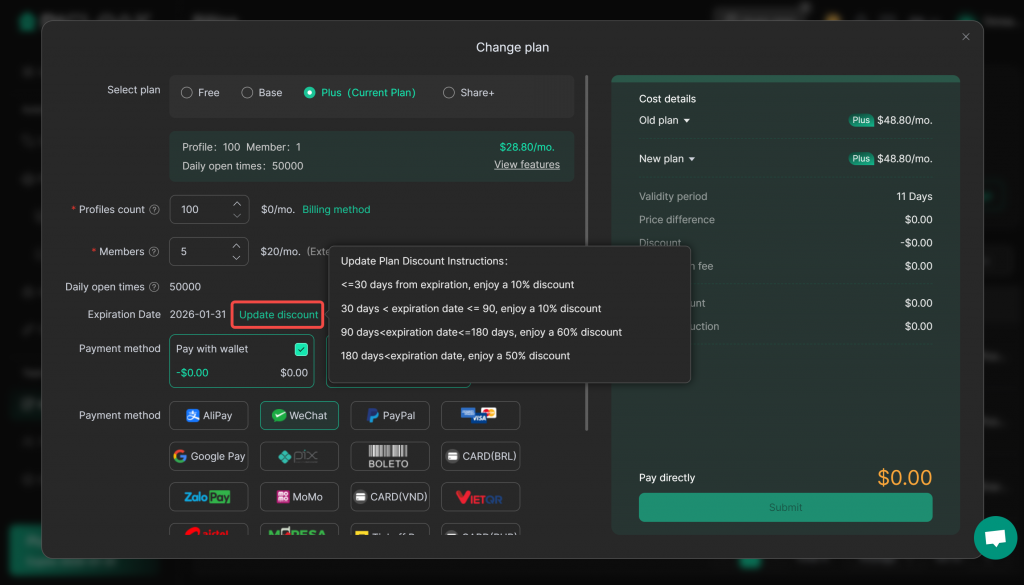
If you want to change your team’s current subscription plan, please check out the following steps.
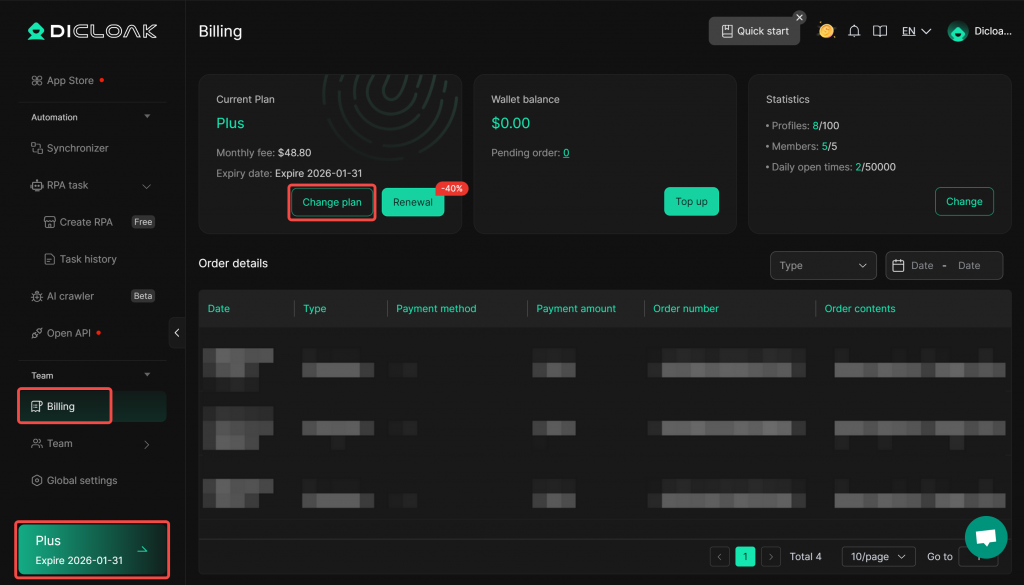
1.Enter Billing Center
- Open and log in to the DICloak software. Find the “Billing” on the left navigation bar, or click the lower-left corner to access the Billing Center. Click “Change Plan”.
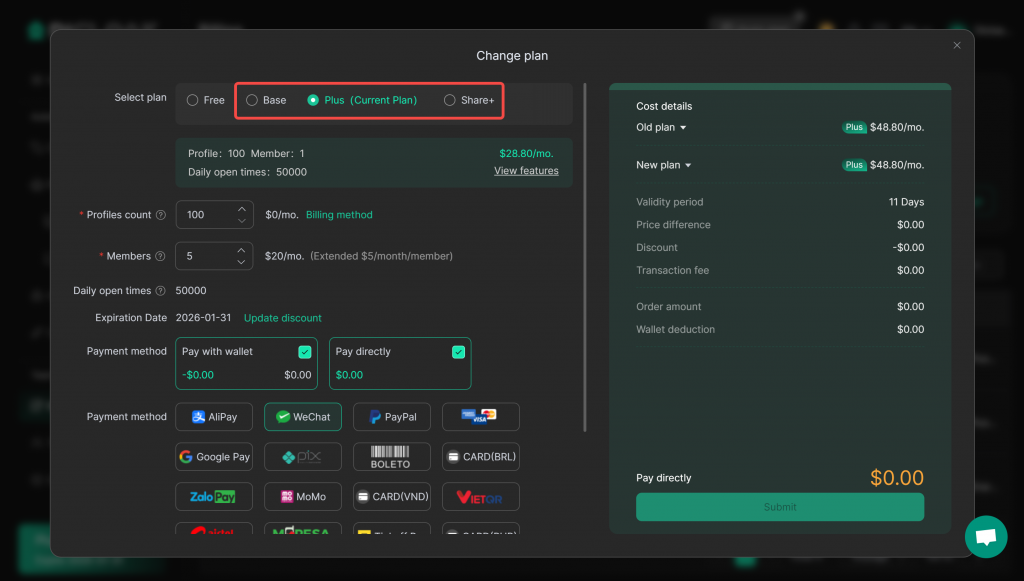
2.Change the Subscription Plan
- Enter the “Change Plan” interface, select the desired plan version, and submit your order. If the cost of the new plan exceeds your current plan, you will be required to pay the difference. The plan expiration date remains unchanged.
- You can view the update discount here.