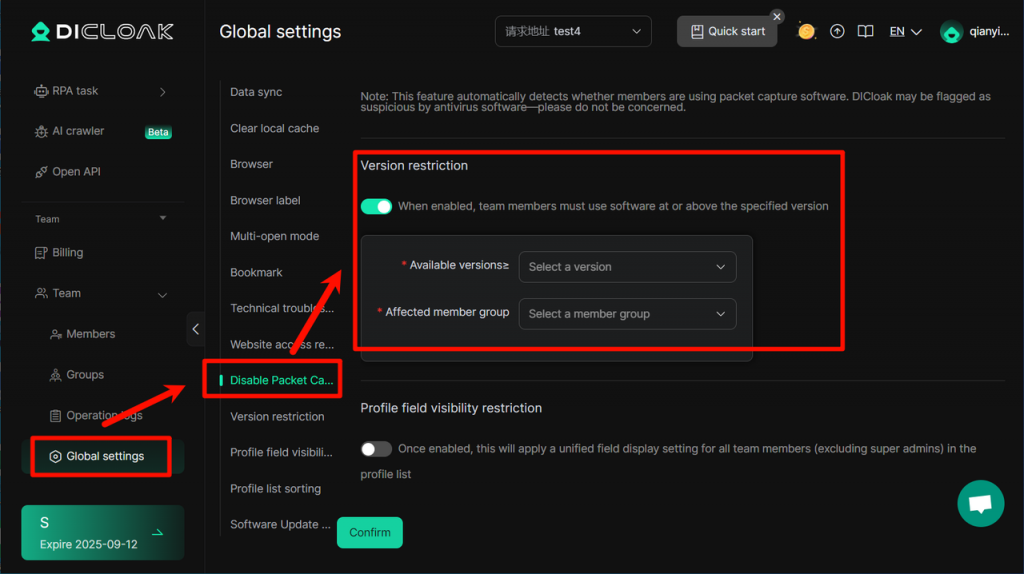
After enabling Version restriction, you can set the minimum software version requirement for specified member groups, thereby encouraging team members to use the new version and new features of DICloak.
Operating Procedure:
- Enter Global Settings, enter the Version restriction interface, and click the “Enable” button.
- Select “Available versions” and “Affected member group”.
- After confirming that the information is correct, click the “Confirm” button to save the operation steps.