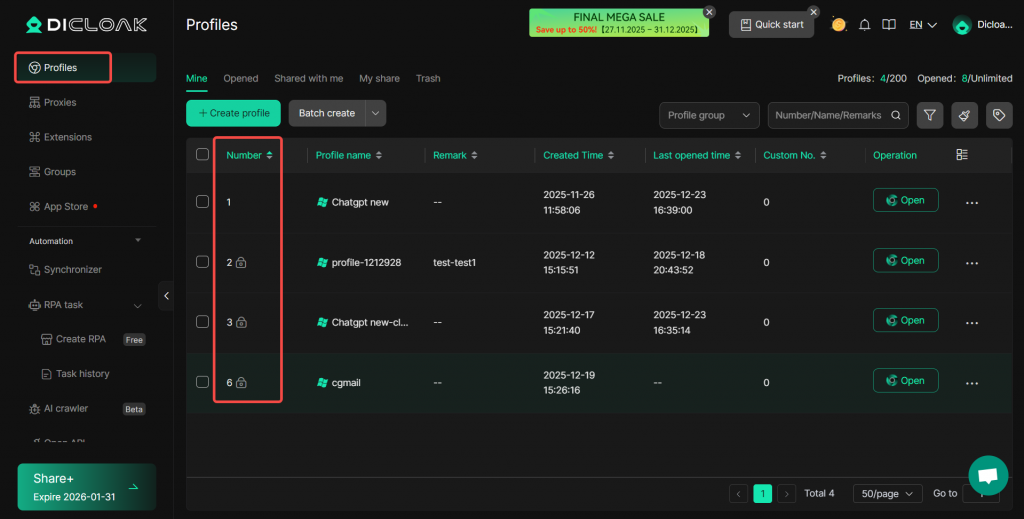
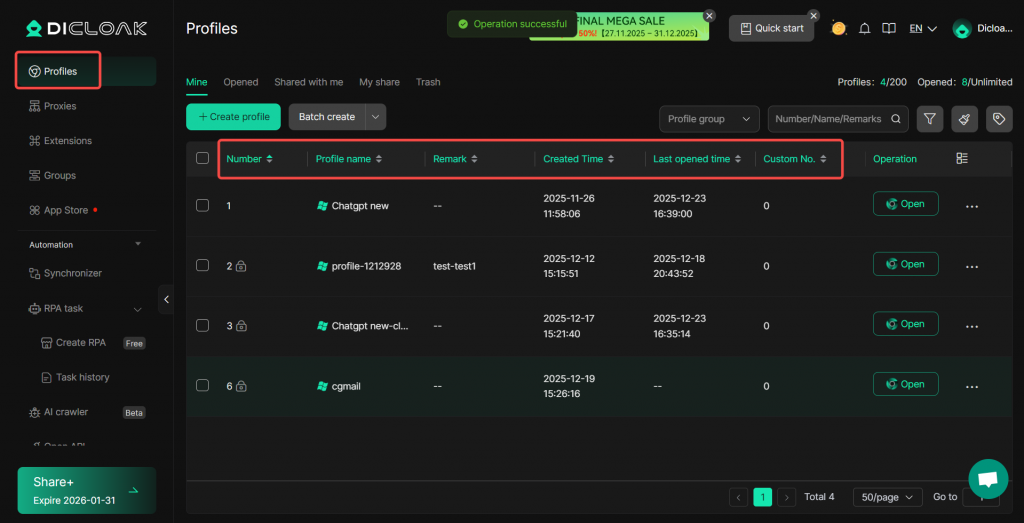
In the profile list, the system defaults to sorting by the profile number, which is generated based on the sequence in which profiles are created. If you wish to default to sorting by other fields or custom number, you can configure this through the Profile List Sorting settings.
Configuration Method
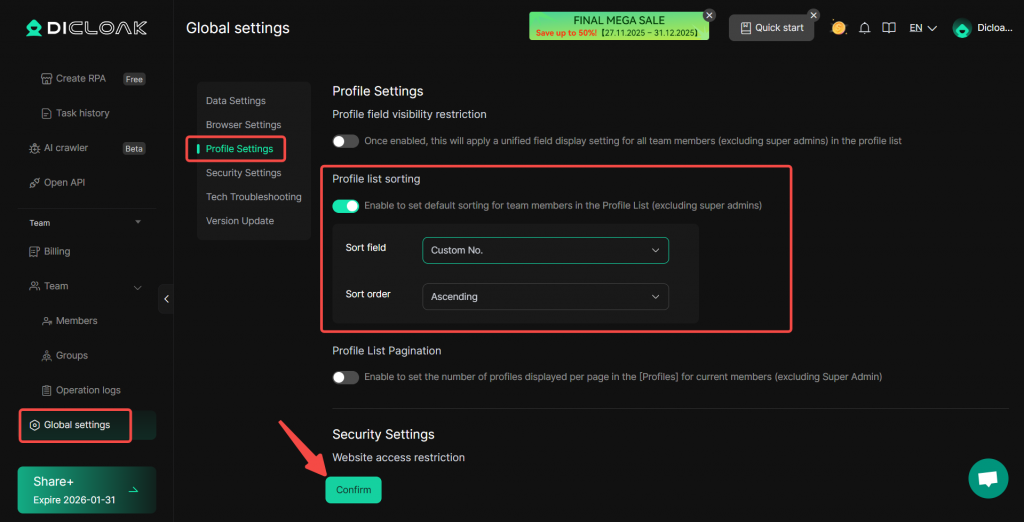
- Navigate to Global Settings > Profile Settings > Profile List Sorting. Once enabled, you can set the Sort Field and Sort Order. If this setting is not enabled, the list will default to displaying profiles in ascending order by profile number.
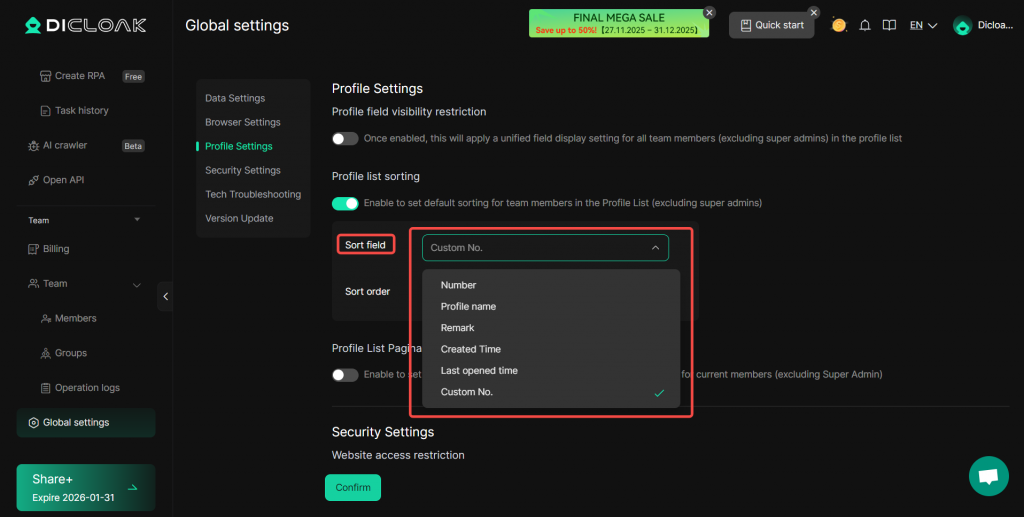
- Sort Field:
- Number: Sorts based on the order of creation, where a higher number indicates a later creation time.
- Profile name: Sorts alphabetically by the profile name. Priority order: numbers > English letters.
- Remark: Sorts alphabetically by the profile’s remark. Priority order: numbers > English letters.
- Created Time: Sorts by the initial time the profile was created.
- Last opened time: Sorts by the most recent time any member opened that profile.
- Custom No.: Assign a custom number to each profile and sort based on this number.
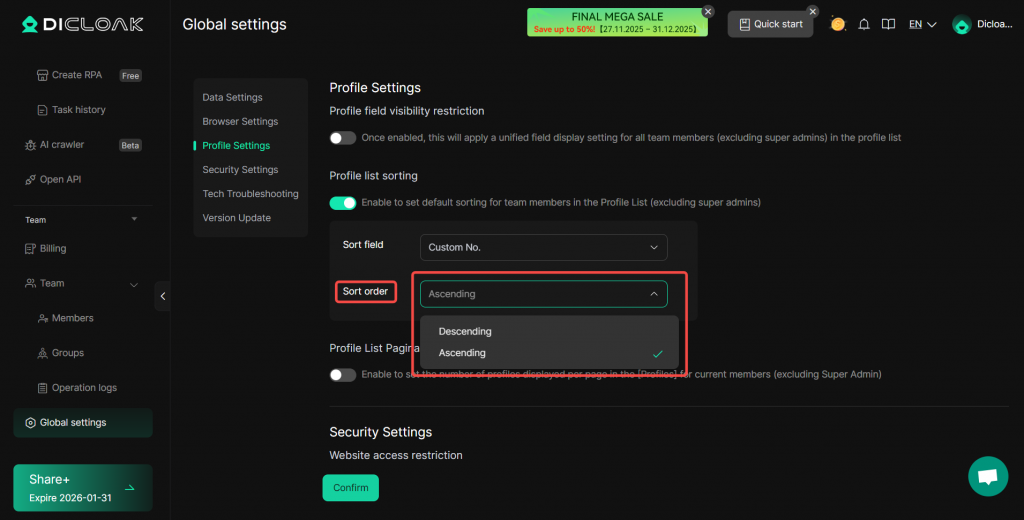
- Sort Order: You can choose Ascending or Descending order.
Once configured, when members access Profiles, the profiles will be displayed by default according to the specified Sort Field and Sort Order. This setting does not apply to the super administrator. The super administrator can directly click on any column header in profile list to sort in ascending or descending order.
Q: How can I quickly customize the profile sorting order?
A: For more precise control over sorting, we recommend using the Remark or Custom No. fields to define your desired profile order.