Slow webpage loading is typically caused by poor proxy quality or insufficient device memory. This can be resolved by using high‑quality proxies or clearing the local cache.
1.Check Proxy Quality
If you have configured a proxy:
You can use third-party proxy testing tools to test the proxy speed. If the speed is slow, it’s recommended to switch to a higher-quality proxy IP.
You can also create a browser profile without a proxy and compare the speeds with the one configured with a proxy to determine if the proxy is affecting the access speed.
If you have not configured a proxy:
Try switching the network that your device is connected to and check if the access speed improves.
2.Clear Local Cache
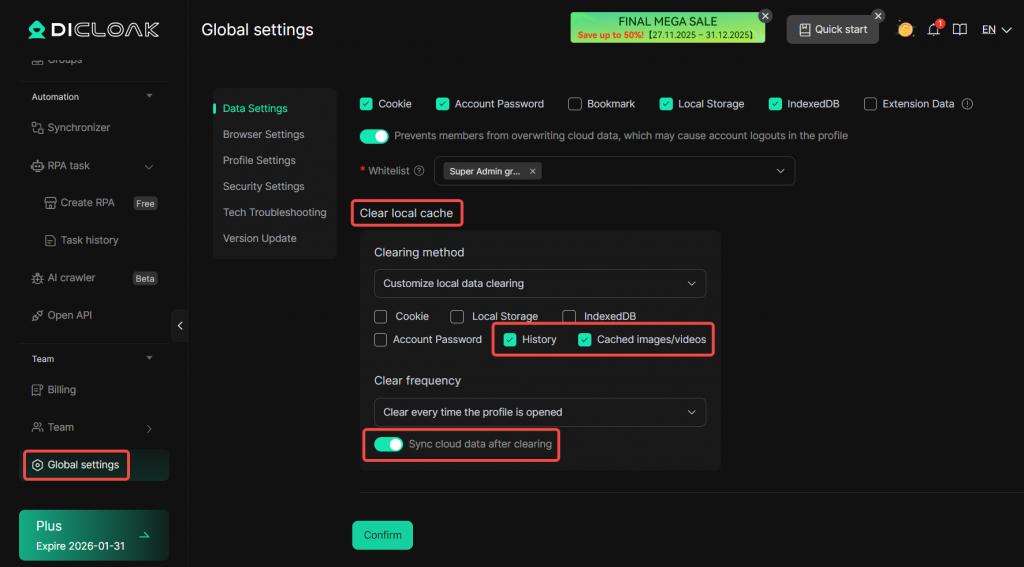
Go to “Global Settings” and configure the “Clear Local Cache” section, check the “History” and “Cached images/videos” option. Once enabled, each time a member opens a profile, the local browsing history and cached images/videos on the device will be automatically cleared.
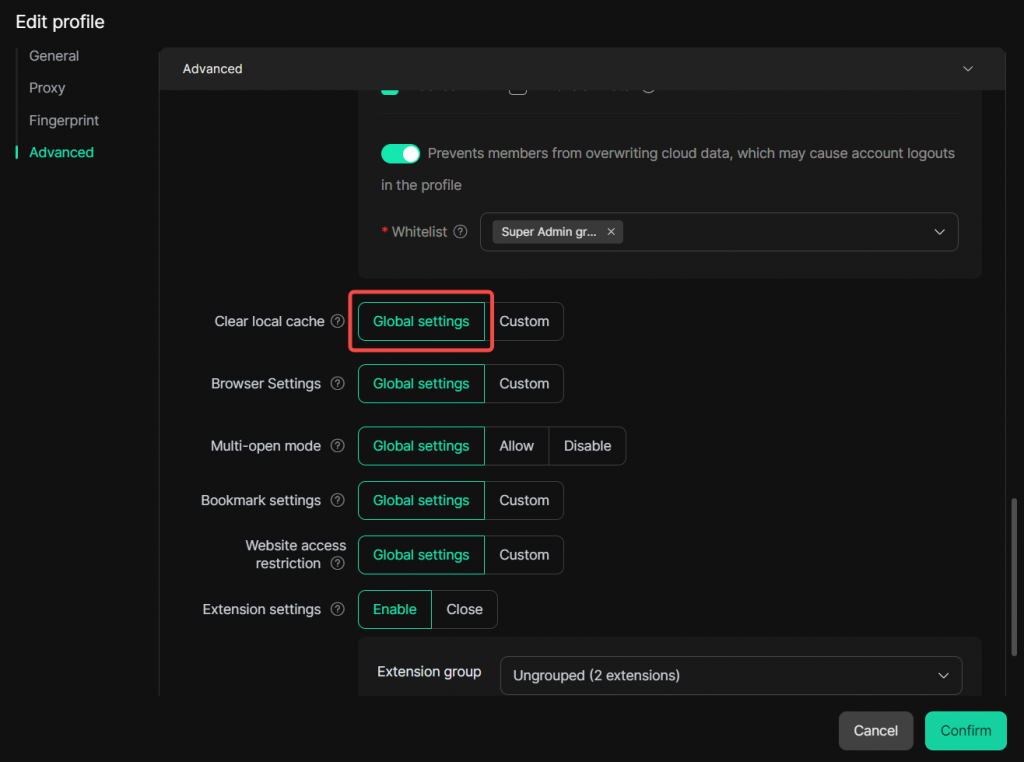
Then, in “Profile”, edit the profile and set the “Clear Local Cache” option to “Global Settings”.
If the issue is not resolved by the above methods, please contact DICloak’s official customer service for additional help.