Profile Kernel refers to the Chrome browser version used by the specific browser profile. If you wish to change the kernel of a profile, please follow these steps:
I. Modify Individually
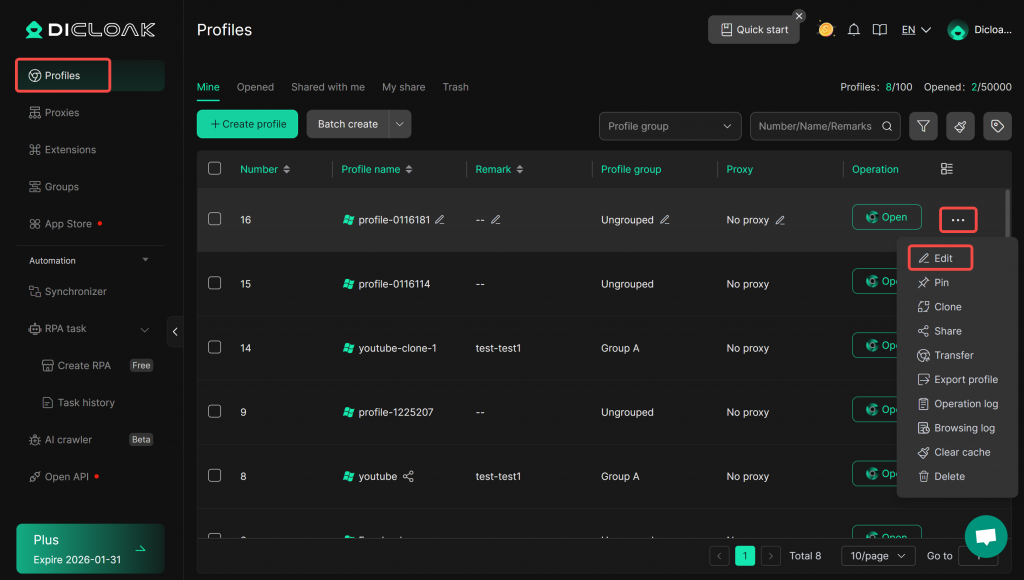
- Go to the Profiles, locate the profile you want to modify, and click “Edit”.
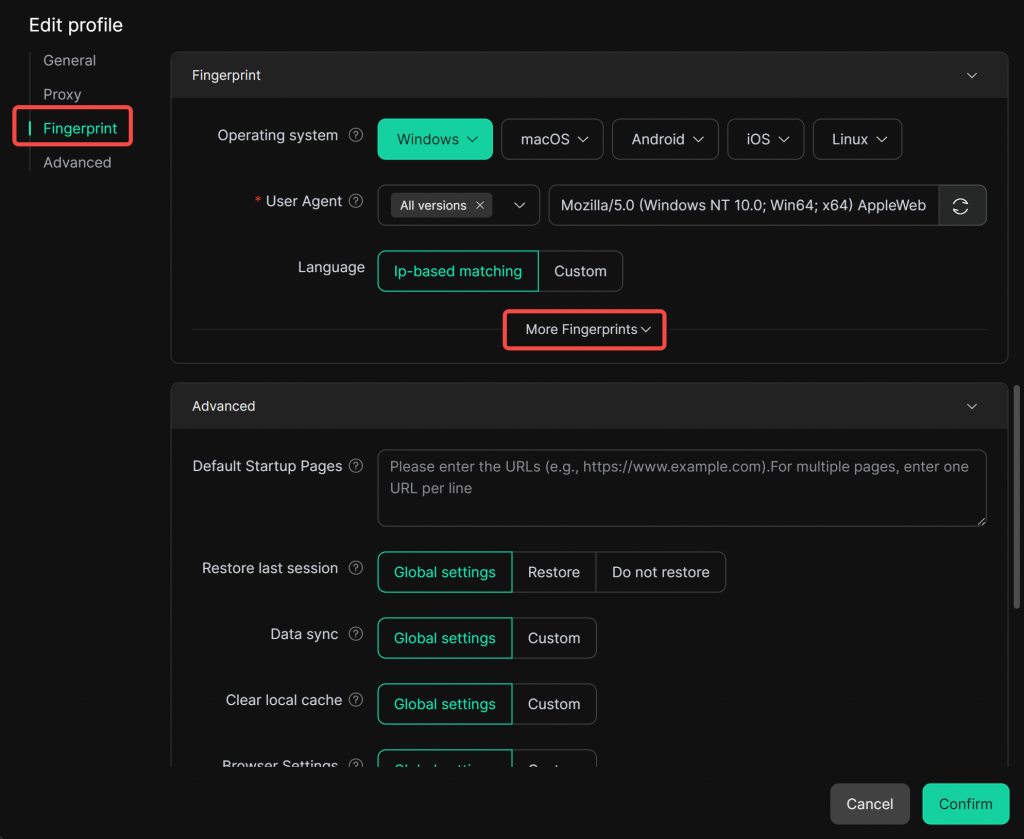
2. On the editing page, navigate to the “Fingerprint Settings” module and click “More Fingerprint”.
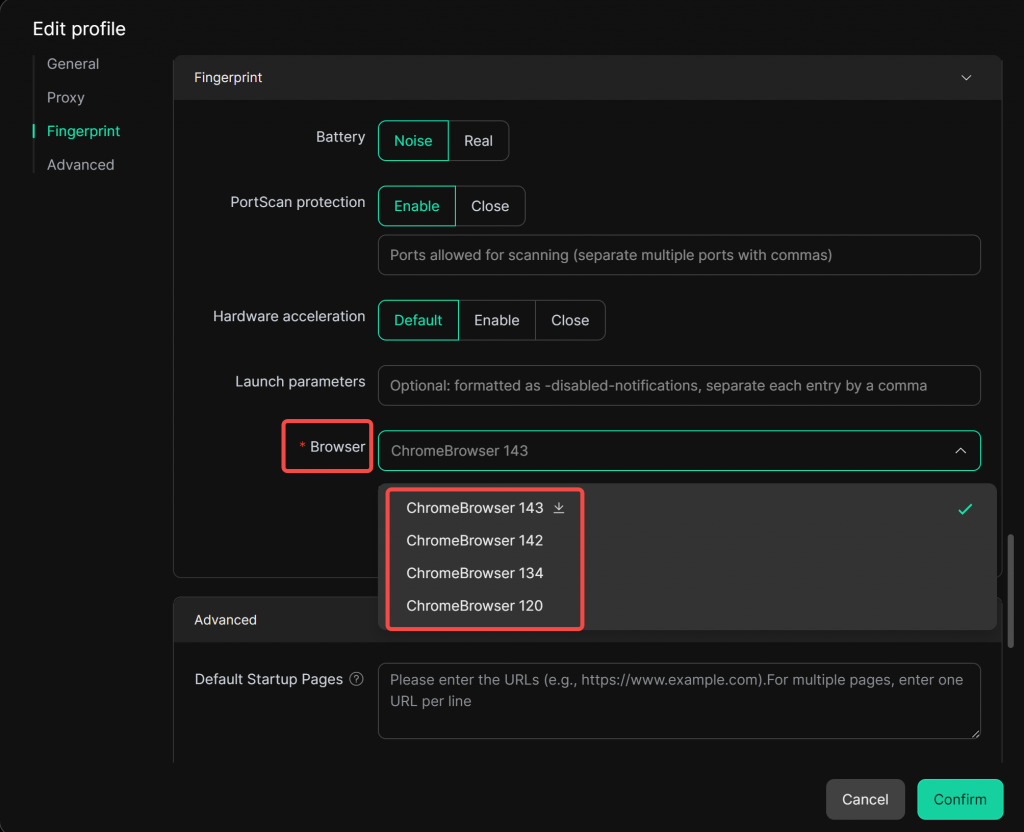
Under “Browser”, select the kernel version you want the profile’s browser to use. DICloak currently supports Chrome 120, Chrome 134, Chrome 142, and Chrome 143. It is recommended to use a newer kernel version for better security and compatibility, and it is not recommended to use the Chrome 120 kernel.
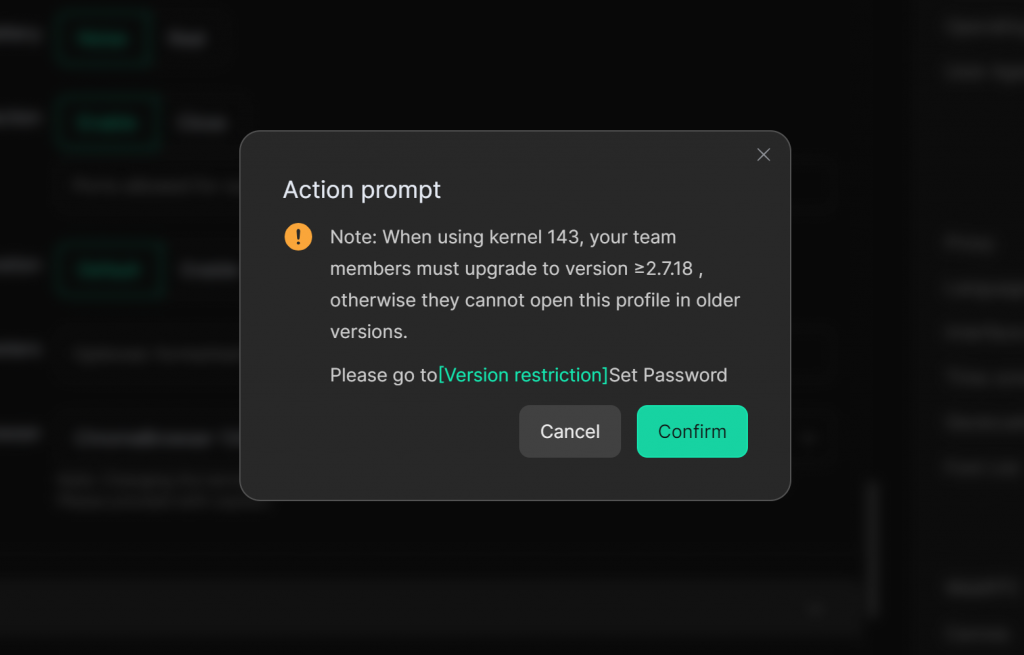
Please note: When using kernels 142 and 143, your team members must upgrade to a newer version (≥2.7.18), otherwise they cannot open this profile in older versions. You can restrict the versions members use via the Version restriction.
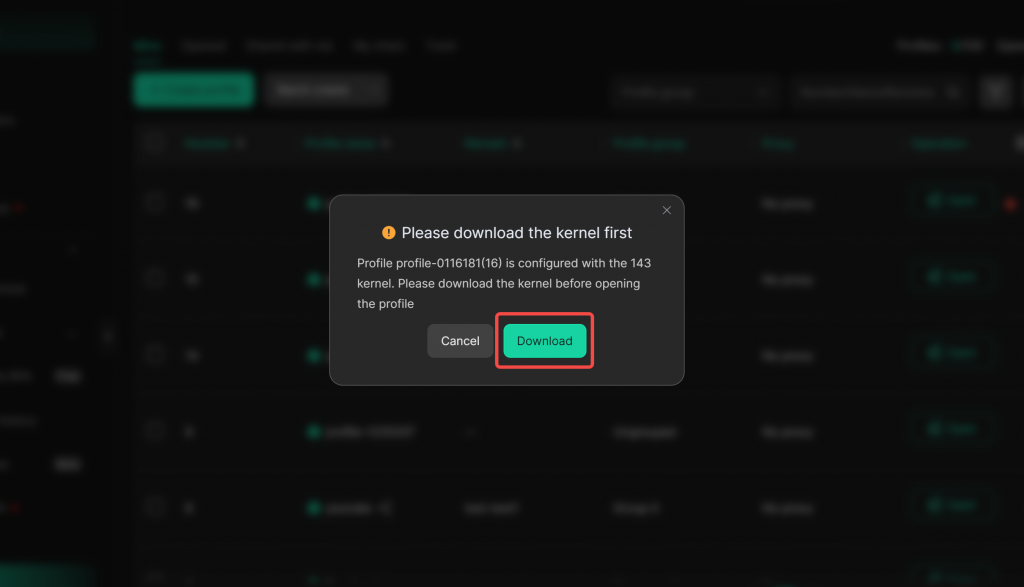
4. After the kernel is changed, if a member’s device does not have this kernel downloaded, a “Download Kernel” pop-up will appear when they open the profile. Please click “Download” and wait patiently for the download to complete before opening and using the profile.
II. Batch Modification
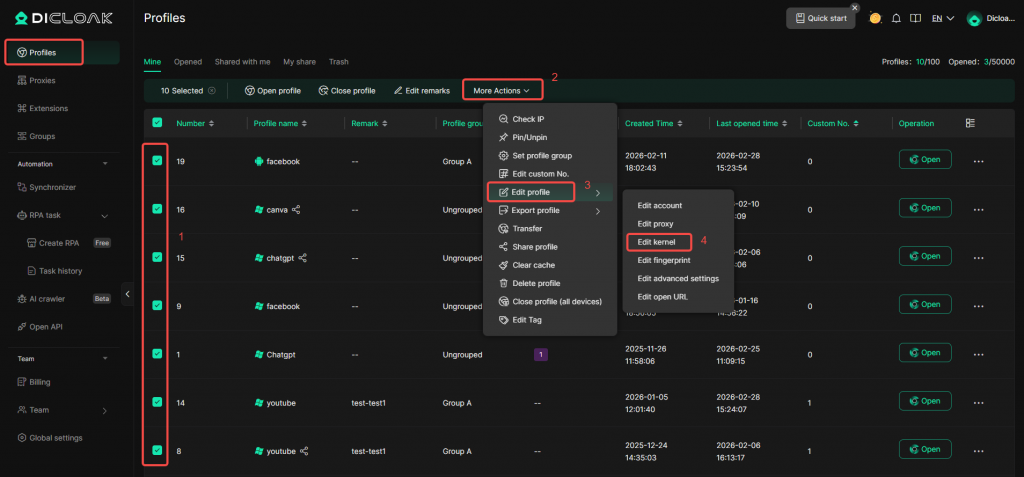
- You can also modify kernels in bulk. Select the profiles you want to modify, click “More Actions” → “Edit Profile” → “Edit Kernel”.
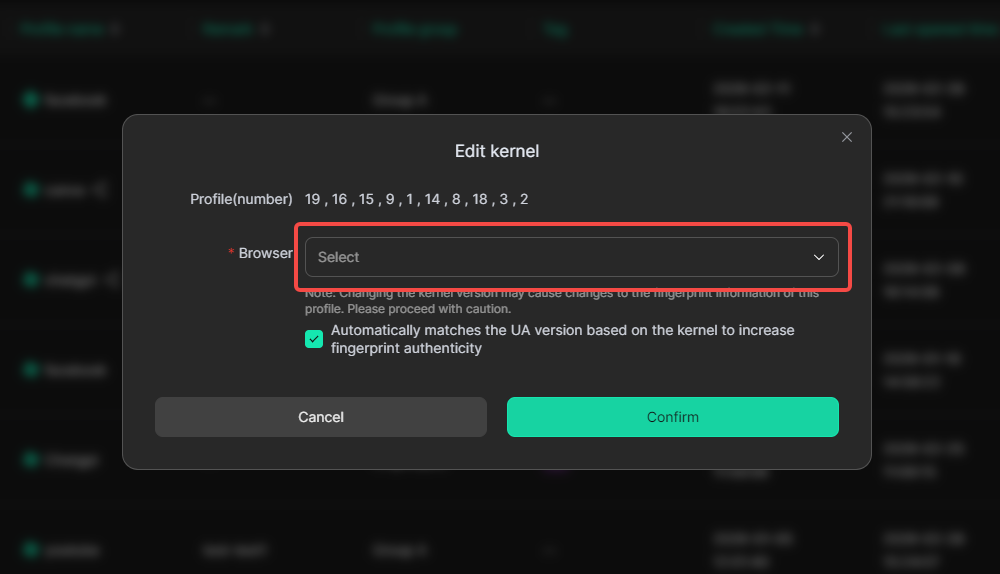
2. Choose the kernel version and click “Confirm” to save the settings.
Please note: When using kernels 142 and 143, your team members must upgrade to a newer version (≥2.7.18), otherwise they cannot open this profile in older versions. You can restrict the versions members use via the Version restriction.