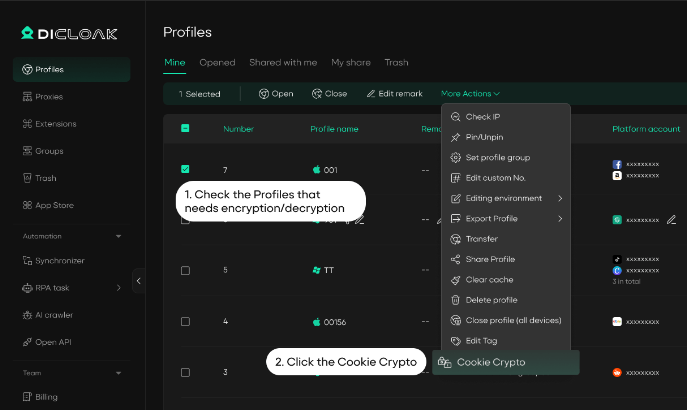
Through the cookie encryption enhancement feature, all members are prohibited from viewing or copying cookies within profiles, and the cookie content undergoes comprehensive encryption upgrades to prevent your tool accounts from being stolen.
1. Purchase the Advanced Profile Encryption Feature
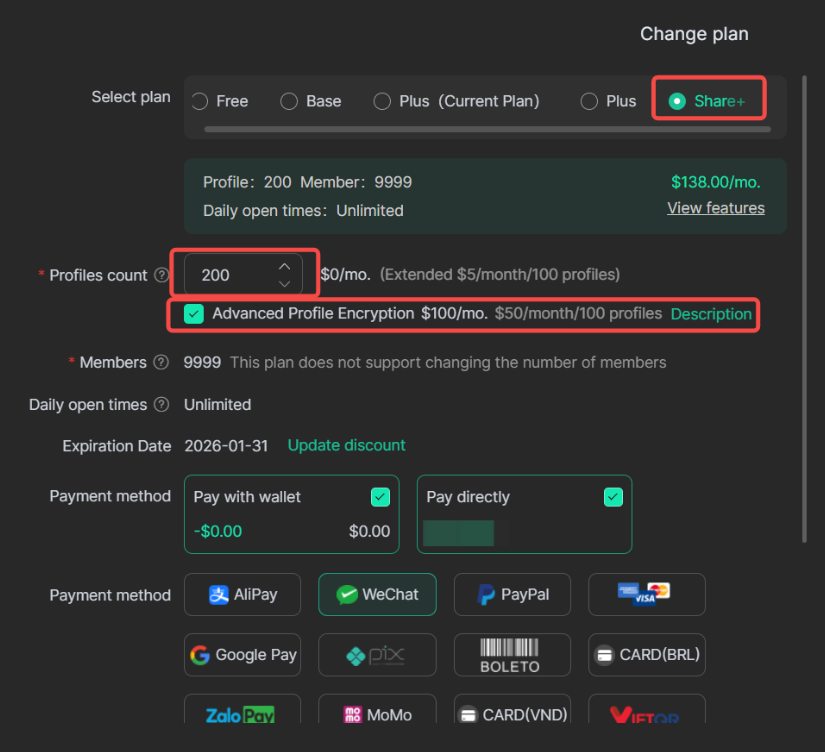
Currently, only the Shared+ plan supports the add-on purchase of the Advanced Profile Encryption feature. The pricing is $50/month for 100 profiles.
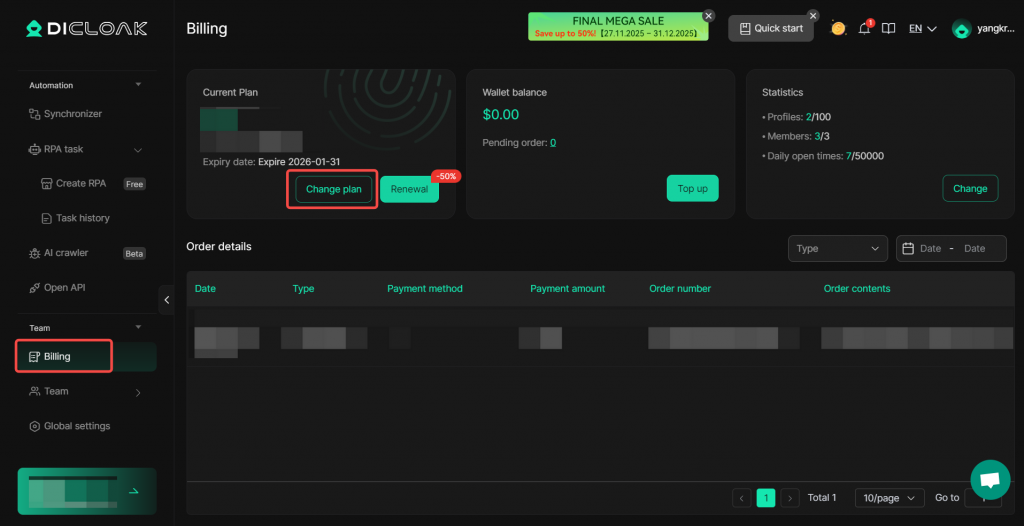
- Navigate to Billing from the left sidebar and click “Change plan”.
Under the Shared+ plan, add “Advanced Profile Encryption”. The number of encrypted profiles is calculated based on the total Profiles count.
2. Enable Cookie Encryption
After successfully purchasing the Advanced Profile Encryption feature and completing payment, previously created profiles require manual enabling of Cookie Crypto. Profiles created afterward will automatically have cookie encryption enabled. Follow the steps below to batch enable or restore cookie encryption for profiles.
- Go to Profiles, check the profiles that needs encryption/decryption, click More Actions → Cookie Crypto.