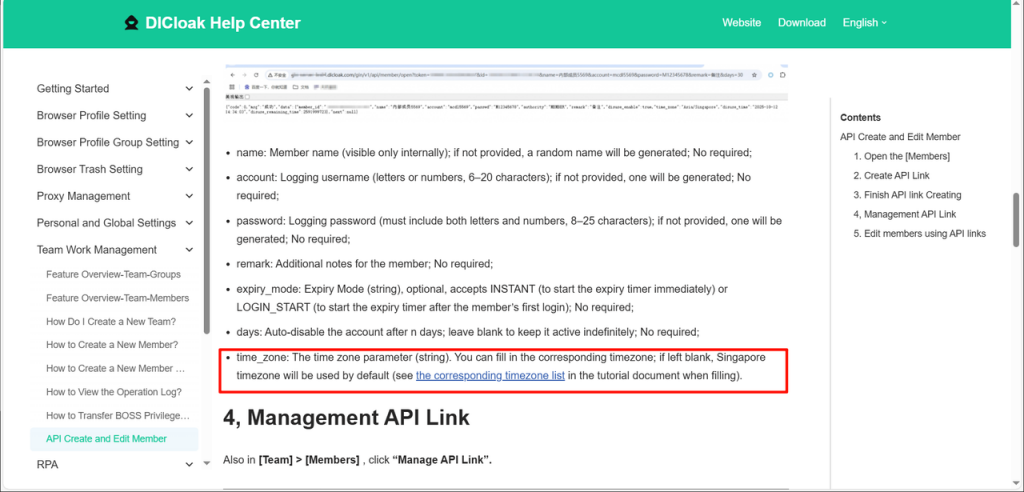
1. Cookie Secure Encryption
New [Cookie Encryption Function] added, supporting one-click encryption of the existing profile to protect the security of profile cookies. After encrypting cookies, no member can directly steal/copy the cookie data within the profile (if you need to experience this function, please contact customer service for setup).
Usage Scenario: Meet the protection requirements for sensitive data such as profile accounts, and achieve security assurance for Cookie data.
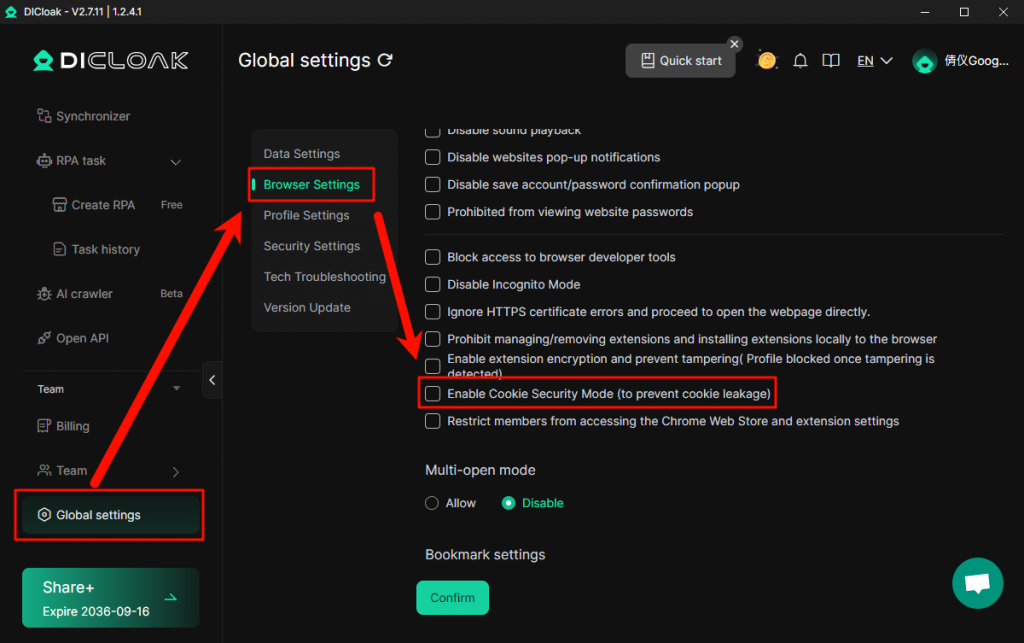
2. Export profile supports txt files
A new “txt export” function has been added to 【profile – Export profile】, which supports exporting profiles in txt format.
Usage scenario: When the profile cookie is too long, the Excel file will fail to export due to cell limitations, and a txt file can be used for a complete export.
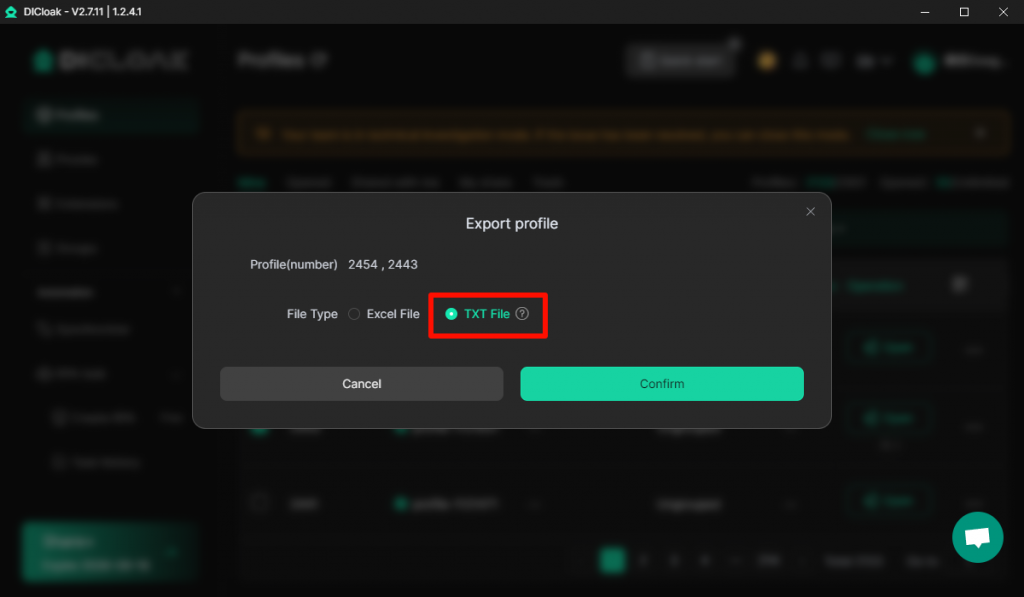
3. Add interface language fingerprint
The “Interface Language” fingerprint of 【profile Management – Create/Edit profile】 has added a new 【Real】 option, allowing you to use your device’s language in the DICloak profile, thereby automatically switching the browser’s interface language to your familiar language.
Usage Scenario: If you have members from different countries and regions sharing the same profile, you can set the interface language of the browser to automatically switch to their computer language, thereby enhancing the members’ experience of using the profile.
4. Supports importing Automa workflows
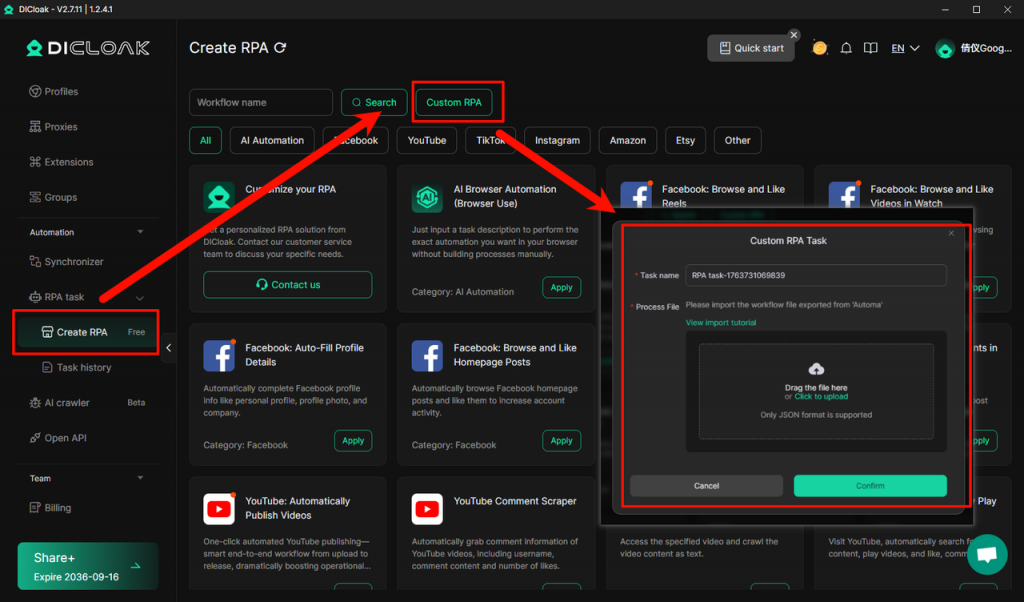
[Create RPA] Added [Custom RPA] feature, which supports freely designing workflows according to one’s own business needs, quickly creating personalized RPA tasks tailored to specific scenarios, and adapting to more customized automation requirements.View the tutorial on importing Automa workflows
5. RPA operation support grid layout
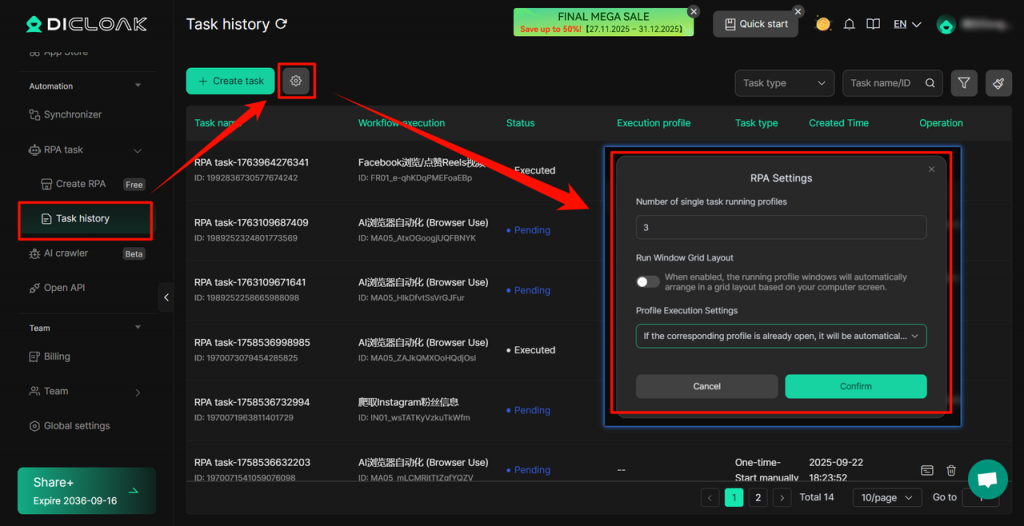
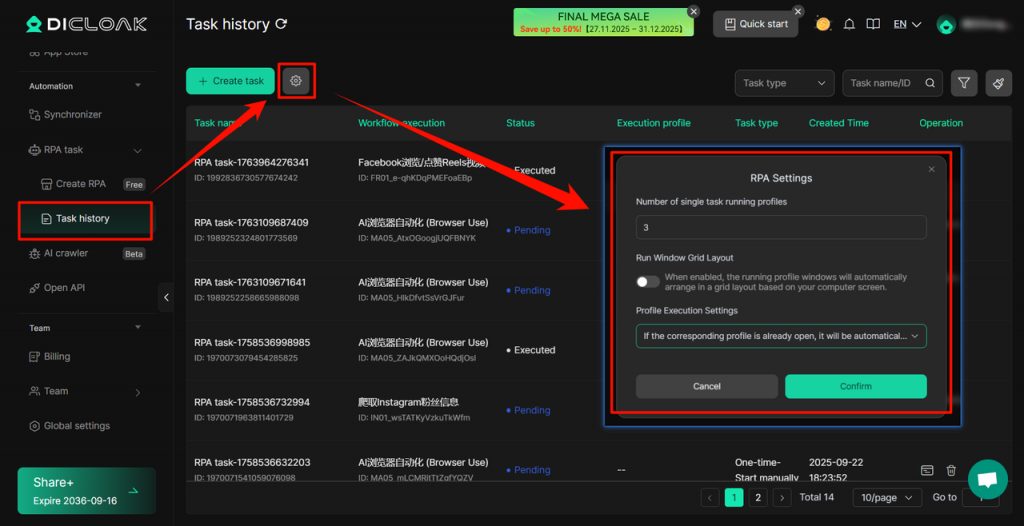
A new RPA task grid layout display function has been added. You can automatically arrange the running profile windows into a grid format according to the computer screen in [Task history], which facilitates you to view and monitor the running status of multiple RPA tasks simultaneously.
6. Clear the browser’s local account password
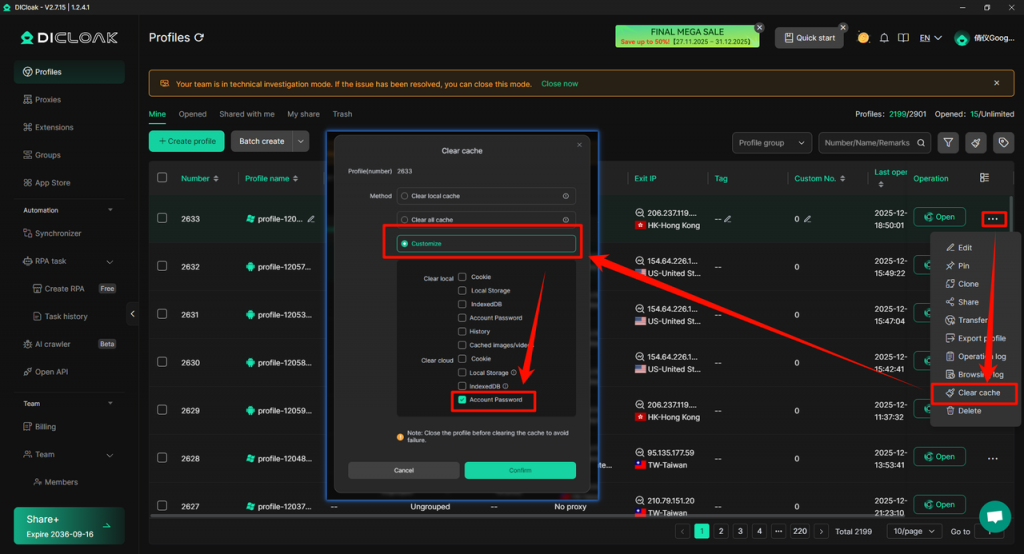
[profile – Clear Cache] A new local [Account Password] cache clearing option has been added. You can choose to clear the account password data saved in the browser. Before the operation, you need to close the profile to avoid failure.
7. Batch creation/import of agents supports IPv6
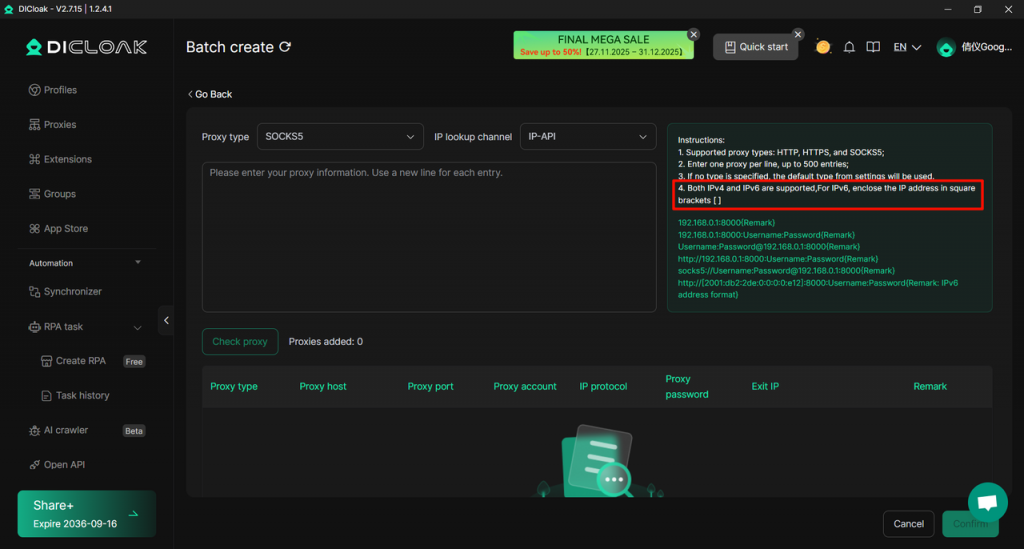
Optimized the [Proxies – Batch create / import] function, and added support for IPv6 agent format. Filling in IPv6 addresses according to the specification (when filling in the host of IPv6, it needs to be enclosed in [] ) can improve the efficiency of batch creating agents.
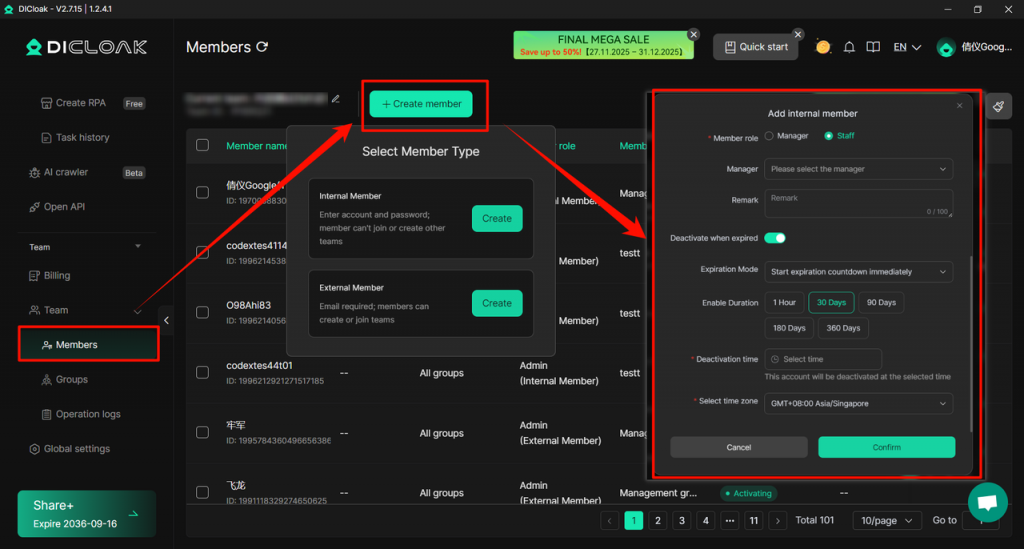
8. The time to deactivate a member account supports setting the first user login time.
The <Member> option in <Member List> has added a new member account deactivation feature based on “first login time”. Administrators can set the expiration method to “start countdown after first login” when adding members and customize the number of expiration days (example: 30 days). After expiration, the member account will be automatically deactivated.
Scenario: For example, you created Account A on February 1st in this way and set the number of days of use to 30 days. Your customer purchased your service on the 3rd and thus obtained Account A, but logged in for the first time on the 5th. Then Account A will start counting down the 30-day expiration period from the moment of the first login, that is, it will expire on March 5th.
9. Data can be synchronized after clearing local cache
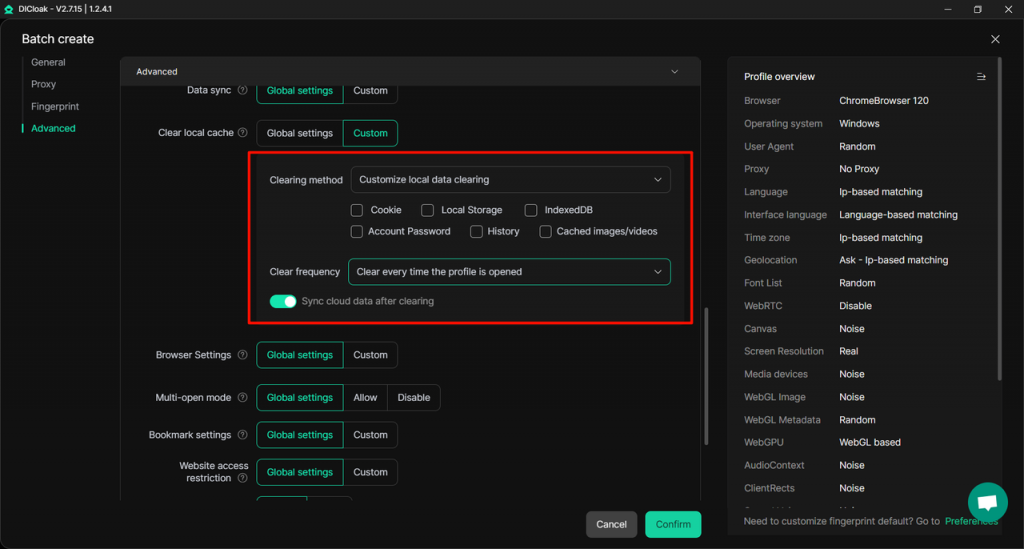
[profile – Create/Edit profile], the “Clearing method” configuration, is a newly added feature. You can customize the cache cleaning frequency and enable [Customize local data clearing] to maintain consistency between local and cloud data.
Usage Scenario: It is applicable to shared account scenarios. Through this feature, administrators can regularly update/replace tool accounts in the profile and synchronize them for members to use.
10. Batch editing profile supports random assignment of agents
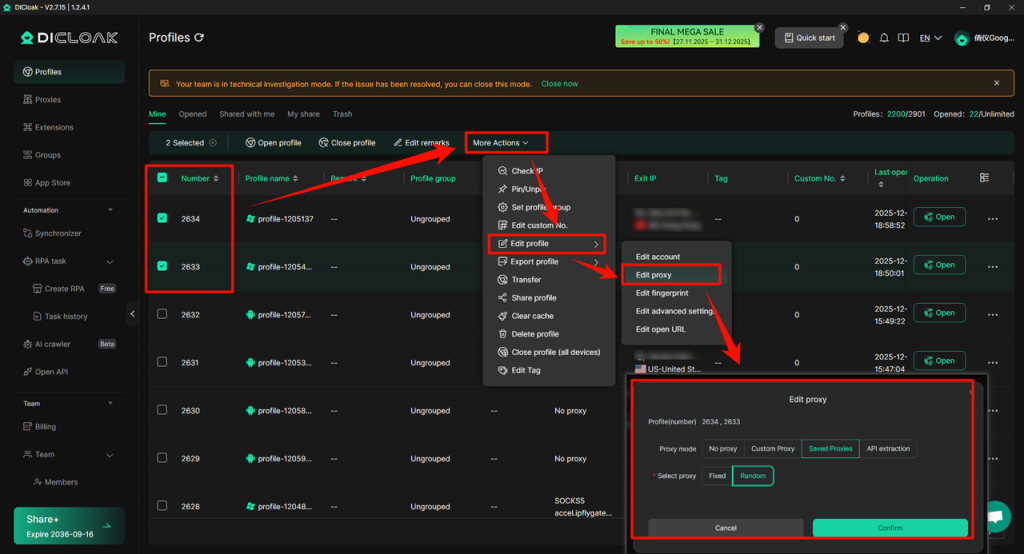
A new “Random” option has been added to the “Proxy Settings” of <profile – Batch Create/Edit profiles>, and the system will prioritize assigning unused proxies to each profile (only if all proxies have been used will it randomly assign used proxies)
Scenario: For multi-account services, it is possible to assign different proxies to each profile, ensuring that each account has a secure and independent IP network.
11. RPA operation can be set to close the profile and then reopen it
A new option “Close Opened profile” has been added to [RPA – Task history], which enables the currently opened profile to also run RPA tasks normally, reducing the phenomenon of RPA running failures caused by manually opening the usage profile.
12. Http API goes live, supporting profile, profile grouping, and proxy module interfaces
[Open API] New HTTP API interfaces have been added, supporting calls to DICloak’s profile-related interfaces, including operations such as getting the profile list, adding a new profile, editing an existing profile, deleting an profile, and completely removing an profile. For specific parameters, please refer to the API Development Document.
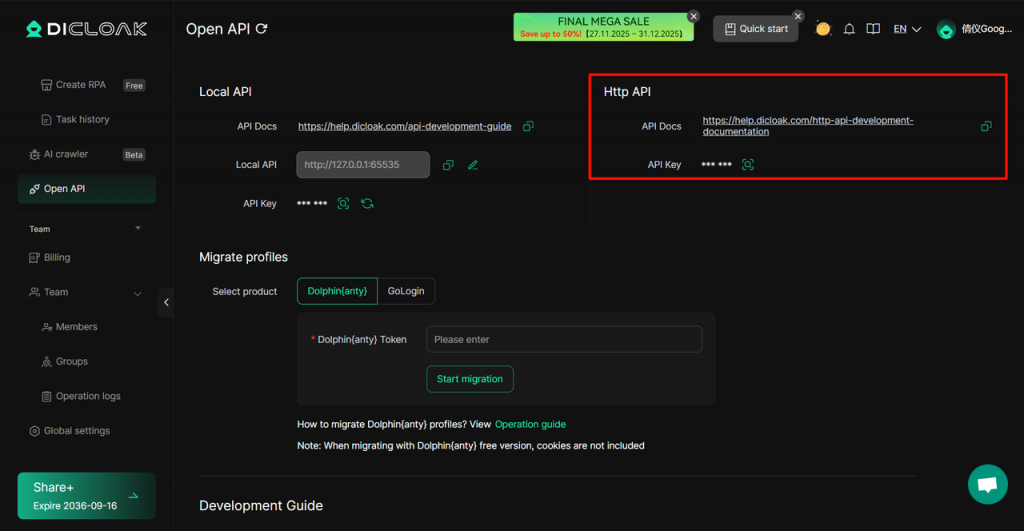
New profile group interface and proxy interface are added, supporting flexible configuration of request parameters via HTTP protocol to implement operations on profile groups and proxies in DICloak software.
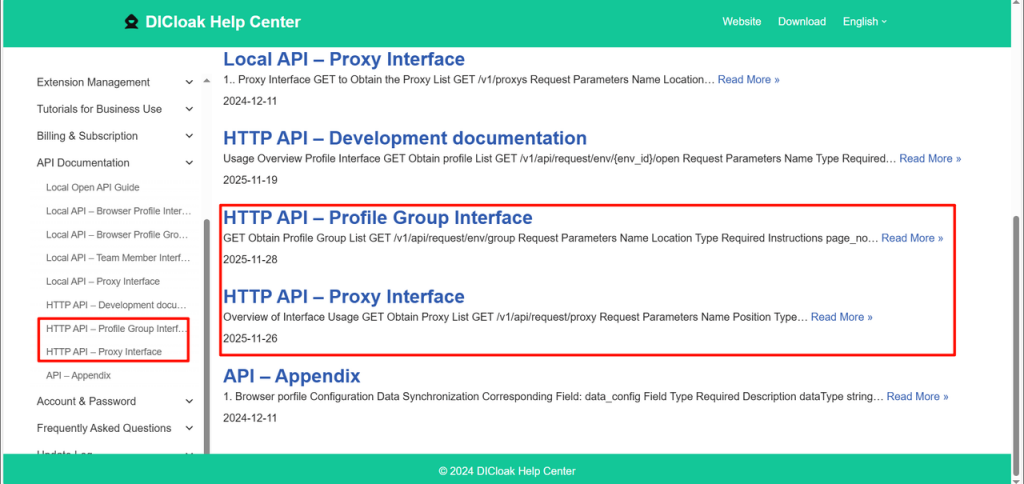
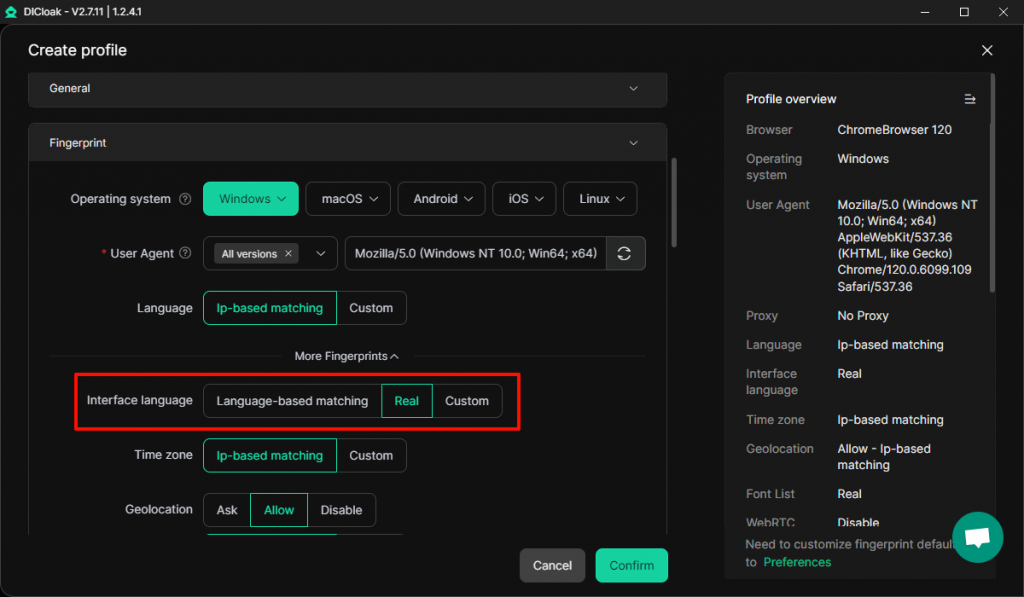
13. API Link: Added time zone parameter when creating and editing member connections;
The API for creating and editing members has added a new [time_zone] time zone parameter, which can directly set the time zone for the member’s deactivation time. For specific details, please refer to the API Documentation.