I. Profiles & Fingerprints
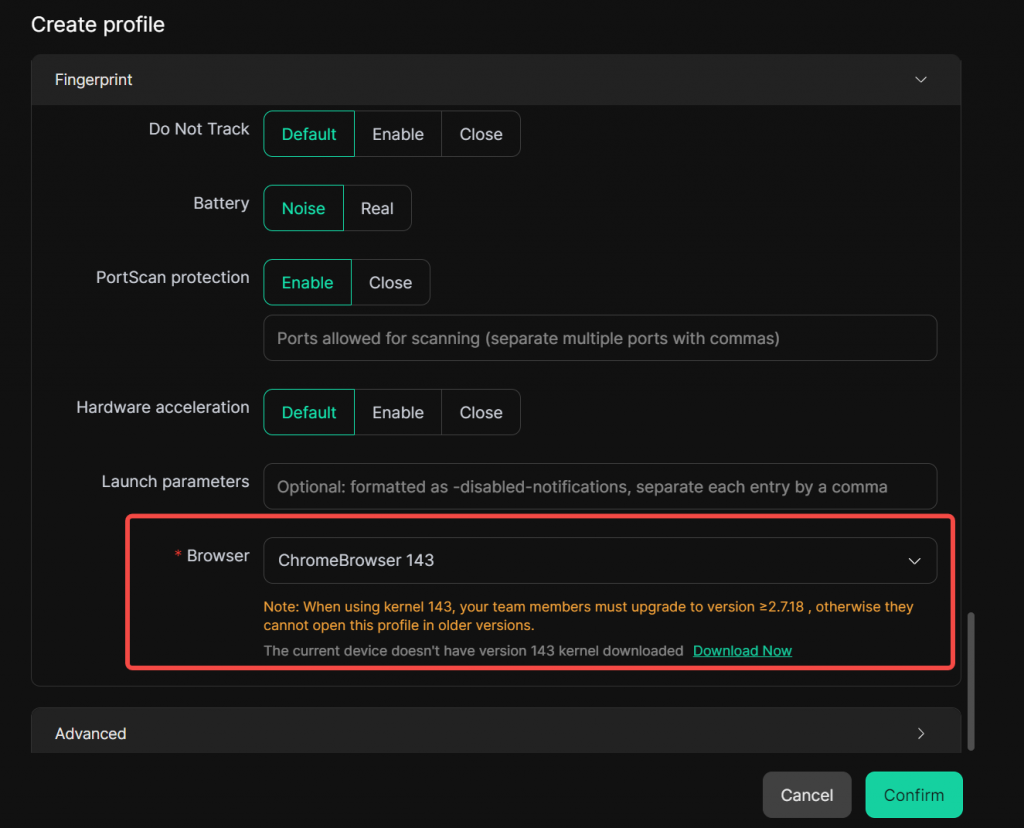
1. Chrome Kernel 143 Support
The browser kernel now supports selecting the Chrome 143 version.
Usage Scenario: The new kernel version offers better compatibility with websites sensitive to browser versions, reducing compatibility issues caused by older kernels and improving browsing stability.
2. WebRTC Uses Proxy IP
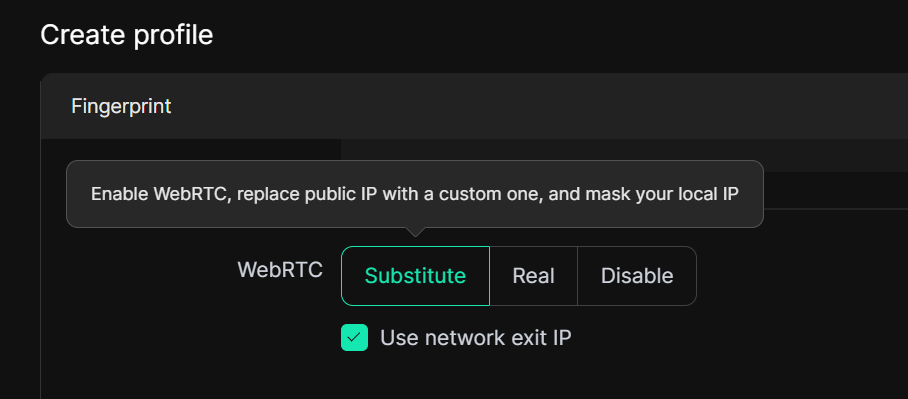
In [Profiles – Create/Edit Profile – Fingerprint Settings], when you set the WebRTC field to “Substitute” and choose to use the network’s exit IP, the browser will only display the currently used proxy IP during WebRTC communications (provided that a proxy has been configured for the profile), and your real local IP will be hidden.
Usage Scenario: Prevents real IP address leakage via WebRTC, ensures your network identity is consistent with the proxy IP, and reduces the risk of being identified by websites or trackers based on your real location.
3. Adjustable Window Size Option
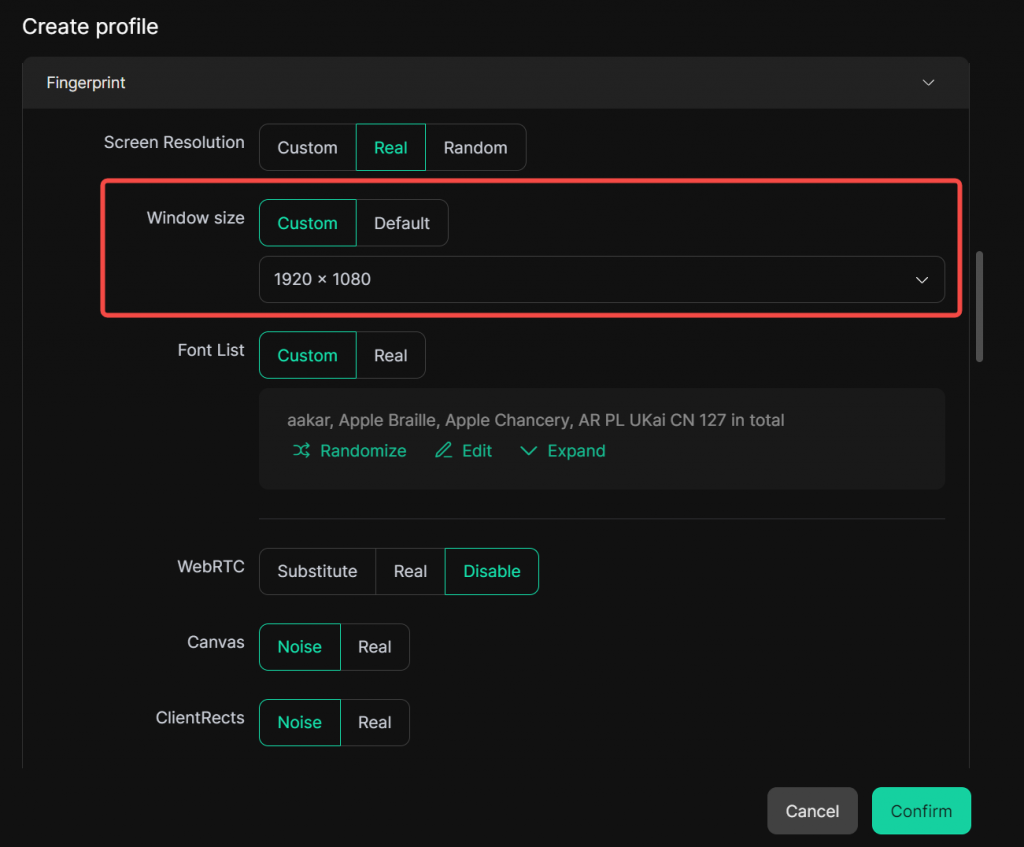
In [Profiles – Create/Edit Profile], a new Window Size customization option has been added. You can preset the startup window dimensions for each browser profile, and it will launch with these dimensions every time.
Usage Scenario: Helps maintain consistent profile behavior, provides a more uniform browsing experience, and allows for further fingerprint refinement.
II. Proxies
1. Proxy Group Management Added
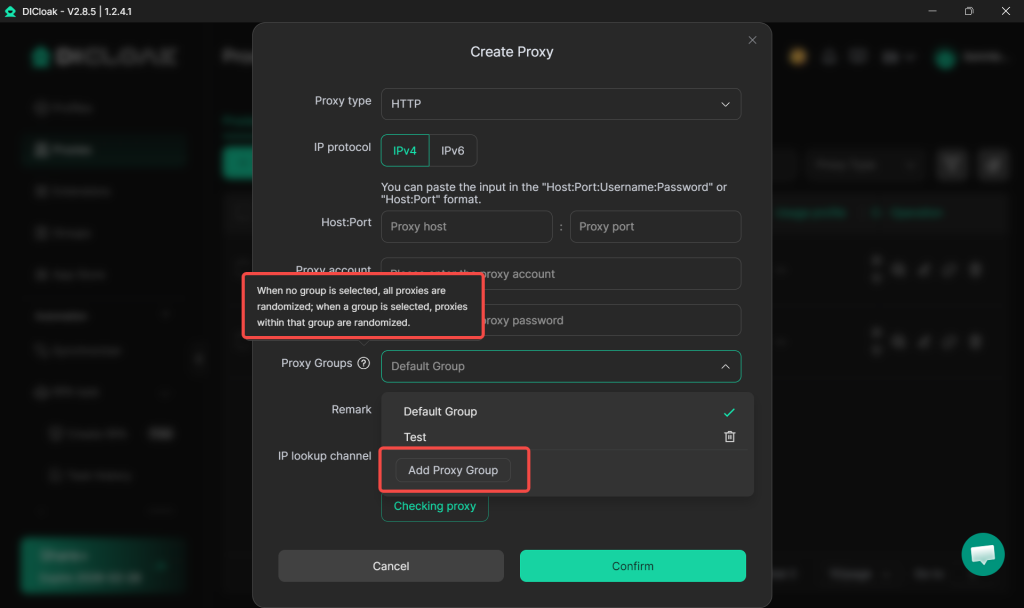
Now supports grouping proxies for management. You can assign a proxy group to a proxy in [Proxies], and when creating or editing a profile, you can specify a proxy group for that profile.
Usage Scenario: When you have a large number of proxies that need to be categorized for different business units or team members, grouping enables clearer resource isolation and allocation.
2. Batch Operations Support Random Assignment from Proxy Groups
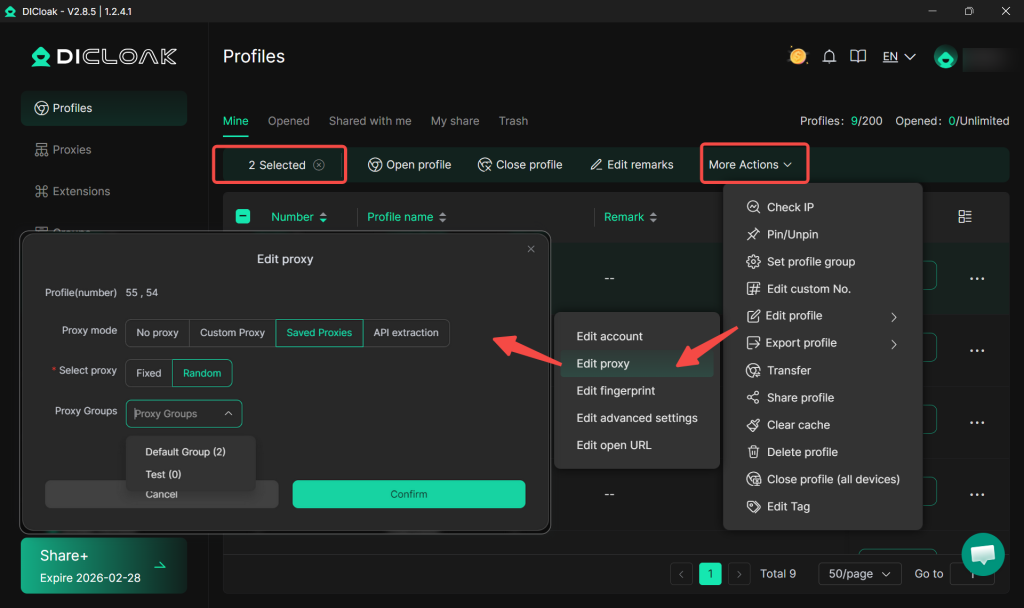
In the batch create or batch edit functions of [Profiles], the proxy settings now include a “Random” option for assigning proxies from a specified proxy group. The system will automatically prioritize assigning an unused proxy randomly from the selected group to each profile.
Usage Scenario: When configuring proxies for a large number of profiles, this enables quick and balanced proxy distribution, avoiding the tedious process of manual selection.
3. Exit IP Address Display When Selecting Proxies
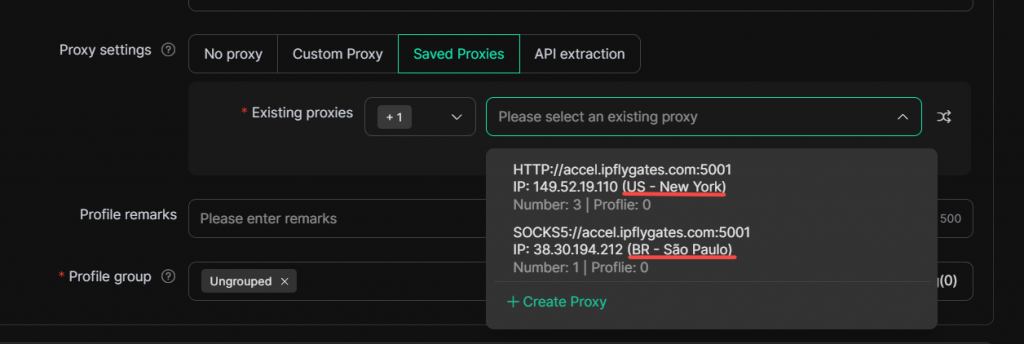
When creating or editing a profile and selecting a saved proxy, the proxy list will now directly display the exit IP address information of that proxy.
Usage Scenario: Helps users quickly identify and distinguish between different proxies during configuration, especially when managing numerous proxies with similar IPs or from different regions, effectively preventing misselection.