I. Members & Team Management
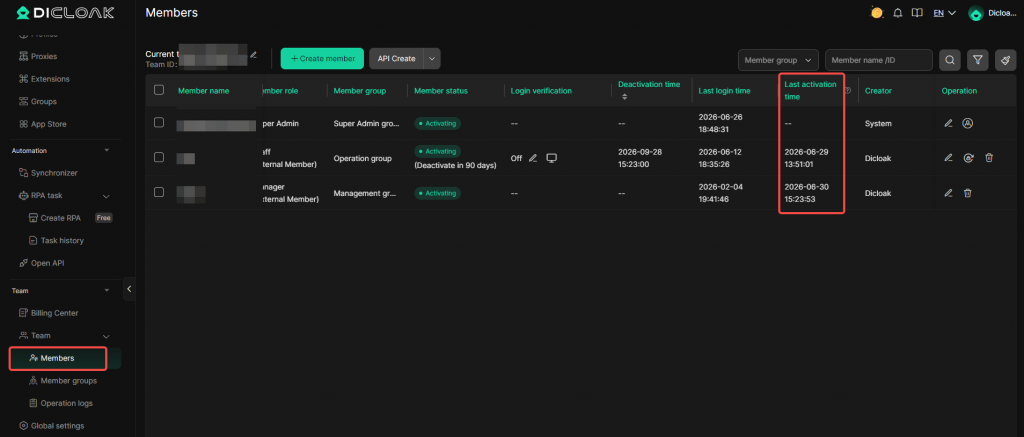
1. “Last Activation Time” Field Added to Member List
In the [Members], a new [Last Activation Time] field has been added. The last activation time is defined as the moment when a member’s status was last changed to “activating”; for newly created members, if you choose “start expiration countdown immediately”, the activation time will be the time of creation; if you choose “start expiration countdown after first member login”, it will be the time of the member’s first login.
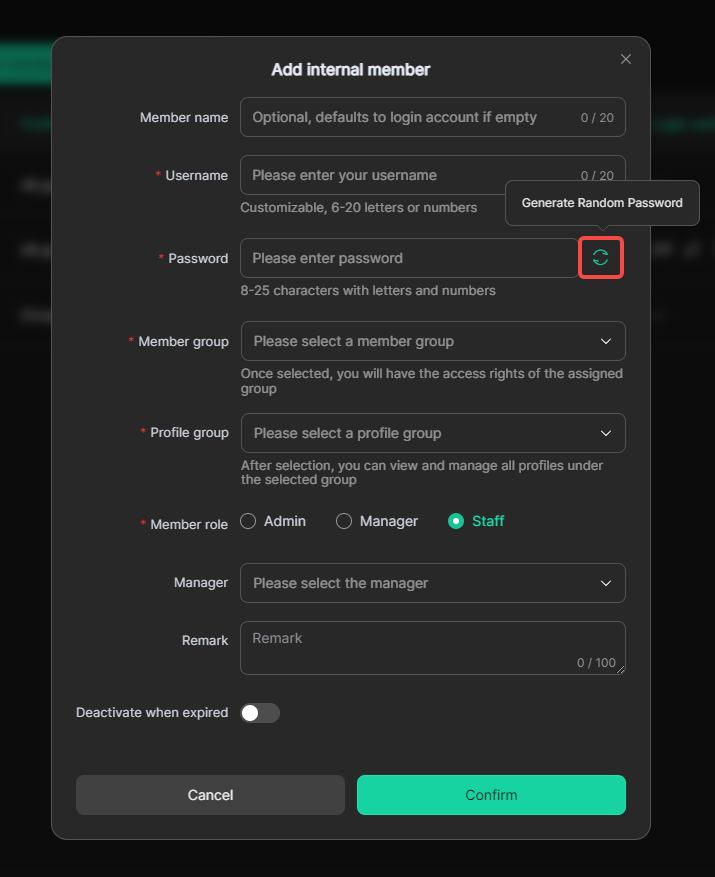
2. One-Click Password Generation When Creating Internal Members
When creating an internal member, a new [Generate Password] button is now available. Administrators can automatically generate a strong password instead of entering manually, improving account security and creation efficiency.
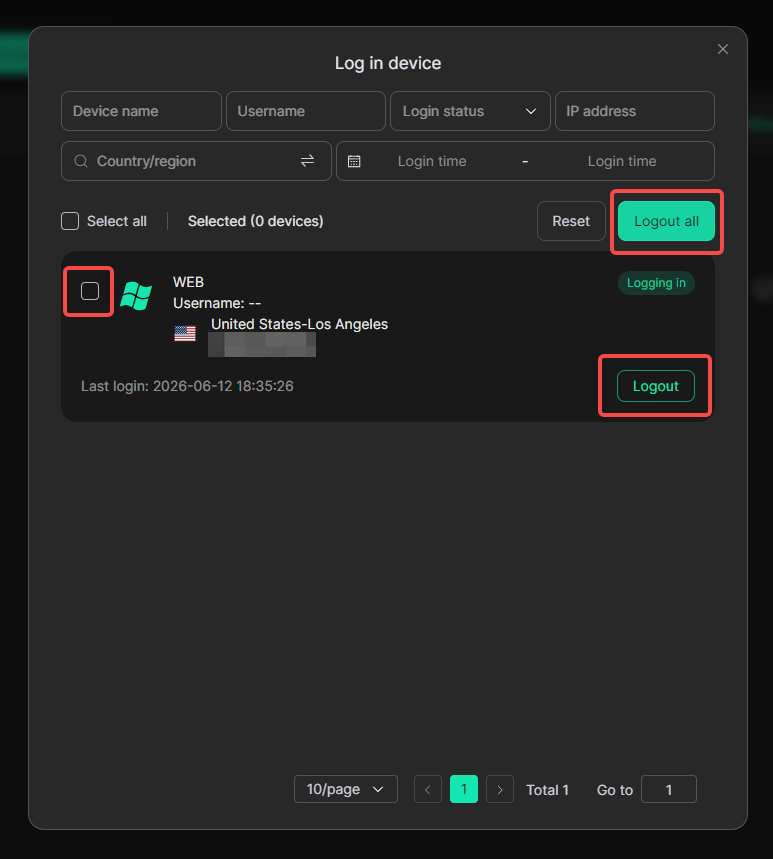
3. Internal Member Login Device List Supports Multi-Select and Batch Logout
In [Members] → [Login verification] → [Login Devices], checkboxes are now provided for multi-selecting devices, along with a [Batch Logout] button. Administrators can force logout of selected devices at once, making device management more efficient.
II. Device & Login Security
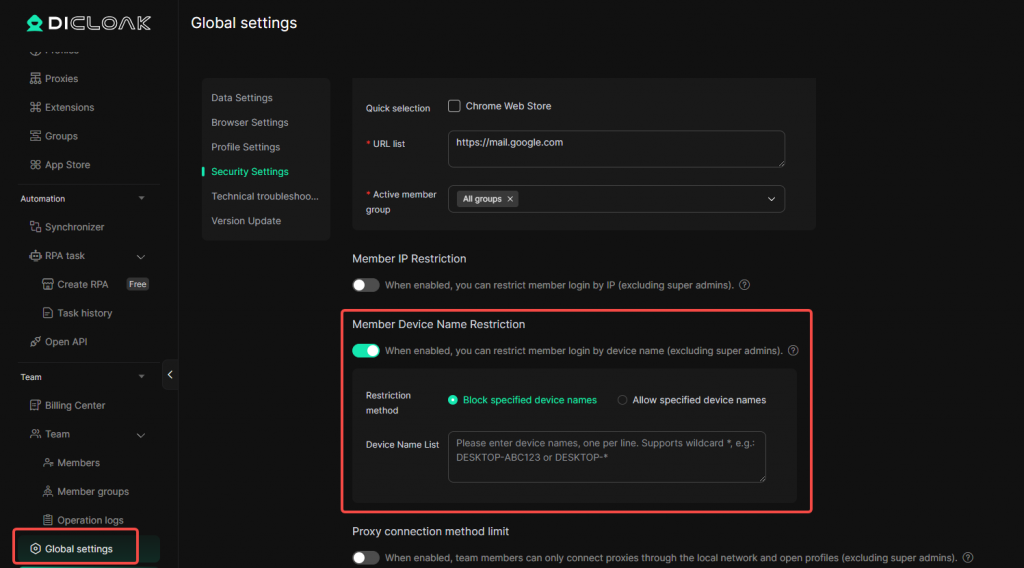
1. New Device Name Restriction for Login – Member Device Name Restriction
In [Global Settings] → [Security Settings], a new [Member Device Name Restriction] feature has been added. Administrators can enable it to allow or block specified devices from logging into the team account based on device name rules. Wildcard * matching is supported.
III. RPA Optimization
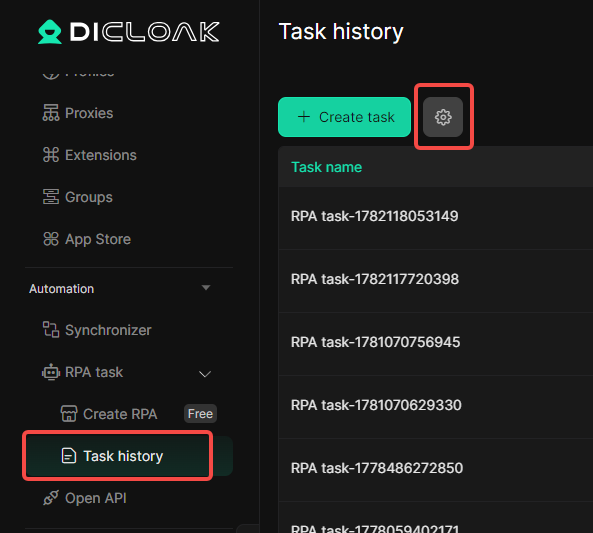
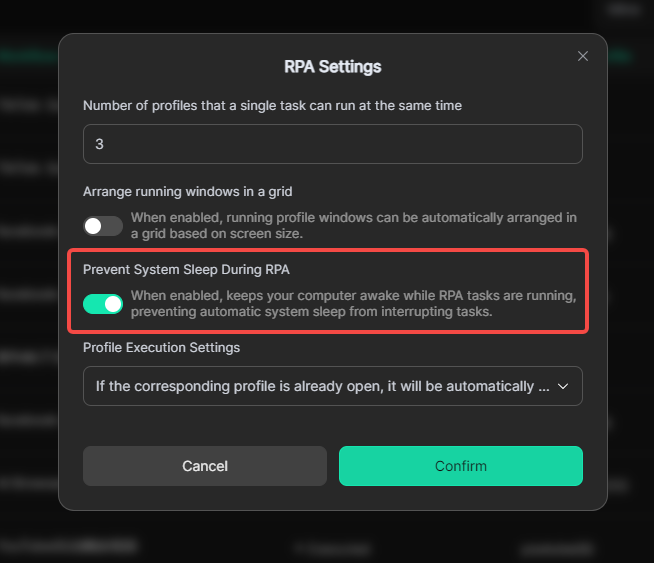
1. New Switch to Prevent System Sleep During RPA Runtime
In [Task history], a new [Prevent system sleep during RPA] switch has been added. When enabled, the system will prevent the computer from entering sleep mode while RPA tasks are running, ensuring automation processes continue uninterrupted.
IV. Profile Management
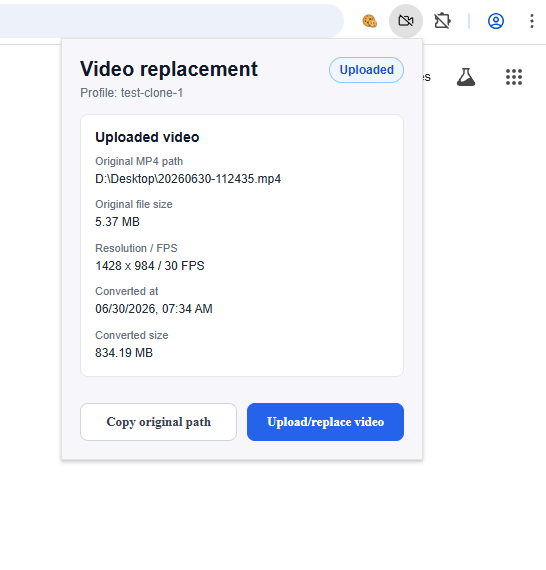
1. Video Replacement Feature – View Currently Uploaded File Info
In the extension management of a profile, the video replacement feature now supports viewing information about the currently uploaded file, including file name and upload time, allowing users to confirm the status of video resources.