The startup window feature let you customize the startup window size for each launch of the DICloak application, which better accommodates your daily‑work requirements.
1.Open Personal Settings
Open and log in to the DICloak software. Click the avatar in the top-right corner to enter [Personal Settings]. Select [Basic settings] > [Startup window].
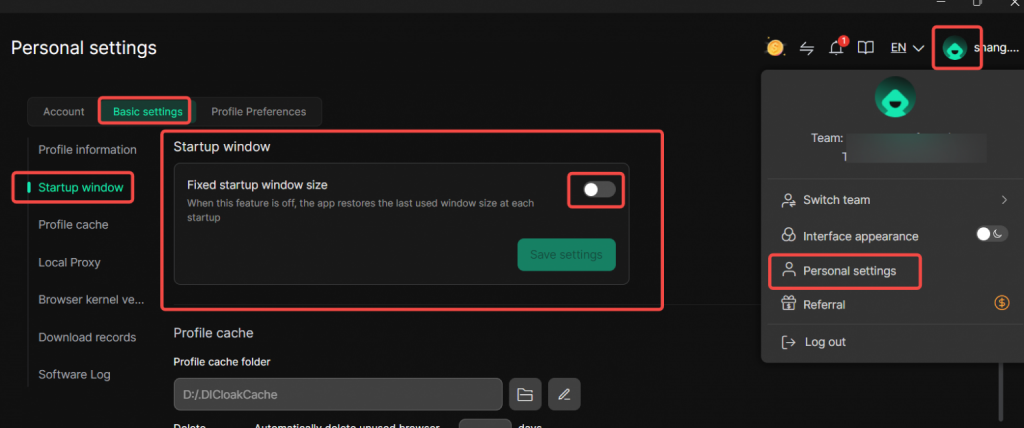
2.Enable Startup window
Once enable Startup window feature, you can customize the window’s width and height. After saving your configuration, DICloak will launch with your predefined window size on the next startup.
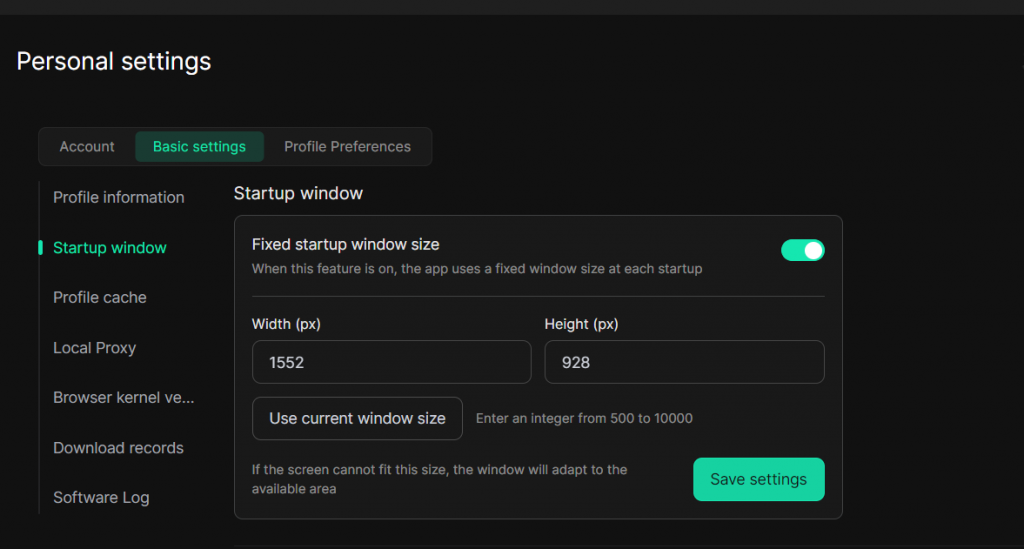
Note: If this feature is not enabled, the app will restore the last used window size at each startup