I. Profile Management
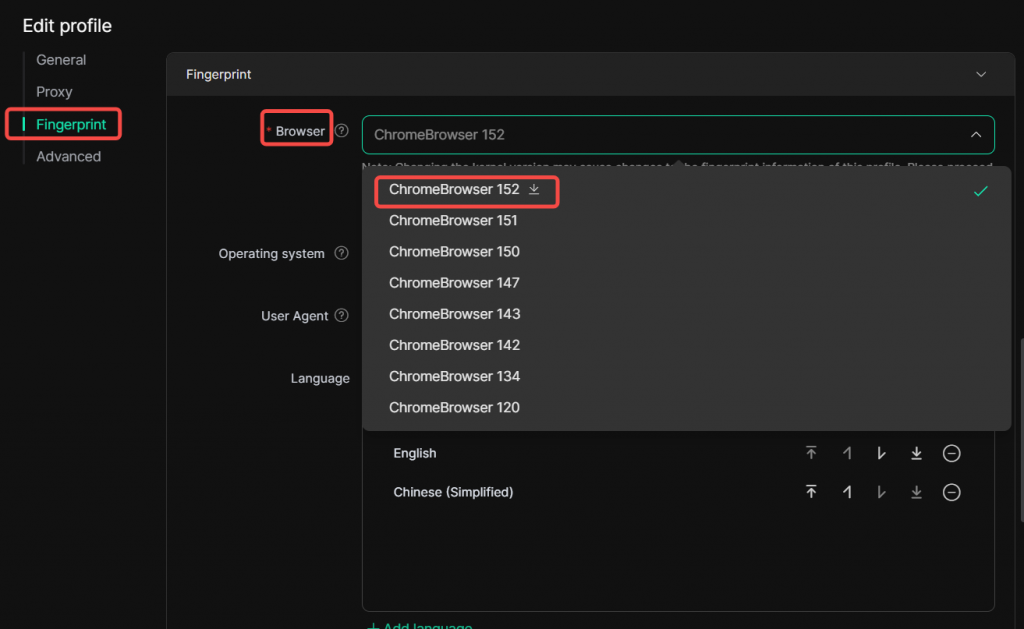
1. New Chrome 152 browser kernel added for profile fingerprints
Within [ Profiles ] management page, navigate to the edit page of a specific profile. Under [ Fingerprint ] ‑ [ Browser ], select and download the Kernel 152 for use. Please note that Kernel 152 is only available for V3.0.4 and later versions. To use it, ensure your DICloak is updated to V3.0.4 or higher.
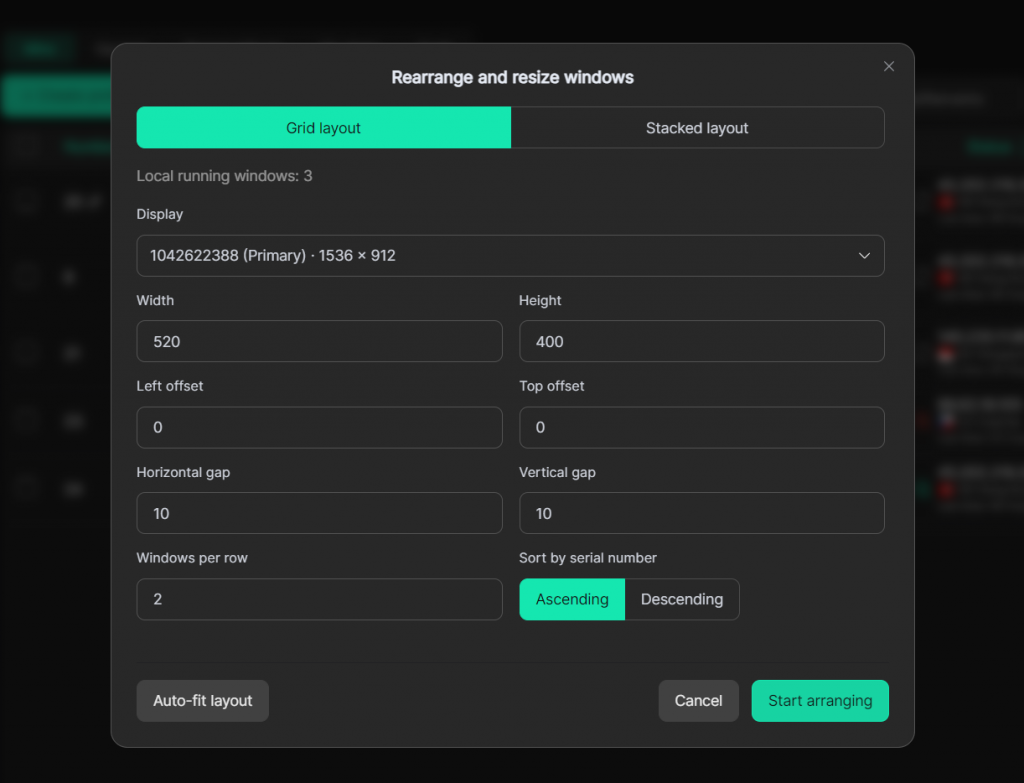
2. Added custom arrangement for multi-profile windows
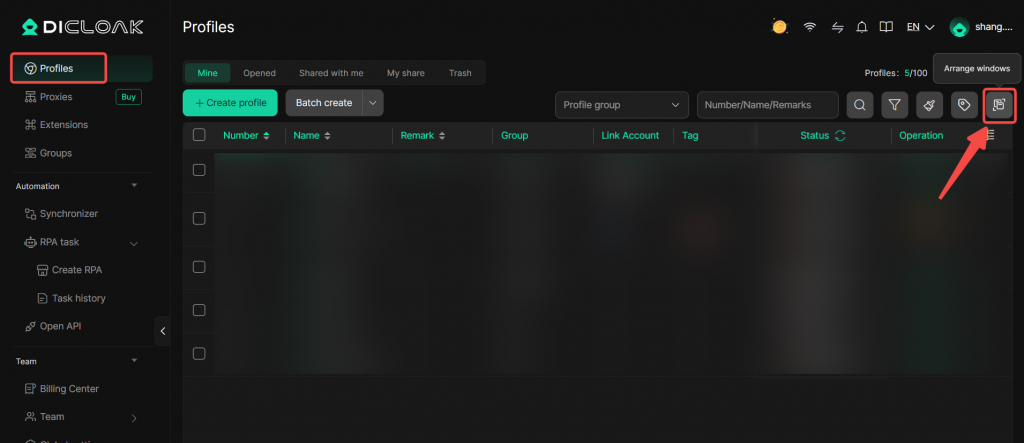
On the Profile Management page, you can find the window arrangement icon at the top-right corner. Arrange your opened profile windows into Grid layout or Stack layout according to your preferred layout. Customize window parameters for easier viewing and access of multiple open profiles.
II. Personal Settings
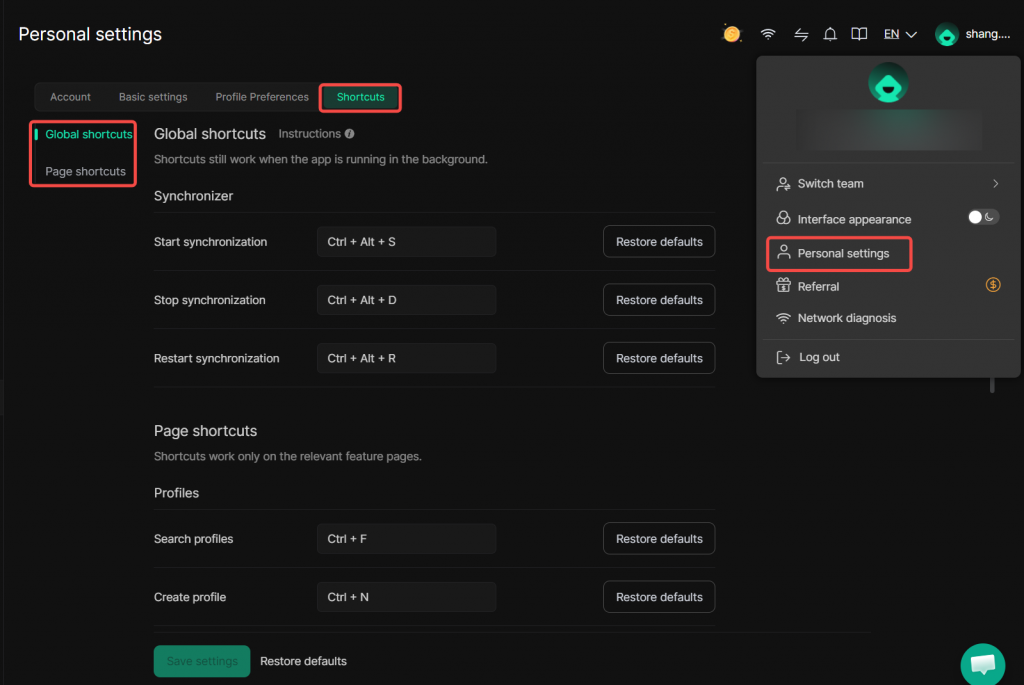
1. Added custom Shortcuts
In Personal Settings > Shortcuts, you may configure key combinations based on your usage habits. Both Global shortcuts mode and Page shortcuts mode are supported.
III. Software Settings
1. Added local network detection
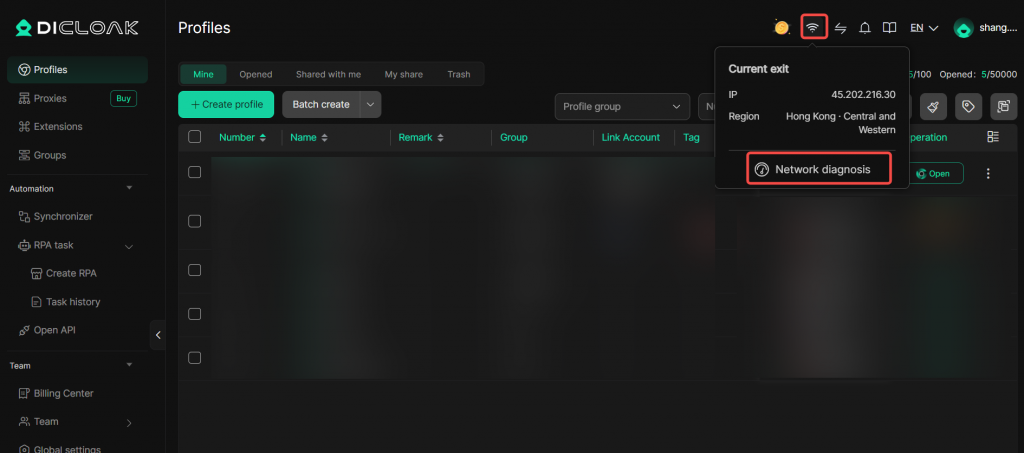
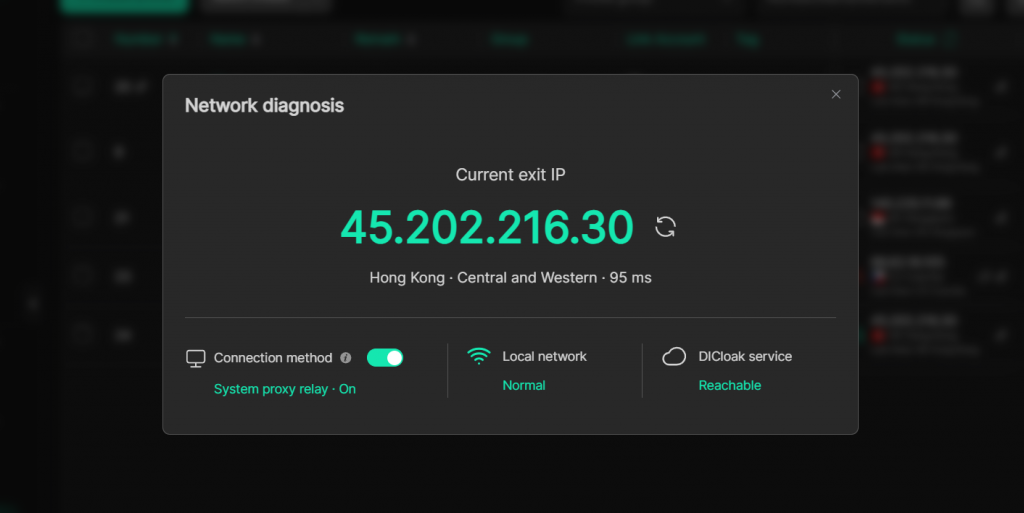
While using DICloak, if you encounter slow page loading or abnormal connection responses, run the built-in Network diagnosis tool located at the top-right corner of the software to quickly identify connectivity issues.