You may customize shortcuts according to your usage preferences to prevent conflicts with hotkeys from other applications.
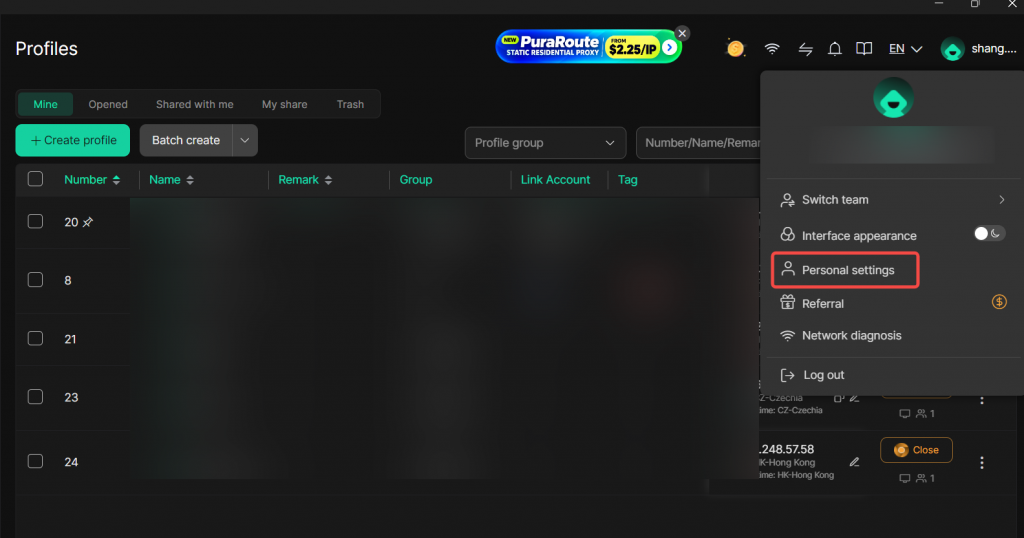
1. Open Personal Settings
Click your avatar in the upper-right corner and select Personal Settings.
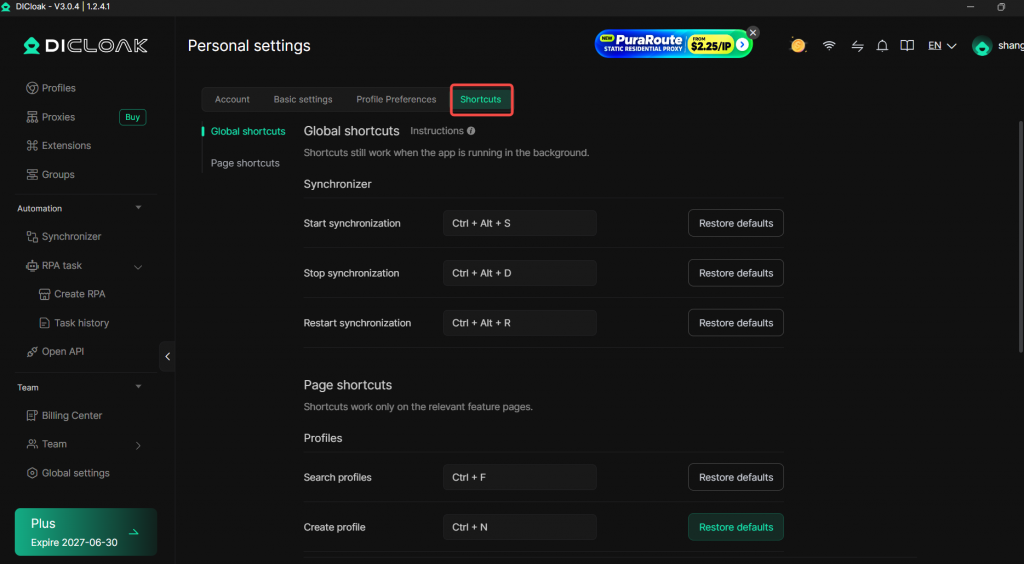
2. Navigate to the Shortcuts.
Select the shortcut application mode. Two modes are available: Global shortcuts and Page shortcuts.
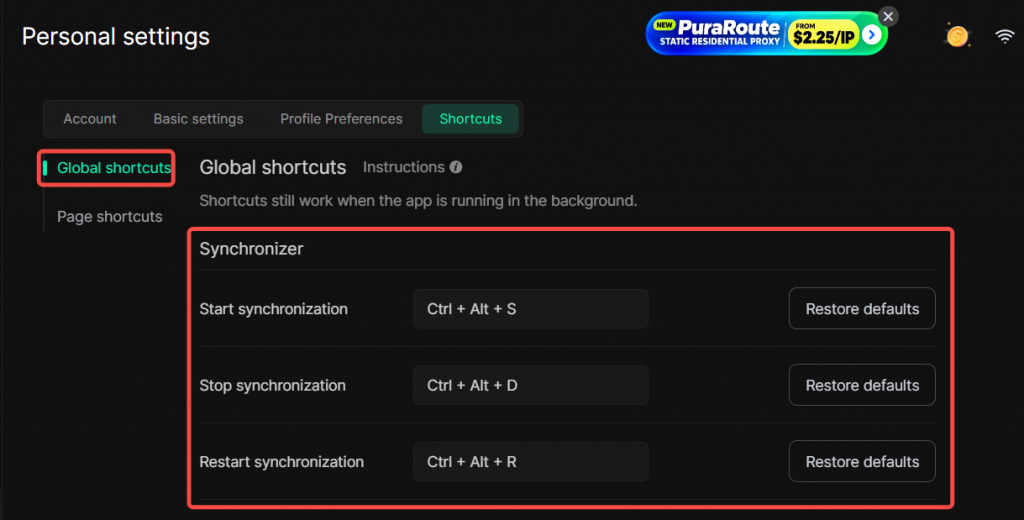
Global shortcuts: Shortcuts remain active even when the application runs in the background.
You can customize shortcuts for the Synchronizer: Start synchronization, Stop synchronization, and Restart synchronization.
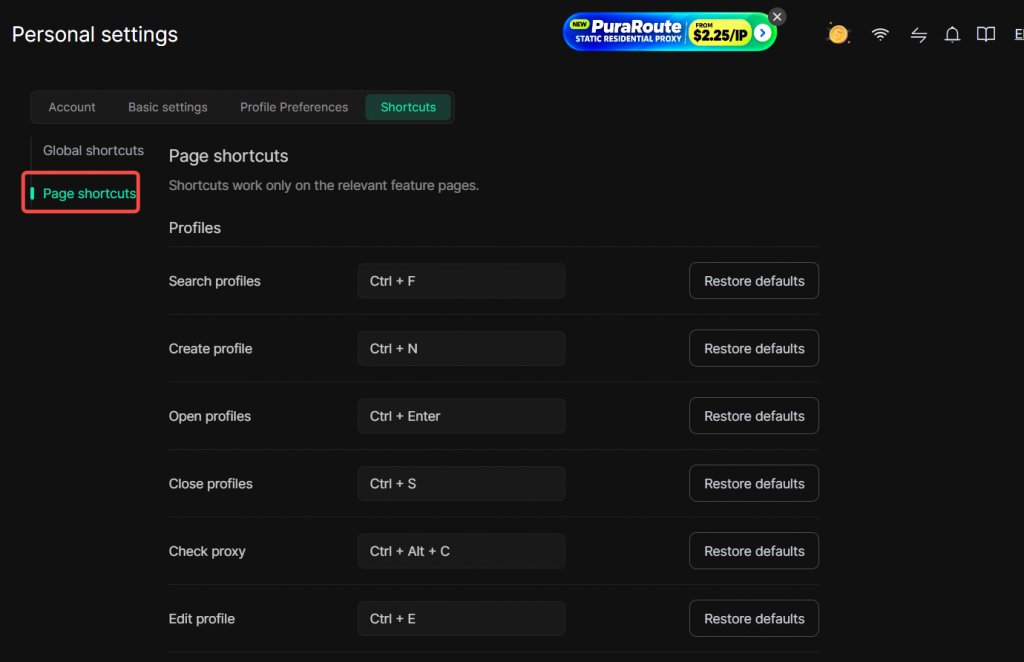
Page shortcuts: Shortcuts only take effect on relevant feature pages.
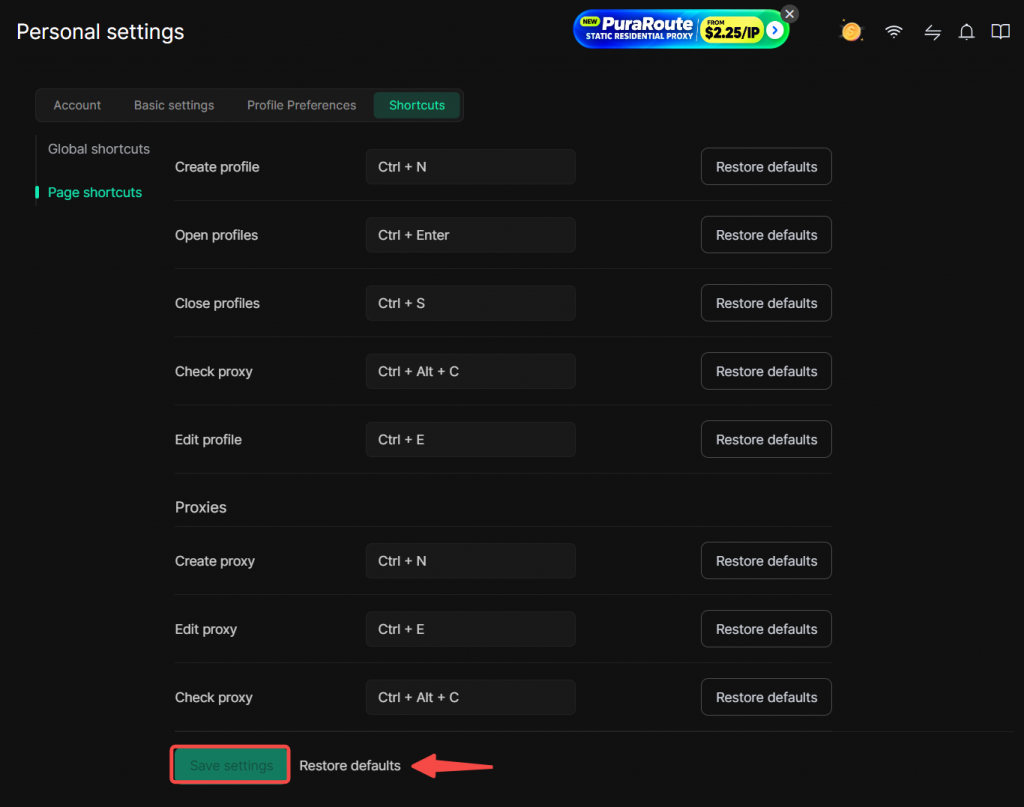
Customizable shortcuts under Profiles : Search profiles, Create profiles, Open profiles, Close profiles, Check proxy, Edit profiles.
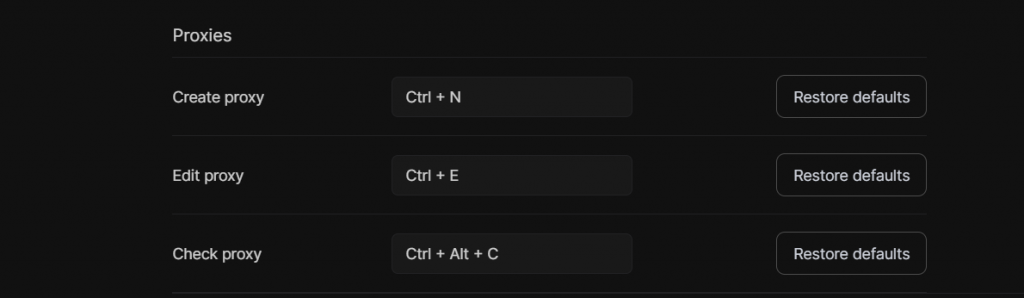
Customizable shortcuts under Proxy : Create proxy, Edit proxy, Check proxy.
3. Save your settings
Click Save Settings after configuration.
Click Restore Defaults if you want to revert to the original hotkey configuration.