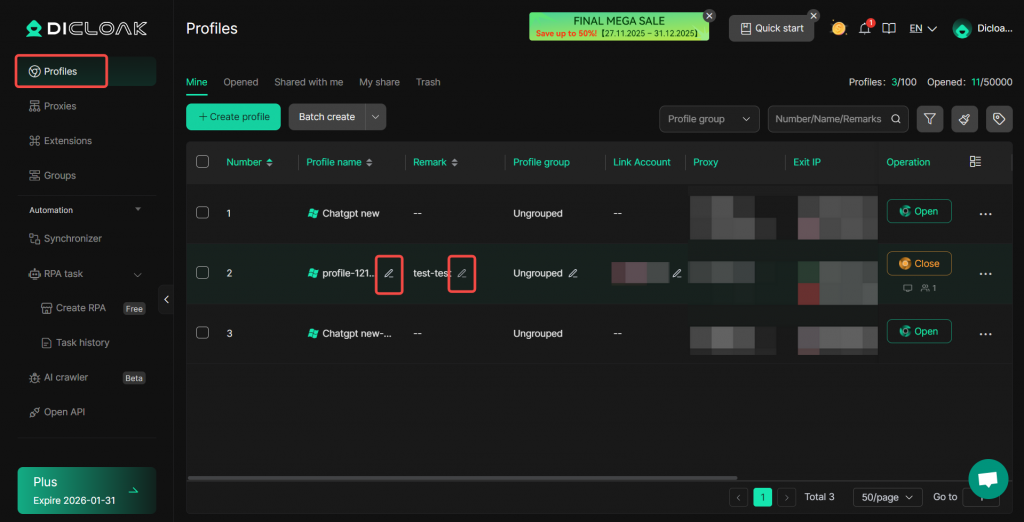
Purpose of Setting the Browser Label
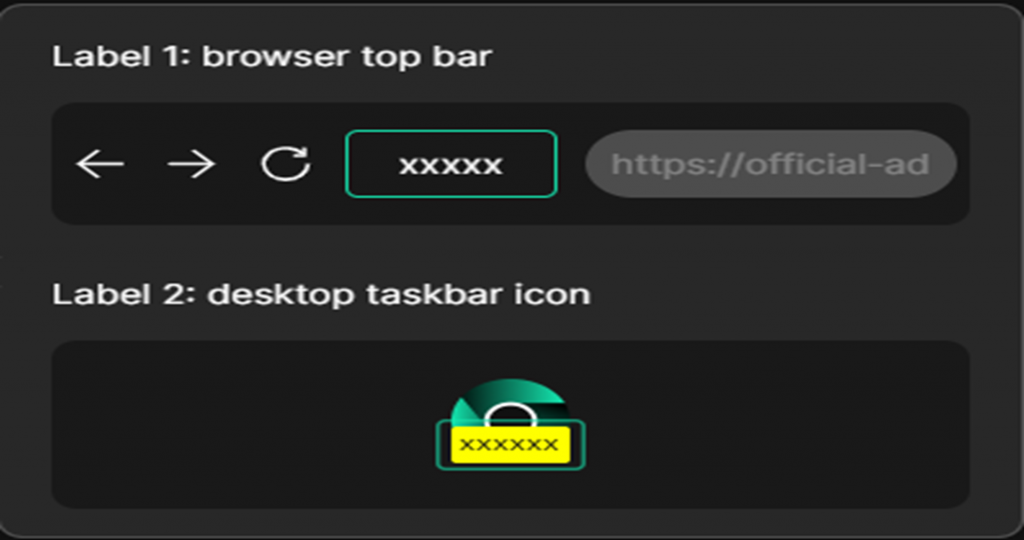
When you have multiple profiles open simultaneously, you can use the browser label to quickly find the profile you want to switch to and view. By setting a custom browser label, you can easily locate the profile. The location of the browser label is shown in the image below:
How to Set the Browser Label
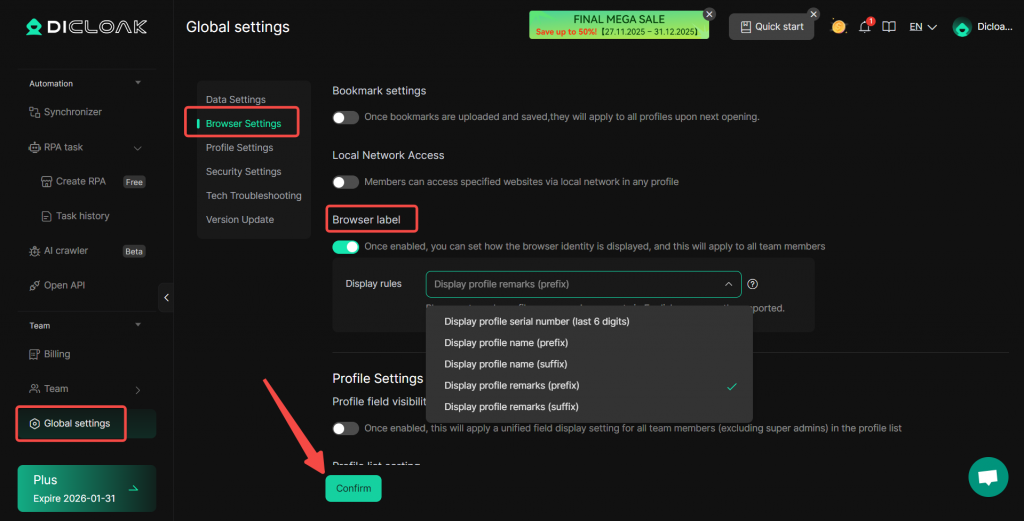
Navigate to Global Settings in the left navigation bar, find Browser label in Browser Settings, enable it, and configure the display rules. Click “Confirm” after completing the settings.
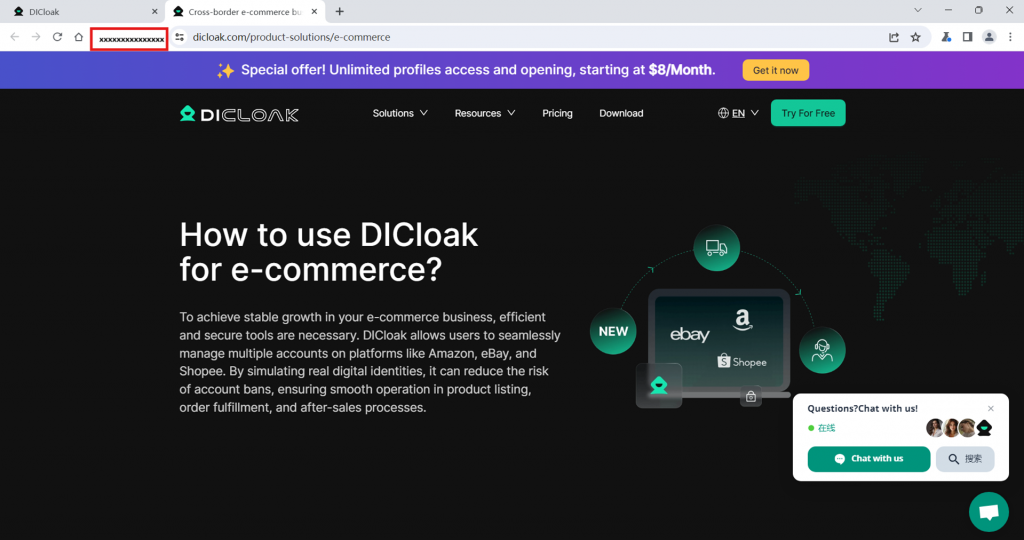
Once the setting is successful, when you open the profile, you will see the browser label as shown in the image below.
Note: You can edit the Profile name and Remark in the profiles to display the browser label you want to see.