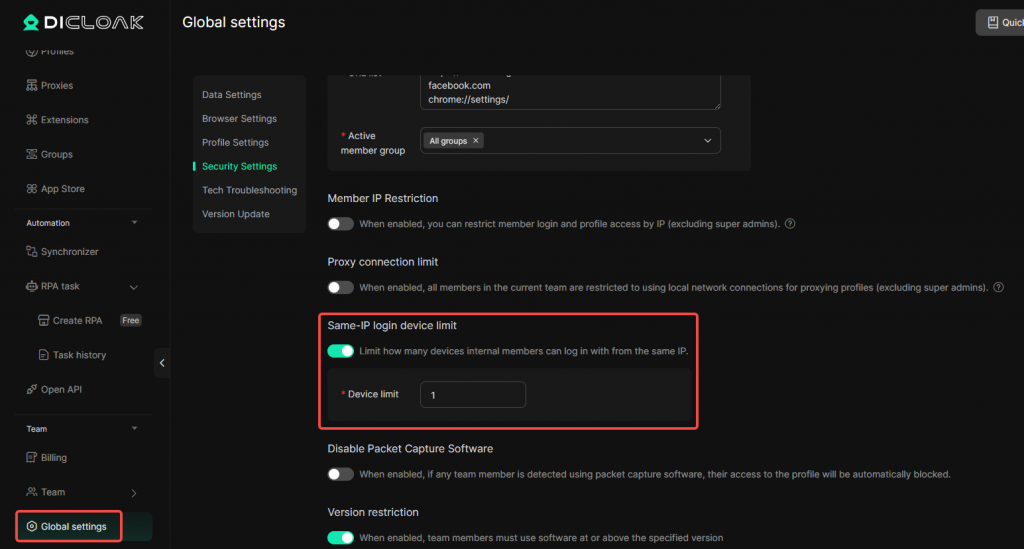
The Same-IP login device limit feature allows administrators to restrict the number of devices that can simultaneously log in to any DICloak internal member account within the team from the same IP address.
Note: This feature is only available for the Plus plan.
Configure the Same-IP login device limit
Enter the Global settings, locate the Same-IP login device limit setting. Enable the feature, enter the maximum number of devices allowed to log in simultaneously from the same IP address in the Device Limit field, and then click Confirm to save the configuration.
Once the configuration takes effect, when the number of logged-in devices under the same IP address reaches the configured limit, additional devices will no longer be able to log in to DICloak.