If you want to view and restore deleted browser profiles, check the following tutorial. The restore function is only available to users of paid plans (Base/ Plus /Shared+).
Operation Steps
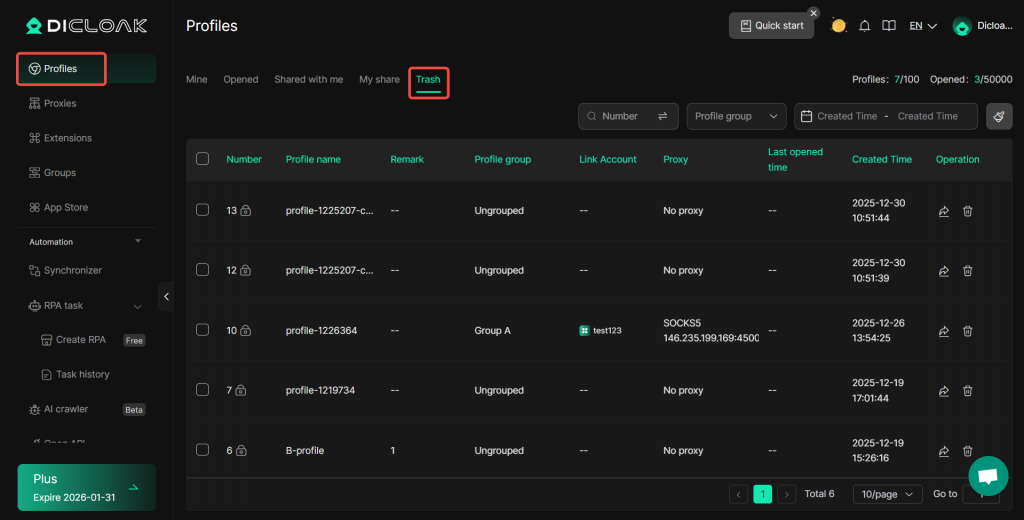
1.Click “Trash” Button
- Access “Profiles” via the left navigation bar and click “Trash“.
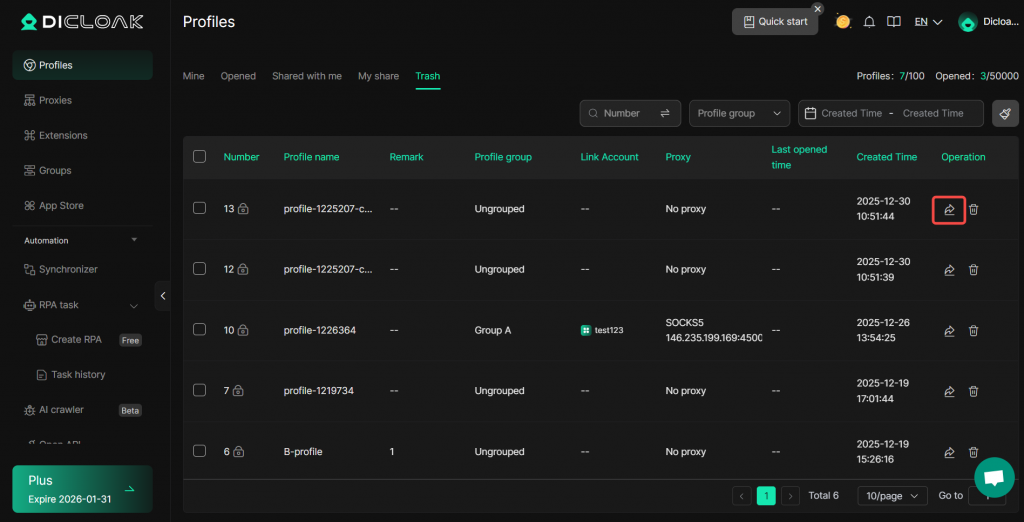
2.Click “Restore” Button
- Find the browser profile you want to restore and click the “Restore” button.
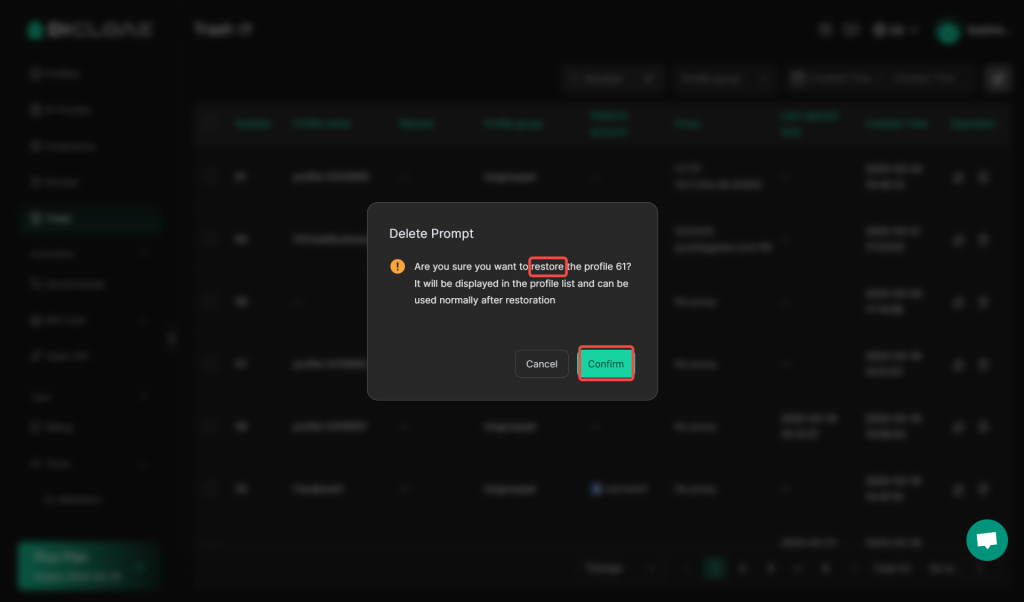
3.Click “Confirm” Button
- Click the “Confirm” button to restore a deleted browser profile.
Batch Operations
1.Select browser profiles
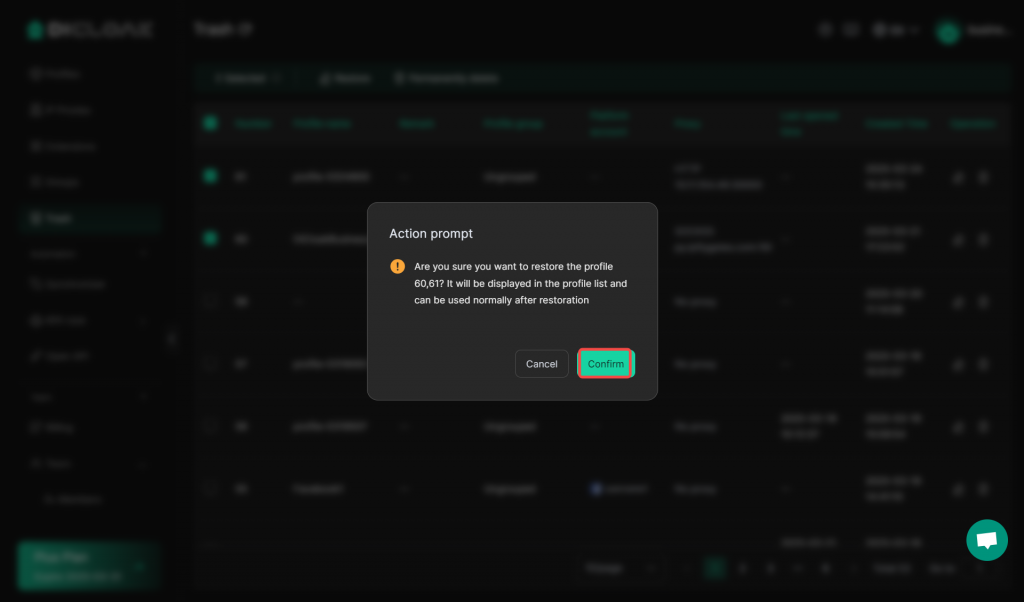
- Check the browser profiles that you want to restore, and click “Restore”.
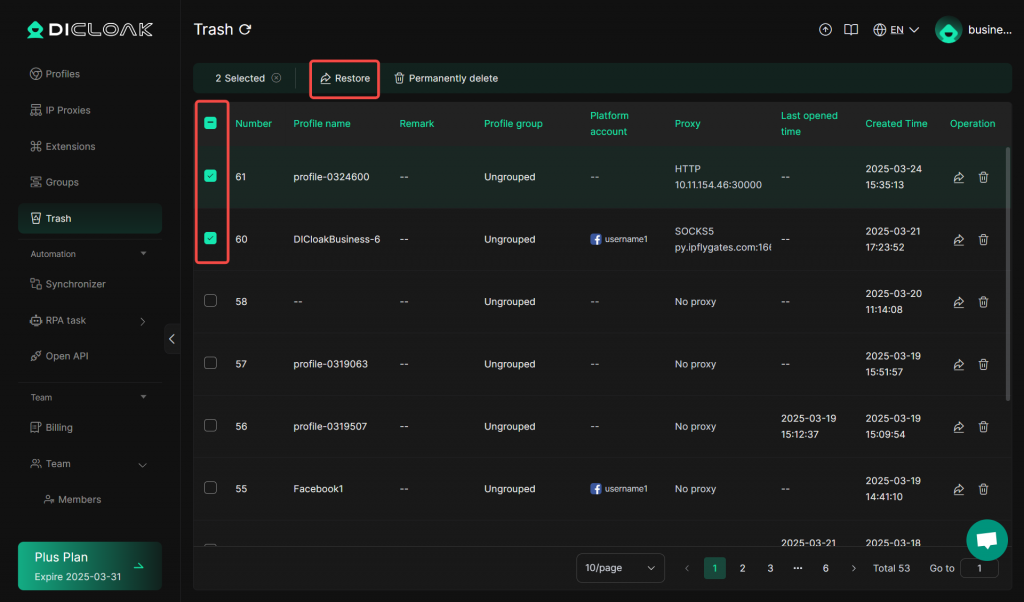
- Click the “Confirm” button to batch restore the browser profiles.
Frequently Asked Questions
What plan do I need to upgrade to in order to use the restore feature?
You need to purchase a base, plus, or share+ plan to use the profile restore feature.
Does the free plan include a feature to permanently delete browser profiles in bulk?
You need to upgrade to any paid plan to use the batch operation function. However, you can permanently delete them one by one.