This month, DICloak has completed a series of updates covering fingerprint upgrades, proxy management optimizations, and enhanced team permissions. The following are the specific feature descriptions.
I. Profiles & Fingerprints
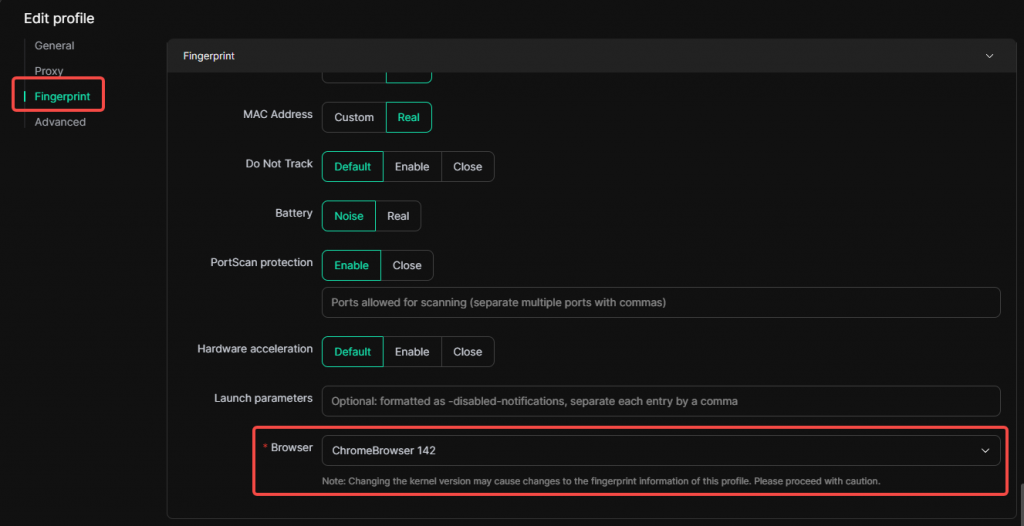
1. Chrome Kernel 142 Support
The browser kernel now supports selecting the Chrome 142 version, featuring the latest browser fingerprint.
Usage Scenario: The new kernel version offers better compatibility with various latest online tools, effectively reducing the risk of detection or blocking caused by outdated fingerprint characteristics.
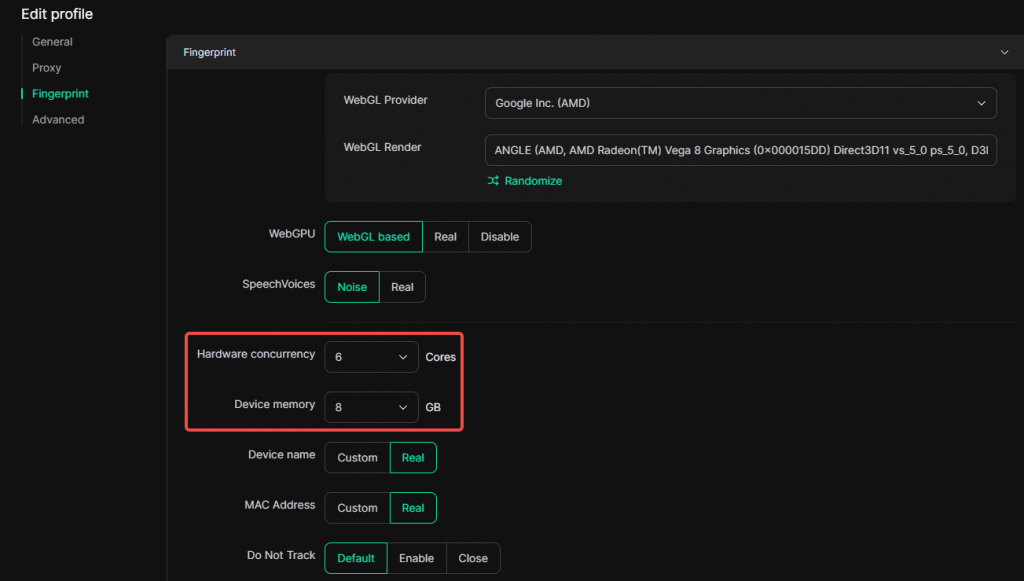
2. CPU & Memory Setting Optimizations
When creating or editing a profile, the dropdown menus for CPU core count and memory size now include more configurable values.
Random Matching Optimization: The logic for randomly assigning CPU and memory combinations when creating a profile or refreshing fingerprint has been optimized.
3. Profile List Tag Filtering Optimization
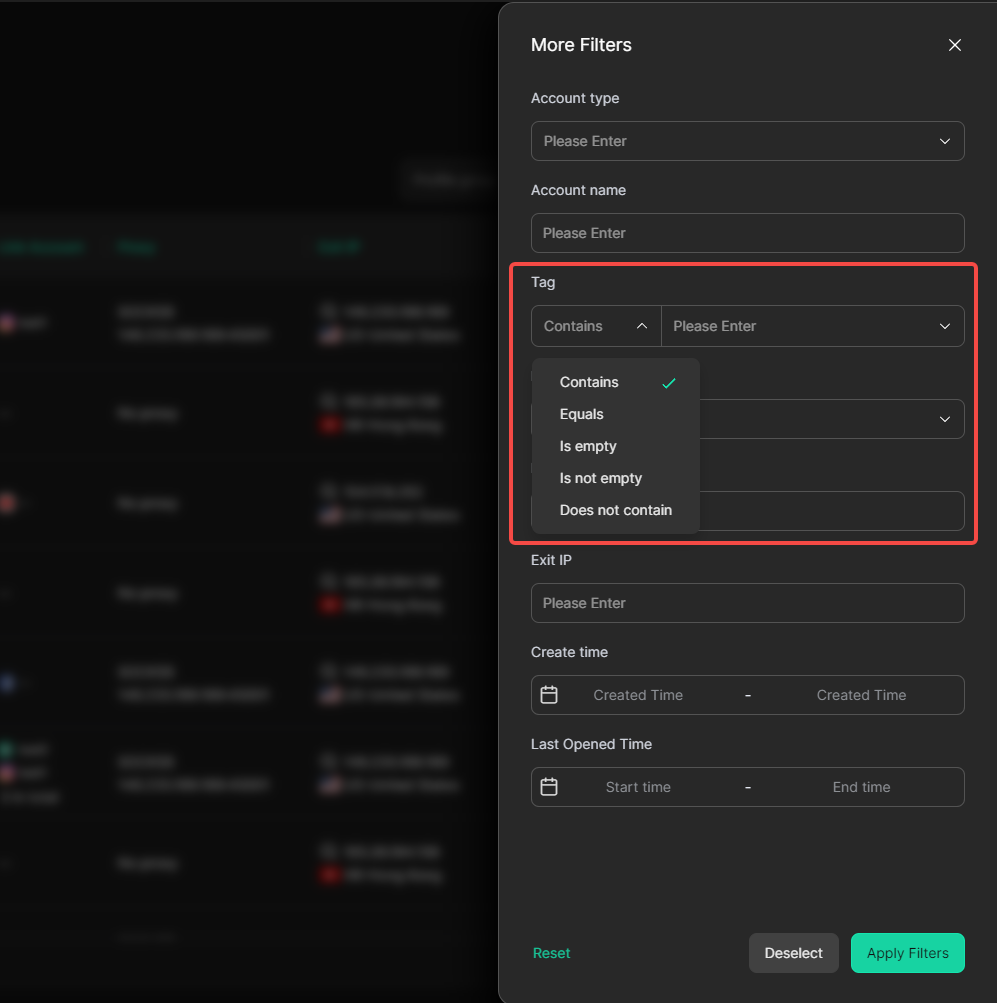
In the profile list filter, the tag field now supports multiple matching rules, including contains, equals, is empty, is not empty, and does not contain, enabling more precise profile filtering.
II. Proxies
1. Batch Proxy Deletion
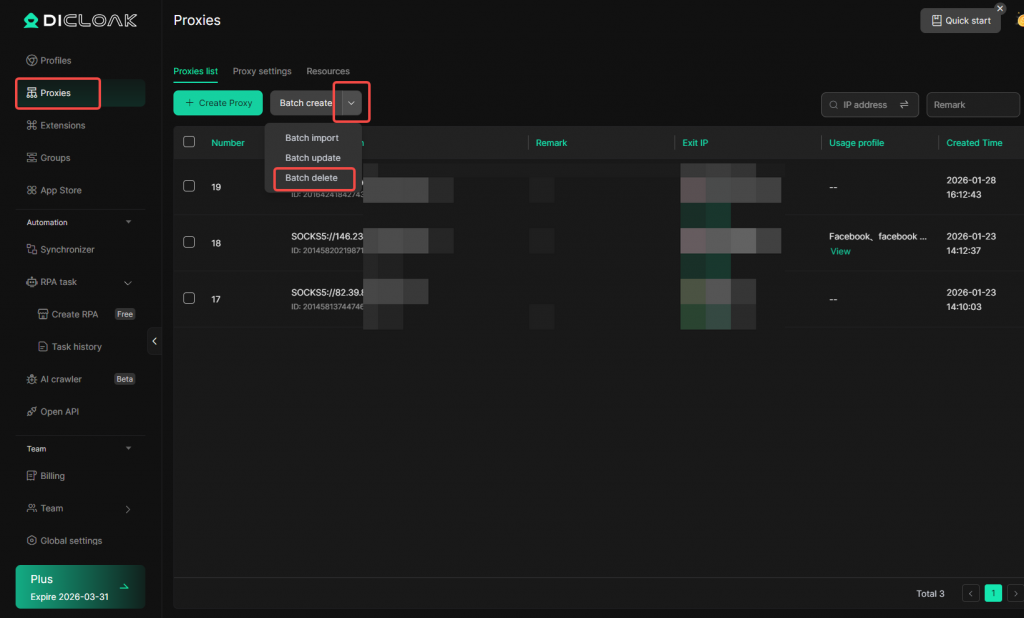
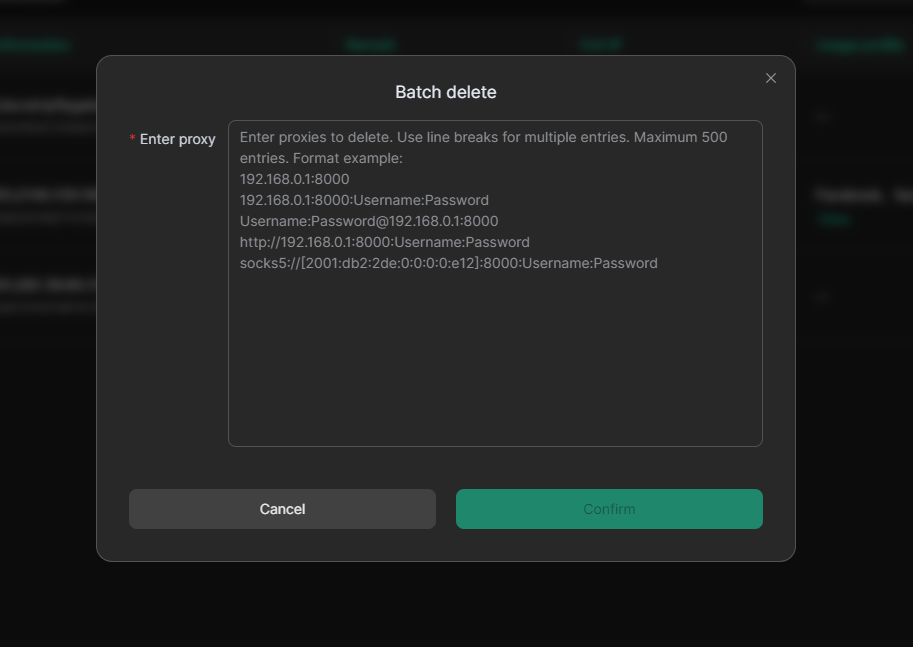
Added a batch deletion feature in [Proxies]. Supports exporting a list of proxies from your proxy provider, pasting it into DICloak’s batch deletion tool, and removing them with one click after matching.
III. Team Collaboration
1. Member Group Permission Optimization (Assign Managers)
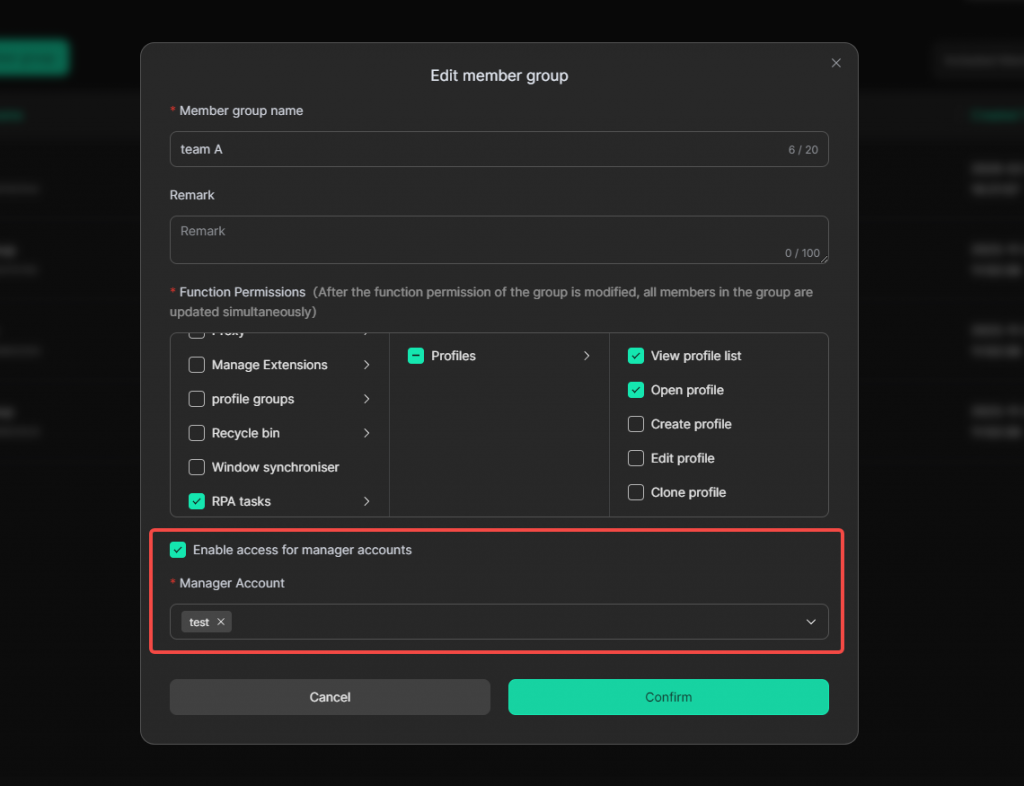
When creating or editing member groups, you can now assign managers to groups. By enabling the “Enable access for manager accounts” option in [Member Groups], you can specify which managers have permission to manage the group and add new members to it.
IV. Security
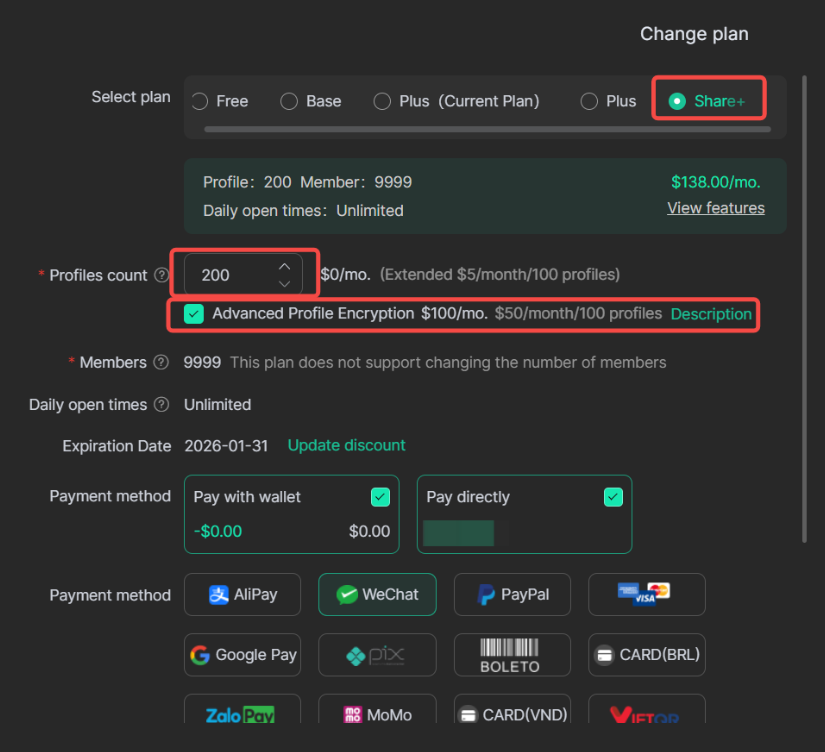
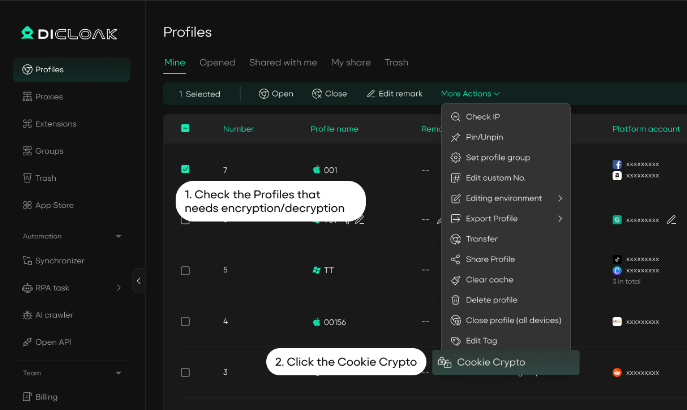
1. Enhanced Cookie Encryption (Share+ Plan)
Share+ Plan members can add “Advanced Profile Encryption” via Billing Center → Change Plan → Add-ons.
- Existing Profiles: Manually encrypt cookies via the edit menu.
- New Profiles: Cookies are automatically encrypted, indicated by a lock icon.