I. Personal and Global Settings
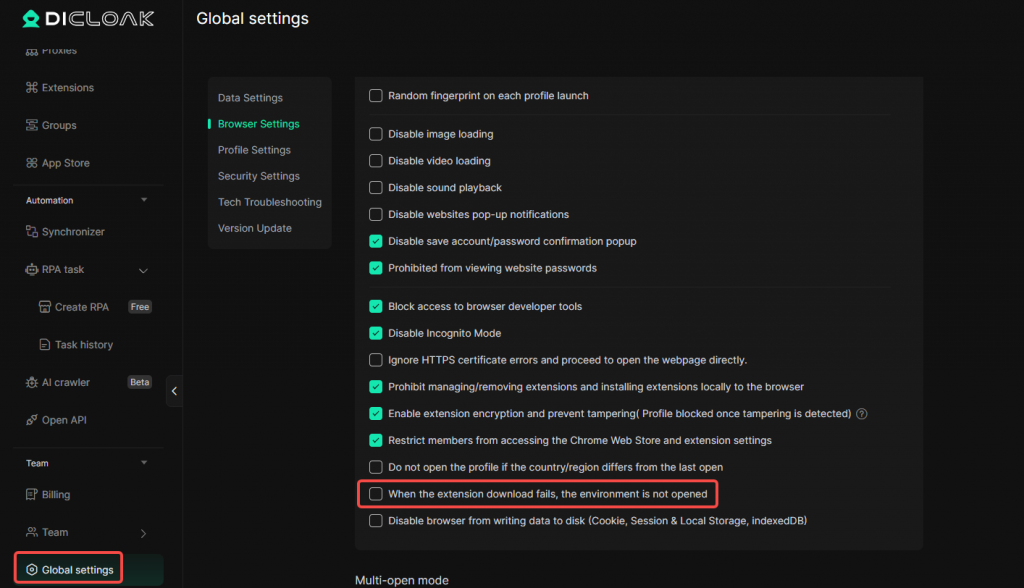
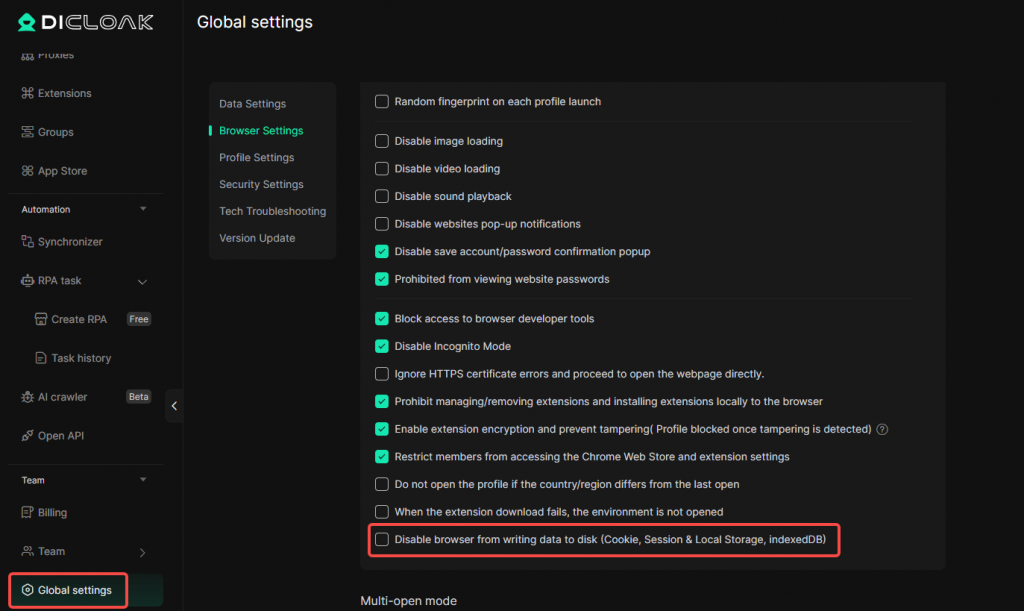
1. Do Not Open the Profile When Extension Download Fails
In [Global Settings/Edit single profile – Browser Settings], the “When the extension download fails, the environment is not opened” option has been added. When enabled, if an extension fails to download during profile startup, the system will prevent the profile from opening.
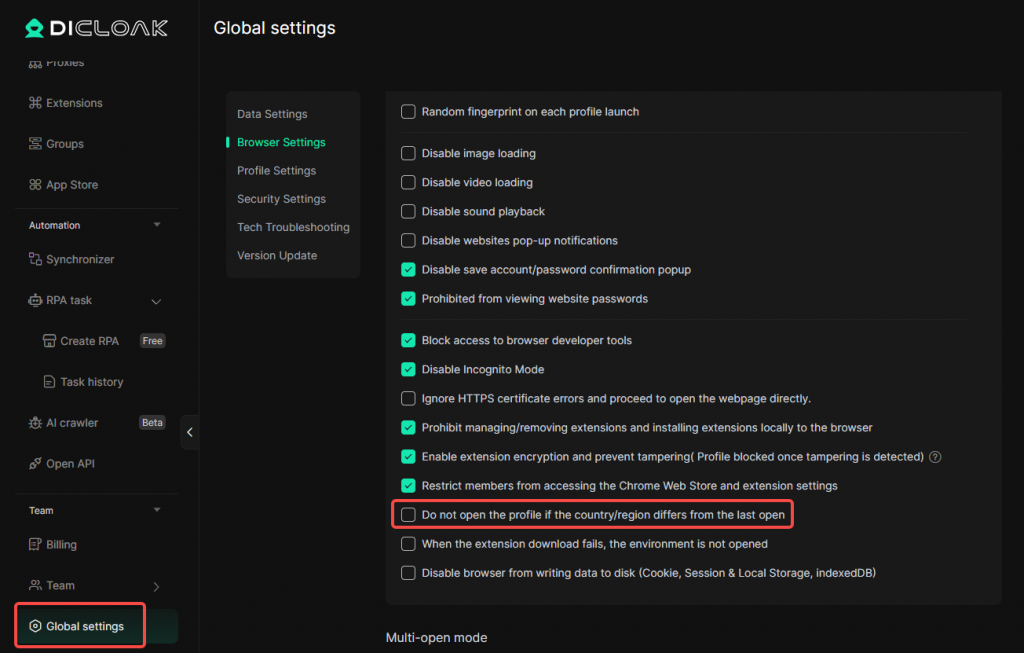
2. Do Not Open the Profile When the Country/Region Is Inconsistent with the Last Opening
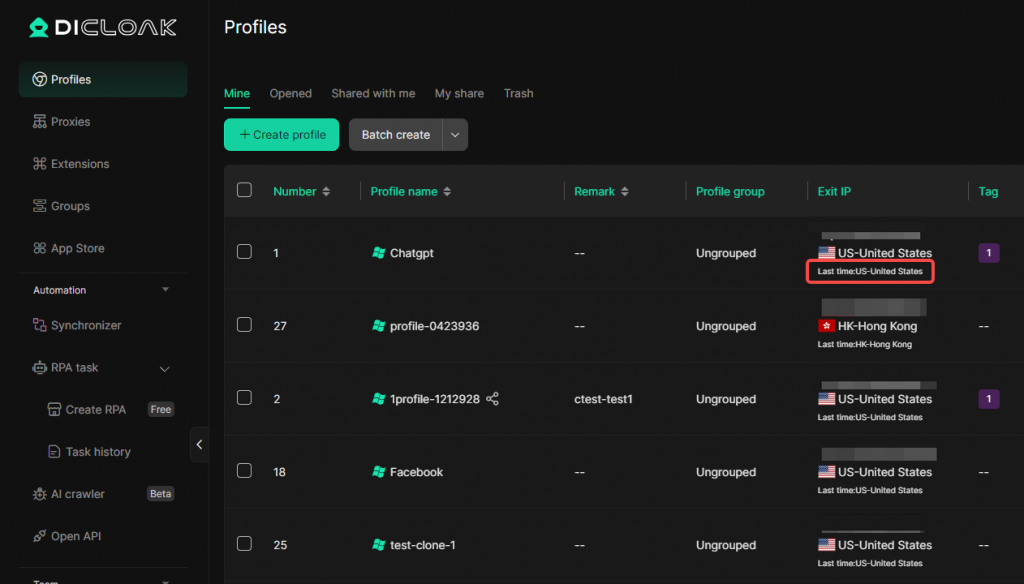
In [Global Settings/Edit single profile – Browser Settings], the “Do not open the profile if the country/region differs from the last open” option has been added. When enabled, if the system detects that the country/region of the current exit IP is different from the last time the profile was opened, it will prevent the profile from opening.
3. Disable Browser Data Writing to Disk
In [Global Settings/Edit single profile – Browser Settings], the “Disable browser from writing data to disk” option has been added. When enabled, the browser will be prevented from writing data such as Cookies, Session & Local Storage, and IndexedDB to the disk.
Note: Enabling this option will prevent profile data (Cookie, Session & Local Storage, indexedDB) from being synced to the cloud.
II. Profiles & Fingerprints
1. Resolution Fingerprint Optimization
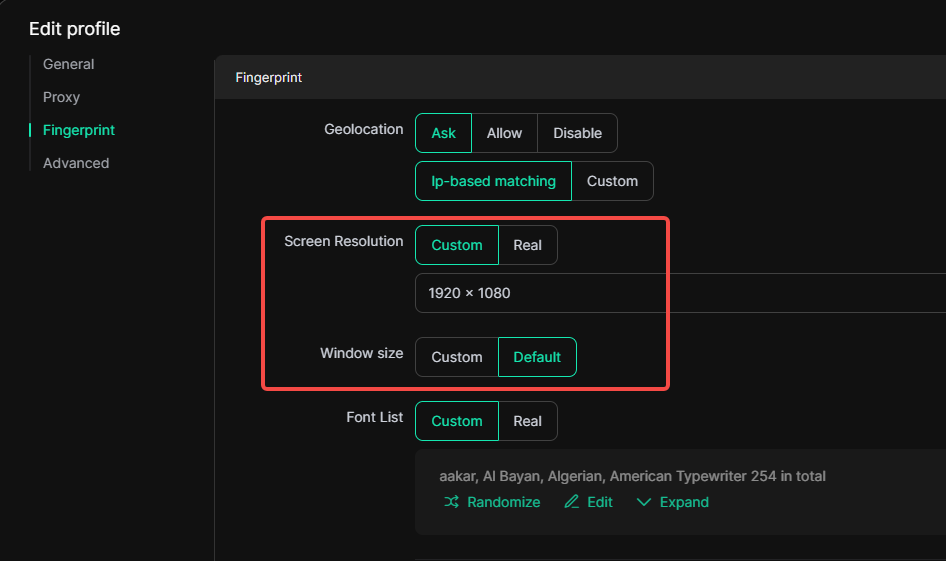
In [Profiles – Create/Edit Profile – Fingerprint Settings], the resolution fingerprint capability has been optimized. When the resolution is set to “Custom” and the window size is set to “Default”, the system will automatically adjust the available size based on the selected UA type. This is used to simulate the height occupied by areas such as the bottom status bar on real devices.
The available size rules for different UA types are as follows:
- Windows UA: the available height is 48 pixels less than the resolution height
- macOS / Linux UA: the available height is 80 pixels less than the resolution height
- Mobile UA: the available size is the same as the resolution
If the resolution is set to “Real”, the available size will follow the actual value of the current device.