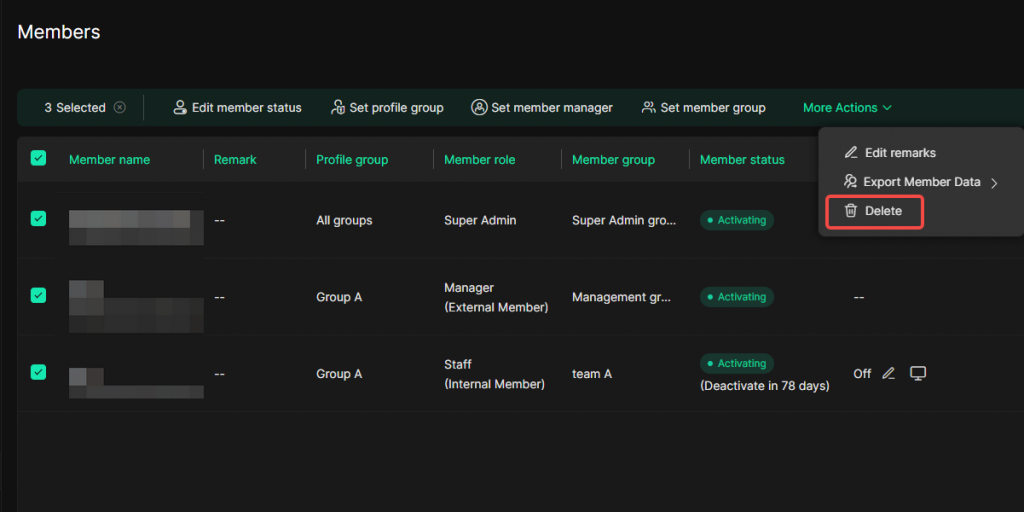
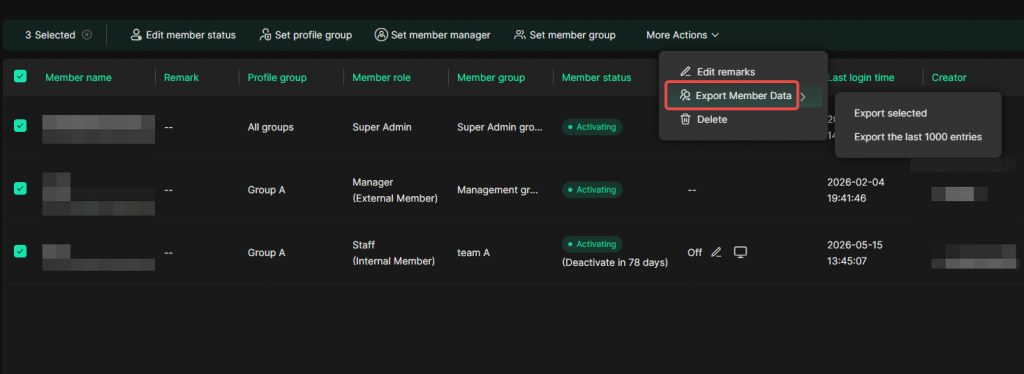
In the [Team-Members], you can first select the members you want to manage, then use the batch operation bar at the top to manage multiple members at once.
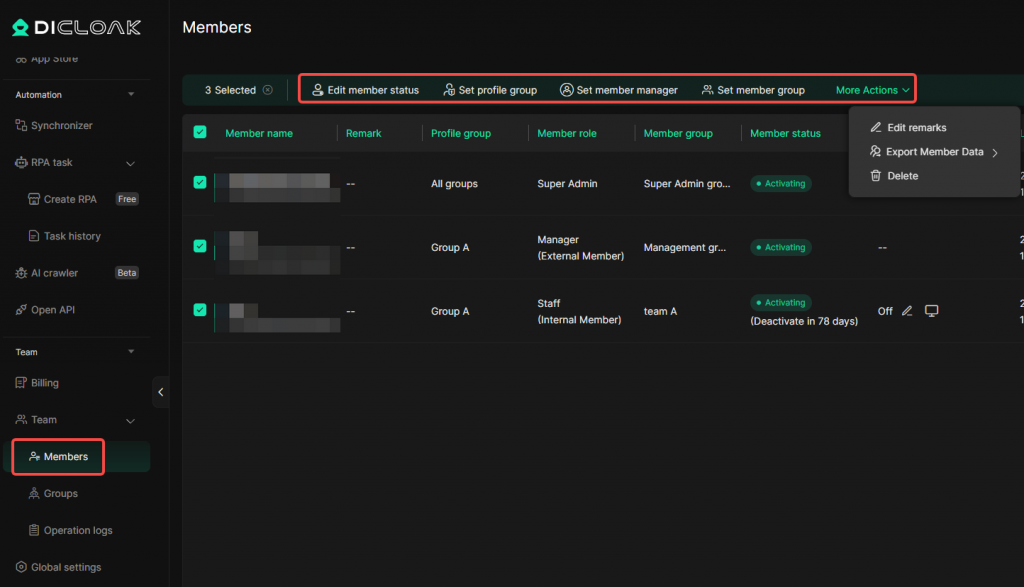
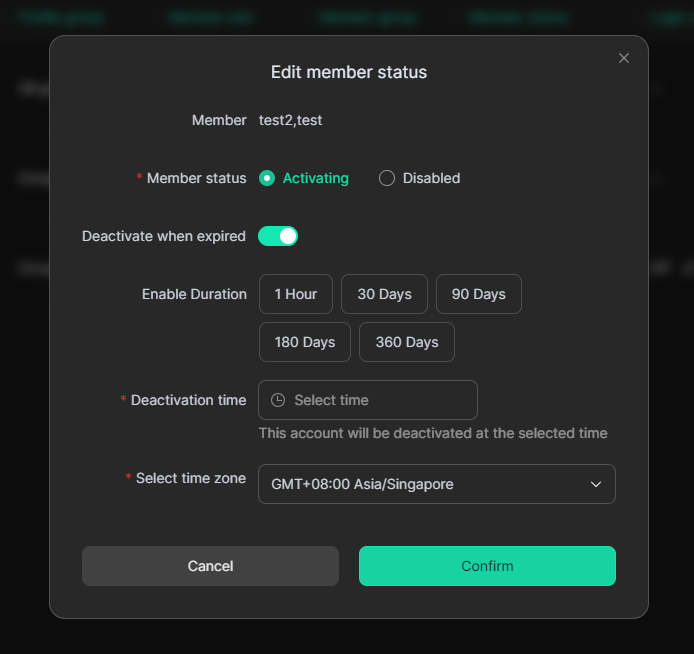
1. Batch Edit Member Status
After selecting members, click [Edit Member Status] to batch modify the status of the selected members.
This feature is suitable for scenarios where you need to enable or deactivate multiple member accounts at the same time, or uniformly modify the expiration deactivation time. After the change is applied, the selected members will be updated according to the new settings.
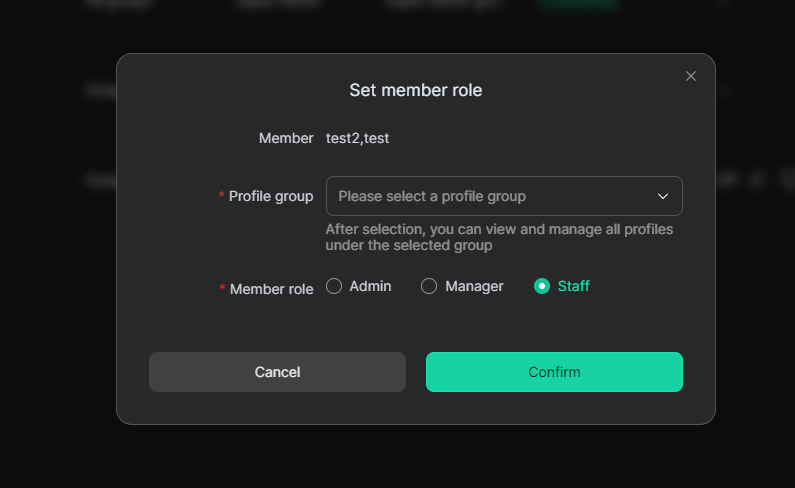
2. Batch Set Profile Group & Member Role
After selecting members, click [Set Profile Group] to batch set the profile groups that the selected members can access, as well as their member roles.
After the setting is completed, the selected members’ profile group permissions and roles will be overwritten with the new settings. Members will then access the corresponding profiles according to the updated profile group permissions.
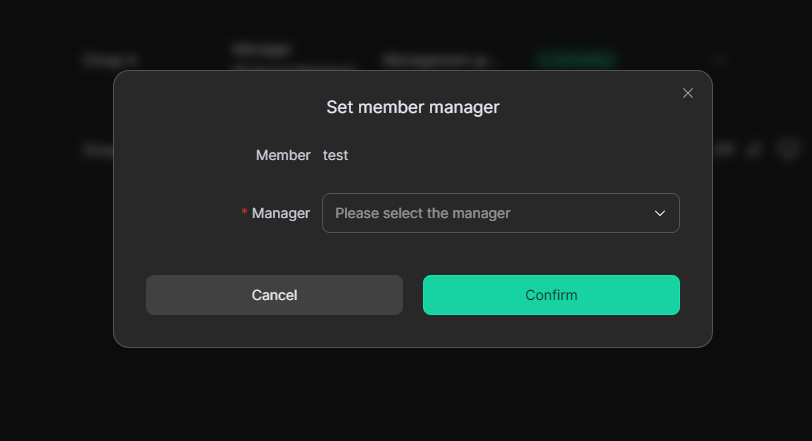
3. Batch Set Member Manager
After selecting members, click [Set Member Manager] to batch set the member manager for the selected members.
After the setting is applied, the selected members will be managed by the specified manager.
4. Batch Set Member Group
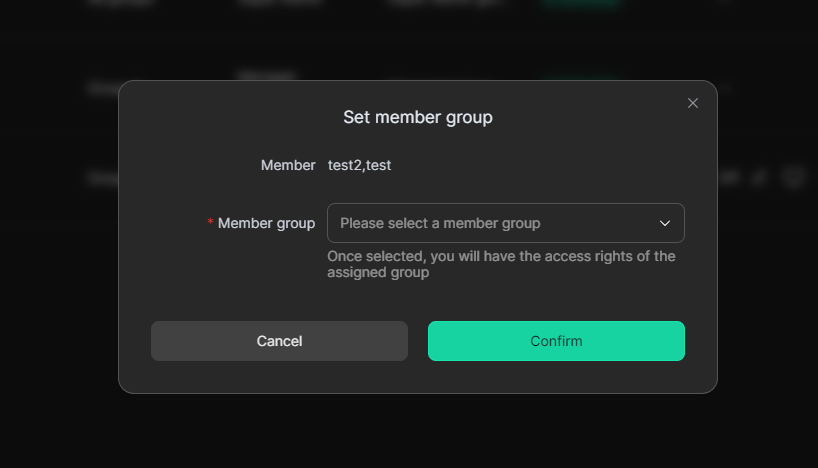
After selecting members, click [Set Member Group] to batch adjust the member group of the selected members.
This feature is suitable for scenarios where you need to manage member organization or permission scopes in a unified way.
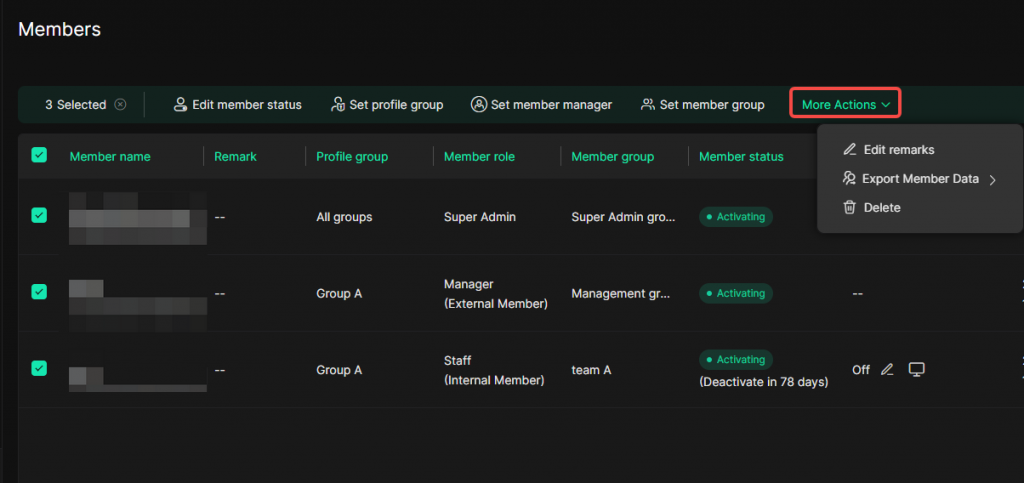
5. More Actions
Click [More Actions] to expand more batch operation options.
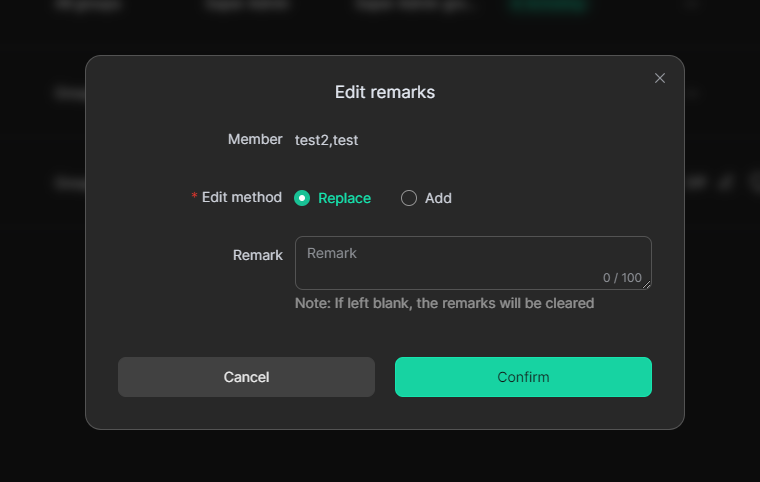
5.1 Batch Edit Remarks
Click [Edit Remarks] to batch edit the remarks of the selected members. You can choose to modify the remarks by either “Replace” or “Add”.
5.2 Export Member Data
Click [Export Members] to export the data of the selected members.
5.3 Batch Delete Members
Click [Delete] to batch delete the selected members.
Before deleting members, please make sure the selected member information is correct. Once deleted, members cannot be restored.